• Skip to main content
  • Skip to footer

Macpreneur

Mac tips & strategies for solopreneurs

  • Episodes
    • Listen to all the episodes
    • Season 7: AI-Enhanced Macpreneur
    • Season 6: Guest Interviews
    • Season 5: Digital Security
    • Season 4: Process Efficiency
    • Season 3: Artificial Intelligence
    • Season 2: Mac Productivity
    • Season 1: 2018-2019
  • Get featured
    • Be my Guest
    • Submit your question↗
  • Social
    • Facebook↗
    • Instagram↗
    • LinkedIn↗
    • YouTube↗
  • Tools
  • Contact
You are here: Home / Episodes / MP012: iOS setup: Behind the scenes of a freelance Apple consulting business – part 2
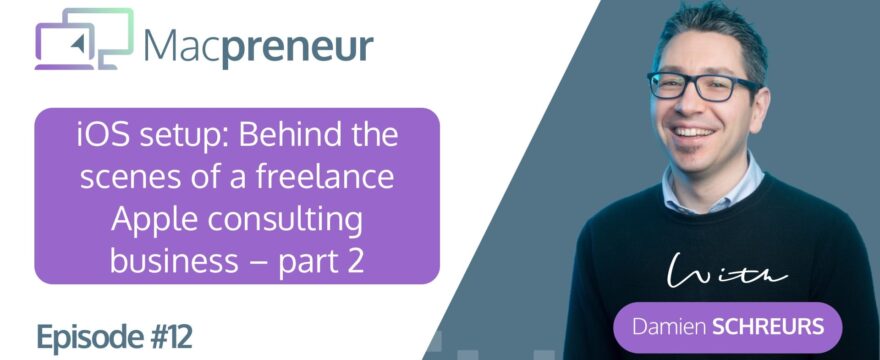
MP012: iOS setup: Behind the scenes of a freelance Apple consulting business – part 2

MP012: iOS setup: Behind the scenes of a freelance Apple consulting business – part 2

August 23, 2018 By DamienSchreurs

Episode Summary:

So, unlike the first 10 episodes of the show, I’m releasing a 3-part series showing you the behind the scenes of my freelance Apple training & consulting business.

In last episode, I’ve gone through my Mac setup and it was jam-packed with hardware and software gems so if you haven’t listened to it yet, I highly recommend you to check it out.

In this episode, I’ll talk about my Apple mobile devices and how they integrate in my workflows by complementing what I do on my Macs.

Around the 1 hour mark, I share 3 discoveries that I’m sure you’ll find interesting

Finally, in next episode, I’ll do a deep dive into the various online services that allow me to bridge the gap between Mac and iOS and those that make my life easier through web automation.

If you’d like to be a guest on the show or know an entrepreneur who would be a great guest on the show, just visit macpreneur.com/contact

The web version of the show notes is available at macpreneur.com/episode12

Useful links:

iPhone 8 Plus

Accessories

  • 42 mm Series 3 Nike+ Apple Watch (Wi-Fi only)
  • Apple AirPods
  • Fitbit Charge 2
  • Anker PowerPort Wireless 10 inductive charger

Apps

  • Productivity
    • Due
    • Todoist
    • Pzizz
  • Security
    • 1Password
    • Authy
    • TunnelBear VPN (Affiliate link)
    • BlockBear (free)
    • 1Blocker X ($4,99)
  • Continuous learning
    • PocketCast
    • Feedly
  • Finance
    • Freshbooks
    • Stripe
    • YNAB Classic & YNAB
  • Marketing
    • Pocket
    • Buffer
    • Facebook Ads Manager
  • Operations
    • iAuditor
    • Mactracker
    • Hushed
    • Podio
    • Toggl
    • Boxcryptor
  • Travel
    • Waze
    • Ville de Luxembourg iOS app
    • Kayak
  • Communications
    • WhatsApp
    • Slack
  • E-mail
    • Outlook iOS app
  • Social media
    • Twitter
    • Instagram
  • Health & fitness
    • Activity
    • Fitbit
    • Quick 4 minute workout

iPad Mini 4

  • Accessories
    • Logi Focus Keyboard case
    • 4th Gen Apple TV
  • Apps
    • Ulysses
    • OneNote
    • pClock ($0,99)
    • ScratchJr
    • Tynker
    • BoxCryptor iOS app

Share this:

  • Print (Opens in new window) Print
  • Share on Facebook (Opens in new window) Facebook
  • Share on LinkedIn (Opens in new window) LinkedIn
  • Share on X (Opens in new window) X
  • Share on WhatsApp (Opens in new window) WhatsApp

Filed Under: Episodes, Season 1: 2018-2019

Footer CTA

Privacy & Cookies: This site doesn't use cookies unless you have created an account. To find out more about the data that we may process, see here: Privacy Policy
  • Listen to the podcast
  • Privacy Policy

Copyright © 2026 · Academy Pro On Genesis Framework · WordPress · Log in