TL;DR
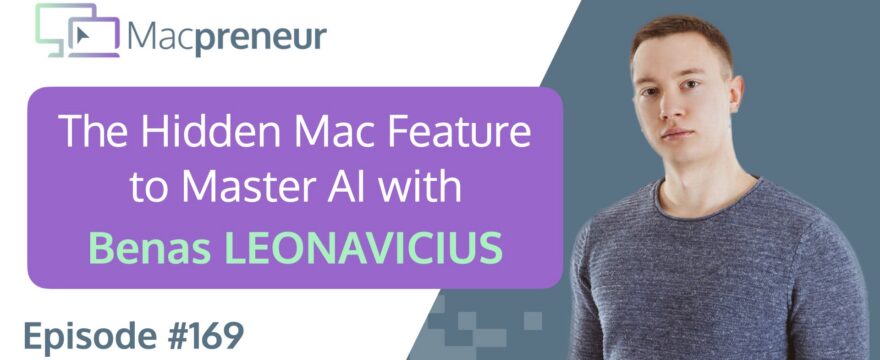
In this episode of Macpreneur, SEO expert Benas Leonavicius reveals how Mac’s built-in dictation feature has revolutionized his AI interactions, transforming complex thought processes into streamlined content creation.
By leveraging native Mac tools and AI technologies, Benas demonstrates how solopreneurs can dramatically enhance productivity and creativity.
Connect with Benas
- Website: https://benasleo.com
- LinkedIn: https://www.linkedin.com/in/benasleo/
- YouTube: https://www.youtube.com/@benasleo
Watch now
Listen now
Summary
In episode 169, I had the pleasure of interviewing Benas Leonavicius, a successful freelance SEO expert who has mastered the art of using Mac technology and AI to streamline his business operations.
Our conversation dove deep into the practical applications of technology for solopreneurs, with a particular focus on how AI and Mac’s native features can transform workflow efficiency.
One of the most fascinating insights Benas shared was his approach to using Mac’s dictation feature for AI interactions.
Instead of meticulously typing out prompts, he simply speaks his raw thoughts, allowing AI tools like ChatGPT to organize and refine his ideas.
This method has become a game-changer for him, especially when brainstorming content ideas for his YouTube channel.
We explored his Mac setup, which includes a MacBook Air M3, an external Philips monitor, and a combination of trackpad and mouse.
Benas emphasized the importance of simplicity, preferring native Apple apps like Notes and Reminders over complex third-party productivity tools.
His philosophy is to use the most basic tool that meets his needs, avoiding unnecessary complexity.
On the AI front, Benas shared his experiences with various platforms like ChatGPT, Gemini, and Google Workspace, highlighting the evolving landscape of AI integration.
He’s particularly excited about the potential of automation tools like Google Workspace Studio, which he sees as the future of streamlined work processes.
Main Takeaways
- Mac’s built-in dictation feature can be a powerful tool for AI-assisted content creation and idea organization.
- Native Apple apps like Notes and Reminders can be more effective than complex third-party productivity tools.
- YouTube tags are becoming obsolete due to advanced AI transcript analysis.
- Browser management can be optimized through tab pinning, side-by-side viewing, and bookmark folder strategies.
- AI tools like ChatGPT are excellent for summarizing long-form content, extracting key insights, and generating initial drafts.
- Google Workspace and its AI integrations are becoming increasingly sophisticated for automation and workflow enhancement.
- Simplicity in tech setup can lead to greater productivity and reduced cognitive load.
- Continuous exploration and adaptation of new technologies can provide significant competitive advantages for solopreneurs.
Subscribe from your favorite podcast player






FULL TRANSCRIPT (Click here)
The Hidden Mac Feature This Solopreneur Uses to Master AI with Benas Leonavicius
Benas Leonavicius
With AI, sometimes it’s even better to just give it so much, like, your whole thought process.
There is so much information to give and it’s way faster to just speak for a minute instead of writing everything down.
And since I’m using AI for so many different things nowadays, I found dictation the most useful for inputting prompts.
I just speak everything that comes to mind without organization, then I ask, “Can you organize these thoughts and let me know what basically I said (laughs) and what can we make of it?”
It does a brilliant job of providing great summaries, and from there you have more concrete drafts, plans, and video ideas.
Dictation is the thing I started using a lot.
Nova AI
Welcome to Macpreneur, the show for seasoned solopreneurs looking to streamline their business on a Mac.
Unlock the secrets to saving time and money with your host and technology mentor, Damien Schreurs.
Introductions
Damien Schreurs
Hello, hello.
Today I have the pleasure to introduce Benas Leonavicius.
Benas is a freelance SEO expert who built a six-figure solo business helping companies get more traffic from Google through search engine optimization.
He still works hands-on with clients on the SEO and now teaches freelancers how to find better clients, charge more, and build a business that fits their life.
Benas, welcome to the show.
Benas Leonavicius
Thank you, Damien, for having me on this show.
It’s good to be here.
Damien Schreurs
Yeah, thank you for being on the show.
I appreciate your background.
I see that you have some YouTube experience already. (laughs)
Benas Leonavicius
Yes, yes, uh, YouTube is definitely, uh, a platform I, uh, probably one of my most favorite social media platforms out there, like, in terms of me kind of posting, publishing, but also, like, consuming content.
It’s just something I’ve been really into for a very long time.
The Mac Setup: MacBook, Display, and the Mouse vs. Trackpad Debate
Damien Schreurs
Mm-hmm.
And so what’s your current setup now, your Mac setup?
Benas Leonavicius
Yeah, so I use MacBook, MacBook Air 15-inch.
Let me check real quick.
It’s M3, so 2024 model.
Damien Schreurs
Mm-hmm.
And so you, I think in the pre-show we talked about you having an external display?
Benas Leonavicius
Yeah, yeah.
So it’s something that I got a few years ago, and now it seems like I cannot live without.
So it’s my, my MacBook Air.
Although, I do prefer the actual screen of the MacBook Air.
It’s much nicer, crispier, and, but the kind of, it, the size does matter in this sense… because I do love to have these, a lot of sort of windows open so that I can browse and work better.
So I do have this Philips, like, extension monitor where I use… It is powered by Apple.
And then external keyboard, uh, trackpad, and then actually I do use Apple mouse.
A lot of people hate on it.
Damien Schreurs
(laughs) Yeah.
Benas Leonavicius
But I don’t know.
It’s, it’s surprising.
It is not the best, but it’s wor- it works. (laughs)
Damien Schreurs
So yeah, because when you order a MacBook, you have the choice, right?
You… I think, no, I think by default you have the Magic Mouse.
Benas Leonavicius
Yeah, but if you order, like, a stationary one, so I, I got it… This I got, like, separately.
Uh, actually, I think it was even a gift.
I don’t think I, I even bought it.
But just started using it, got used to it, and now it’s, as long as I have my trackpad and my mouse, I’m good, I’m settled.
Damien Schreurs
And so do you use actually both at the same time?
Do you use the trackpad, the built-in trackpad, and the mouse at the same time?
Benas Leonavicius
It’s not, uh, sorry, I have actually the external…
Ah, you have both.
… uh, on, on the…
You have both.
Yeah, yeah, yeah.
I- this, this is a must.
So I use a trackpad on, not on the laptop, because my laptop is on, on a display.
It’s a bit, it’s- would be inconvenient to use.
But I have the, like, the keyboard, the trackpad next to the keyboard, and then I have a mouse.
But yeah, I actually switch between them depending on what I need to do.
It’s actually much easier to use, for example, the Apple trackpad because you have a lot of gestures that you can do.
And I’m so used to all of them, so it’s, it f- feels like some- sometimes my hand gets a bit tired from the mouse, so I switch to trackpad.
Sometimes it’s easier to use the mouse.
So it’s, now that I’ve u- u- used to use both of them, I can’t not imagine a world where I only have to use one. (laughs)
So I’m very used to these, both devices at the same time.
Damien Schreurs
Yeah.
I, for some reason, the Magic Mouse never stick with me.
And, and so yeah, but I could not imagine using my iMac without a trackpad.
It’s, yeah, it’s like a superpower when you have those three-finger gestures and four-finger gestures and (laughs) double-… two fingers swipe left and right. (laughs)
Benas Leonavicius
(laughs) Yeah, it would be so difficult to actually use a laptop without these gestures.
It would take so, now that I think about it, it would take so much time to just switch between things.
No, it’s, it’s mandatory at this stage.
Favorite Native Mac Apps: Notes and Reminders
Damien Schreurs
Yeah.
Very good.
So what are your favorite Mac applications?
Benas Leonavicius
Uh, I love, um… So I actually thought about this, like, what, what is, you know, what would be sort of the favorite Mac application?
And actually, uh, Notes and Reminder app, like the native apps… I really, really love them.
I, you know, I, I am into productivity.
And, uh, when you are into productivity, you usually try to find what is the next best thing?
What is the… you know, is it the Notion?
Is it Asana?
Maybe I should use, like, Google Task or… There are so many different, like, options and apps to kind of go around.
But what I found is that the native apps on Apple actually are the most simplistic, basic ones, but they have everything that I need to actually integrate into my workflow.
Sometimes I think we…… try to search for features we don’t really need or use and, uh, I believe that Apple like, at least for me, like the notes and the remi- especially the reminders app, they built it in basically perfect for me, like in a way there where it just makes so much sense.
For example, I do have the, with notes app, I have a lot of folders like set up.
I have a lot of just organizational things that I made where it’s easier for me to use with the tags and stuff.
And the reminders I do use, for example, this daily task reminder, it’s such a new reminder that I created.
And then I have an action button on my iPhone, which basically anytime I have an, anything, an idea, a reminder, just a note that I need to take, I always record that very quickly.
And then when I sit down on my laptop, like even a day or two days afterwards, I basically check that list and then it’s very easy for me to di- either dismiss, to-do, or drag some, that specific task to somewhere else.
Notes and reminders, I’ve been… I’ve so much integrated them into my personal and work life that now they’re my favorite, like Mac app- Mac apps at the moment.
Damien Schreurs
And on which version of the operating system are you on the Mac?
Is it on the latest one, Tahoe?
Benas Leonavicius
Yeah.
Yeah.
It should be, I think it should be the latest one.
Yeah, it’s Tahoe.
Yeah, 26.1.
So the latest version available.
A Deep Dive into Apple Notes and Productivity
Damien Schreurs
Yeah.
And, and on, in, in Apple Notes, have you played with the smart folders already?
Benas Leonavicius
Not really.
For some reason I, I, wha- I already had a system before we introduced the smart folder, so I never really had a kind of a chance to check them out since I, I don’t have anything complicated.
It’s my work, my personal, my health… YouTube stuff, whatever.
So it’s just, it’s all about just the folders.
And I already use tags for that.
Sometimes it does sort them automatically depending… I have a couple of folders like that, but I haven’t found any use for smart folders yet.
Actually, I haven’t really used them in that sense.
So I might actually find use case if I go ahead and try to use them properly.
Damien Schreurs
Yeah.
I discovered from Mac power users one neat actually application of the smart folder that I hadn’t thought about until then. (laughs)
And it’s actually, it’s seven days maximum, so seven days old notes.
So notes that have been modified in the last seven days.
And so it’s called Recent Notes.
It’s at the top.
And because like you, I have a lot of folders and subfolders, so… everything is well organized.
But then as well, when you need to go back to a certain note, you have to go to, uh, yeah, to the folder, subfolder.
I have created some automation with my Stream deck.
So I have a button, a few buttons… that open specific notes.
But for some reason, and I don’t know why, when the note opens, it does not open inside the folder it is in.
It opens into the all iCloud area, at the top there is an all iCloud f-
Benas Leonavicius
Yeah, yeah, yeah.
Ah, okay, okay.
I see.
I see.
Damien Schreurs
And so I’m like, “No, I want to find it in another way.”
(laughs)
And also I have a lot of pinned notes in many folders.
So even though a note may have been, uh, uh, updated recently, it may not be at the top of the folder.
Benas Leonavicius
Yeah, yeah.
I also use pinned notes.
Actually, I mean, that, that’s a very good point, like very good idea for using the smart notes, for example.
Yeah, just as a recent notes folder and it automatically sorts that.
To be honest, I should probably explore more this… the… And I might find some use cases because I didn’t even know this was possible, to be honest.
So this is an interesting one to, to explore.
Damien Schreurs
Yeah.
And I only have two actually. (laughs)
And actually three, but the other two are similar, is like you, I use tags.
And so when… All my standard operating procedures are in Apple Notes with the #SOP.
But they are, again, they are in multiple kinds of fo- multiple folders where I have one folder for one client, where I have procedures for that client… and a bun- But then I created a smart folder that actually pulls all those notes with the #SOP and I can, I could select, okay, go and look into these and these and these folders, but only pull the notes that have the #SOP.
And now I can find… all my SOPs regardless from where they are anywhere in the, yeah, in the folders or sub folders.
Benas Leonavicius
Hmm.
That’s true.
Yeah.
I, I, I think mine notes, uh, um, like setup is a bit too simple for that.
But I, I do see a use case if you use, for example, different folders, but the same like, uh, file, uh, or like a note with like SOP, then yeah, you can’t really drag them all into one folder.
Then you need to use tags and then you can actually have a tag within them.
Yeah.
Yeah.
That makes sense.
Um, I think I kind of, um, at some point I think I burned out from productivity and, uh, there was a point, I think maybe three years ago, where I just thought, no, this is too… Like I’m making things complicated for the sake of making things complicated.
So at some point I think I stripped down so much and then just went to the basics and hey, and I’m basically said to myself, I’m gonna use the most basic tool and the most basic setup until I feel that I need something else.
And to be honest, this sp- for example, this specific rule really helped me to align myself with anything that I do, like on online, on a, on my laptop, because it just made things so simple and I don’t then try to get a new app or a new system just because it sounds good, but as soon as… But I need to feel it or see it where it makes sense and then only then implement it.
Not the other way around.
Third-Party Apps and Managing Client Communication
Damien Schreurs
Mm-hmm.Yeah.
And what kind of third party apps, so those that are not developed by Apple, um, are you using actually for your job?
Benas Leonavicius
Mainly it’s Notion.
That would be Notion, Slack.
I do have WhatsApp on my desktop as well.
Those are the free main ones that are not developed by Apple that are most useful.
To be honest, I use a lot of, like, native, even like video editing is a Final Cut Pro app.
Majority of my apps are actually native, I prefer that way.
But yeah, I do several, I do have several of them that are a third party app.
Damien Schreurs
Yeah.
And yeah, how do you deal with clients contacting you from different kinds of channels? (laughs)
Benas Leonavicius
(laughs) Uh, actually I, so now I, I have with a client specifically, so I streamlined everything and now it’s only email.
So it’s only email with the clients.
It makes process a lot, much easier.
I do have also a lot of organization and even automation set up in my Gmail account.
So there’s a lot of auto labeling.
There’s a lot of things that, that don’t even go to the inbox and go straight to subscriptions or companies or newsletters.
So I built my Gmail as a, as a mini CRM where everything is way more manageable than just a flow of emails with promotions from clients to promotions.
So yeah, it’s the only way I communicate with clients, which makes it very easy then.
Damien Schreurs
Mm-hmm.
Yeah.
And yeah, so you, you, you mentioned Google work, uh, Gmail.
So you’re using the full suite of Google Workspace?
Benas Leonavicius
Yeah, I have the business account, or I don’t remember what it’s called.
But yeah.
Browser Tips, Tricks, and Taming Tabs
Damien Schreurs
Have you played with the profiles in Google Chrome or even saving a website as a mini application on your Mac?
Benas Leonavicius
No, this is something I haven’t really so explored because it’s, um, some, with, uh, internet sometimes you start with one profile doing something and then, uh, it, the more things you do, the more difficult it is to move and start over.
And to, so it just, you know, I didn’t even think about these profiles when I started sort of working with clients, but then I already kind of built systems and then on top I’ve built folders and structures and so I never really kind of moved.
Um, so I do actually have, um, my own like personal Gmail where like all of the, where all the plug-ins, folders, bookmarks, everything sits there.
And I only use the other sort of Gmail accounts that I have.
I have like several of them for like just email or calendar or, calendar is actually mainly for meetings and stuff.
So that’s it.
So it’s my main one for everything and then only email and calendar for the rest of it.
And I think at least for now, that system seems to be working well.
Damien Schreurs
Mm-hmm.
Yeah, in, back in episode 165, I actually released an episode where I talk about how to convert a web service or web application into… a dedicated or a mini Mac application.
And, uh, it’s native with Safari and, uh, with Google Chrome it’s possible as well.
You just click on the three dots in the upper right corner and then you have… cast, share, or something like that.
And then you can install the site as an app.
And so the usefulness of that is that you are not…
I’m, I’m the kind of person who sometimes I, 20, 50 tabs open.
Benas Leonavicius
(laughs) Yeah.
Damien Schreurs
And then I need to…
Benas Leonavicius
Revolving door.
Benas Leonavicius
Mm-hmm.
I actually, I used to do that where I have 20, 30 tabs open and it’s just a nightmare because it feels… What I didn’t like about that is that every time I opened my laptop, it felt like overwhelming, like I just opened my laptop, I’m already overwhelmed at what I need to do, what is happening.
I have so many things open it, it just, it felt like I was trying to think about this five, six, seven different things at the same time.
And that was very stressful.
So I actually now utilize, so I don’t have, for example, like I, I can open many tabs, but if it’s like a specific project that I do, I open many tabs, but then as soon as I’m done, I actually close everything.
So I, the only four tabs that are pinned and always kept are the four Gmail accounts that I use.
So it’s basically just that.
Everything else is closed and I f- uh, figured, uh, at least for me, the best solution was to use bookmarks and folders there.
So if I have, for example, a specific project that needs like a lot of resources or whatever, I just create a folder.
I put everything there.
As soon as the, I come to my laptop, I need to do that project.
I basically, what is it?
I don’t remember, I could command or control and then you click on the folder, it opens all of the nine different tabs and then you work on them.
But then as soon as you finish, I never leave them open because otherwise I just get way too overwhelmed actually at that.
Damien Schreurs
Mm-hmm.
Yeah, so for the listener might not know, right, when we’re in Chrome, but now also in Safari, in Firefox, if you right click on a tab, on a browser tab… you have an option to pin it.
So it’s gonna be smaller…. and… immediately go to the left side of the tab bar.
And that means that w- regardless of the configuration of your browser, so when you quit the browser, there are different, uh, when you quit and you reopen the browser, it could start from scratch or it could start from where you left off.
There are different, uh, settings.
But regardless from that, when you pin a tab, the tab will always be in the left, top-left corner of the browser.
So that’s one, one feature that is nice.
The trick of… right clicking and or command clicking on a f-… on a folder of bookmarks to open the bookmarks works well.
In Safari, it’s also possible to configure it so that when you launch Safari, every time… it opens, all the bookmarks from a given folder.
So it-… you can make it-… you can configure it that way.
Benas Leonavicius
Yeah, oh, that’s nice.
That’s nice, yeah, yeah.
Damien Schreurs
And, um, I don’t know if you n- uh, you’ve noticed, there is a new feature now with, uh, Google Chrome, that you can actually select two tabs and have them display side-by-side in the same window.
Benas Leonavicius
I’ve already been using it.
I actually really enjoy that feature.
Damien Schreurs
It’s so good, huh?
It’s good.
Benas Leonavicius
Like, yeah, it’s-… it’s really, yeah, yeah, it’s really good.
I already used it for s- uh, some time, and I really enjoyed it, because then it, it like, it, the best part is that it keeps it as one tab.
So basically, you can drag it everywhere.
Just you open that, you already see two tabs, you can start working.
Yeah, this is a really good one.
I really enjoy that.
And also, like, regarding the pinning, I think one of the, at least from, for me, one of the best use cases for pinning wha- wha- like, the four Gmail accounts that I have, is then the quick access, because command one is first tab, command two is the second tab.
So it’s a very quick and easy access to those Gmail accounts.
Doesn’t matter how many tabs you have open.
As soon as you press command one, it opens the first Gmail that you have open.
So, I, I think that’s the best case scenario that I found for the actual, actually for pinning the tabs.
Damien Schreurs
Mm-hmm.
Yeah, that’s a good tip as well, the command one, command two, command three.
I think it’s the same with Safari actually, that you can switch from, from one tab to another very easily.
AI Tools and Workflows: ChatGPT, Gemini, and Google Workspace
Damien Schreurs
Yeah.
Uh, very good.
So, you are using Google Workspace.
Are you using the AI features inside, uh, Google Workspace?
Benas Leonavicius
No, I haven’t really utilized that.
So, I think I need the upgraded plan for t- for the use of that.
I did use Gemini, but, um, but just generally as a, as a, as a chatbot.
But for some reason, I don’t find it… for some reason, it doesn’t really work that well as ChatGPT does for me.
For s- like, ChatGPT does gi- it was either a better structure, format.
So it just feels like it u- understands me a bit better.
Gemini, at least as a chatbot, haven’t really worked that well for me, and I haven’t really used it as an integration into other apps.
I d- do have that email summary, but I haven’t really used that as well.
I haven’t found a use.
I do, I think, that one of the best features right now is that it automatically has suggestions for replies… in Gmail.
Damien Schreurs
Very good.
Benas Leonavicius
That’s actually pretty useful, because y- with one click, you can basically have like 70% of the message done, and then you basically add or customize whatever else you need.
So, it just speeds up the writing process because it already pulls in “Hey,” pulls in the name.
It says “thanks” at the end.
So just, it, that thing, I think it’s one of the most useful features that I have tried.
But n- no, I haven’t explored like Google’s AI with the integration of the Workspace.
However, I feel that it’s inevitable.
Like, Google is probably the best positioned company out there in regards to AI, where everything is like horizontally and vertically integrated within Google.
So, I think if my documents, my presentations, Google Docs, just Chrome in general, if I use all of those features in Gmail, then if it understands the context, I, I believe that as time goes on, this will be one of the major advantages for Google compared to Claude or ChatGPT where they don’t have any additional sort of services or features that they offer.
Damien Schreurs
Mm-hmm.
Yeah, so also for the listener, starting out as, uh, Google Workspace starter plan, and you need at least a Google, uh, Business, uh, Standard or Plus plan to have the full capabilities of Gemini inside Google Workspace.
But with a starter plan, you have a little bit of Gemini in Gmail, and then you have access to the standalone Gemini app with… uh, via gemini.google.com.
Now, you have a paid account, right, for ChatGPT?
Benas Leonavicius
Yeah.
Yeah, I do, I do.
Damien Schreurs
… have configured the, some customization, how you want ChatGPT to talk to you and refer to you as?
Benas Leonavicius
Eh, a little bit, but like, very briefly.
I haven’t really… it, it just, I think it seems that I’ve been chatting with ChatGPT for so long about so many things, it, it feels like it learned the ways I want my answers to be given.
So, I don’t actually do that much custom- customization.
It feels like it already knows the way I want things to, to open.
Maybe I’m just… or maybe just the prompts are very clear.
I’m not sure about that.
But yeah, it feels ChatGPT does give the answers that I’m looking for.
Damien Schreurs
Yeah, so we… Cha- ChatGPT has had a memory feature for quite a while now.
So, it actually remembers, uh, your past conversations, and it, it actually stores somehow in, in its… inner memory, uh, the way you like to interact with it as well.
Um, has introduced something similar very recently.
So, we’re recording this, uh, early 2026.And, and, yeah, so now it’s possible, like with ChatGPT, to configure the settings of Gemini and tell it, “Okay, this is the type of tone of voice that I expect from you.”
And you can give it some information about you so that it will be… it will use that for all the conversations.
You can also turn on, um, memory or history of your conversation, past conversations and, um… But you’re right.
I see that all the time because I’m using both as well.
I’m the paid… I have a paid account with ChatGPT and I have Google Workspace and, and Gemini, and they have different…
It’s a different model.
It’s really a different model.
They have different ways to respond.
Even the Deep Research capabilities, I have…
So I’m… Most of the time, I receive com- two completely different (laughs) reports.
Not different, di- different in the structure, right?
In the heading one, the heading twos, the way the information is displayed.
At the end, the conclusion’s very close.
But the way they… the way Gemini presents the information versus ChatGPT… And there, I have to say, I agree with you, I tend to prefer the ChatGPT Deep Research reports than Gemini’s.
Benas Leonavicius
Hmm.
Okay.
Damien Schreurs
Yeah, I have to-… be a bit more careful because sometimes ChatGPT is a little bit less precise or says-… things, but you have to double-check more.
Benas Leonavicius
Yeah, yeah.
It’s still a thing that you need to do with any LLM model that you use.
It’s still not 100% accurate.
So yeah, checking is mandatory.
Damien Schreurs
Mm-hmm.
And so just also for, for the listener, even with the Google Workspace, uh, starter plan, you have access now to a feature that was released at the end of 2025, which is Workspace Studio.
I think we talked about that a little bit in the pre-show.
So-… um, you can access the Studio directly from Gmail actually.
In the top-right corner of Gmail, there is a, a Gemini icon, but there is also now another-… icon for something that used to be called Flows, and now it’s Workspace Studio.
And if you open that, you can start creating automations, uh, mostly around the Google Workspace applications.
Uh, but they have third-party access.
I think Asana is one of them.
They have other third-party application that they can link to.
And for those, or for the listeners who know a little bit tools like Zapier or make.com, this is very similar, where you have a trigger and then you can set up, uh, steps.
And some of those steps can actually be AI steps or Gemini steps.
And because of the end-of-year holidays, right, Christmas holidays, why I wanted to take a little bit of time off-… I set up my virtual email assistant, which every morning at 8:30 AM, I receive a small summary of the unread emails from the past 24 hours.
(laughs)
Benas Leonavicius
Yeah, that’s a great use.
I think, like, this, um, uh, like, automation, like, well, Google Studio sort of a thing, I think it’s gonna be, uh, very… increasingly very popular and very useful, like, in the coming years.
I, I, I, uh, I believe, you know, uh, we are gonna use a lot of automations and, and we’re gonna… I think it’s gonna be a lot easier to create them from the just, like, uh, very easy prompt to just, as, as you said, like, you set up, like, this very tiny thing for you to, you know, be, uh, more present with your family during the holidays and stuff.
But then you can still quickly glance on what is happening without actually opening the Gmail, without opening the emails and then marking them unread because you need to address them later after the holidays.
Yeah, this is, this is something that I’m all, uh, currently actually exploring since I’m upgrading… the way I do things.
This is the part where I still need to get to, but it’s something that I’m very interested in exploring, this Google thing, especially since I am such a heavy Gmail user.
I wanna find specific things that would work for me.
Damien Schreurs
Mm-hmm.
And so what do you use actually… what do you use ChatGPT for, mostly?
Benas Leonavicius
Uh, to be honest, it’s, it’s a lot of things.
Uh, I, when, like, ChatGPT was introduced, I kind of, you know, played around with just, like, random things as probably everybody, uh, did.
But, uh, for actually longest time, I didn’t find any use case for ChatGPT.
It… I think it w- it went… Like, almost, I think, a year went by where, uh, I, I, I couldn’t figure out what do I actually want it to do or say with… besides than, you know, uh, casual things.
But right now, I’m using it to assist me in anything that I do.
I think probably one of the most interesting things that I do is I do love to watch YouTube videos and podcasts and, like, educational type of content on YouTube.
But I don’t have all of the time in the world, and some of these videos are like 30, 40, 50 minutes long.
I actually installed this.
I don’t even know.
It’s a… some kind of a third-party plug-… not a plugin.
What do you call it?
Uh- extension, yeah, an extension on Chrome.
I think it’s called Copy YouTube Transcript.
Yeah, that… this is exactly what it’s called.
And basically, with a click of a button, I have the title and I have the transcript, and then I put it into ChatGPT, and I ask it to do various different things.
It’s either, if it’s an educational video, maybe I need some extracts.
Maybe I’ve watched it, but for example, I need to extract a specific list of tasks to do, specific things that I can implement.
I actually give it context based on my situation, and then ask how this is applied to… based on the information from the video, how does this apply, what I can use.
And based on that, I actually build, like, uh, task reminders workflow.
So this was very useful.
I also use it for just, like, summaries.
Some videos are way too long to watch, but you’re curious to know what’s in there.
So a quick summary is then you glance to see if there is anything relevant.
If something is relevant, then you ask for a timestamp, and then you can actually go and watch that specific part.
So for me-This has been probably the most… the feature I use quite often, to be honest, since now I’m, uh, like, learning a lot about sales, about how to build sort of an agency and stuff like that.
This is just a very good companion to have to basically allow you to go through all of this stuff in s- so much faster and produce the exact workflows, the exact list of tasks that I need to do.
AI for SEO and Growing a YouTube Channel
Damien Schreurs
Yeah.
Some of the listeners may actually be interested in SEO or work with S- SEO at the moment.
How do you see AI helping you for your specific SEO, uh, expertise tasks?
Benas Leonavicius
Yeah.
So for now, specifically like chatbots, I haven’t really… there are like SEO software like A- Ahrefs that I use that are starting to implement AI in various different forms so that is gonna be useful.
But generally, LLMs I… I- eh- if for… specifically for search engine optimization, I haven’t found big use for it yet.
Damien Schreurs
Okay.
Benas Leonavicius
There are like workflows to build like audits and stuff, and analysis, analyzing some stuff.
But for my specific case, for my clients, I haven’t really found yet like a specific workflow that works with AI.
So I haven’t actually used it much for actual SEO work that I do.
It’s more about like communications, more about… yeah, more towards that stuff.
This is something that I’m also like exploring to see when things might open, when I might see some good workflows, I might start implementing them.
Damien Schreurs
Mm-hmm.
Yeah, I’m curious about… if one day you do the experiment, I’d be really interested to know your… to have your feedback as to have your interpretation of this kind of thing.
So what I’m doing is I’ve created both a custom GPT and a gem in Gemini that I called-… it’s the Macpreneur YouTube Growth Assistant.
And so I’ve given the ideal audience for Macpreneur, what I help people with, what the topics are.
And then, uh, amongst its responsibilities is to help me prepare a script for a video, but also I had asked it to do SEO-friendly tags for YouTube. (laughs)
And I have absolutely no experience and expertise in that.
So I’m just copy-pasting what, what they give me.
So if one day you could ask your LLM to create SEO-friendly tags and compare… to the tags that you would do by yourself. (laughs)
Benas Leonavicius
Ah, yes, yes.
Actually, this is something that, at least for YouTube… So I used actually YouTube for the exact same thing.
I give it context of my target audience, uh, context about like just me in general, and then it’s very good for ideation and first draft scripts type.
So it just, it’s amazing how quickly you can go through so many iterations… to find specific things that work and then, of course, you copy-paste that to your own… I do have Notion, I use Notion for that, so I copy-paste that to Notion, and then I build a, like, my own sort of story, my own sort of, uh… I d- don’t do like full scripts so it’s more like a bullet point list of specific things I kind of wanna talk but, yeah, I use the AI in the same exact way for helping with YouTube videos.
However, tags actually on YouTube specifically aren’t… is not something that is useful.
To be honest, eh, you don’t really need to do that anymore.
Yeah.
So th- the function still exists but it’s gonna be obsolete.
Like, I think YouTube is just gonna completely just remove it in maybe a couple of years’ time.
Because tags, uh, it’s a kind of a legacy feature of when even AI d- was not… didn’t exist so YouTube had difficult time understanding because first, when they introduced like auto-captions, then they actually got a transcript, then they can actually u- understand what the video is about, then the tags were less relevant.
Now, with AI and all of the interpretation of the videos, basically the tags play like a zero role.
Damien Schreurs
Oh.
Benas Leonavicius
So for… actually, for you going forward, at least that’s the advice I’ve seen by a lot of people is that don’t… you don’t even need to put anything there because it’s not gonna make a difference in, for, for showing your YouTube video to a, an audience since YouTube is way better at figuring it out by just reading the transcript, analyzing it, and then using that data instead of just like random words that might not connect or might be, uh, interpreted wrong.
So, yeah, this is something that I don’t think is necessary.
Damien Schreurs
Okay.
So that’s one step less in my process. (laughs)
Benas Leonavicius
Yeah, yeah, it does… yeah, yeah, it just makes actually e- things a lot easier.
I don’t really… I don’t use tags for… I haven’t used tags for a long time now.
Yeah.
Damien Schreurs
Very good.
Um, anything else on the AI front?
So maybe, I don’t know, uh, image generation, video generation, transcriptions?
Do you… have you played with that, uh, recently?
Benas Leonavicius
Uh, with video I only played with it but I… again, the y- this is very early so I haven’t… I mean, besides doing random videos that you can create for, for like, you know, entertainment and put it on YouTube, stuff like that, I haven’t found a real use case for myself.
Images now are getting better.
So this… I’ve seen that, for example, right now, if you can, uh… and I’ve tested it a el- a little bit but I haven’t implemented that into an… into my workflow but, eh, now creating an explainer graphics or infographics that basically you have, for example, some kind of a concept or framework, whatever that it is, instead of now going through the internet trying to find something similar or even creating your own which is gonna just take time, we use… I actually some time ago, maybe five years ago, I used to work with this agency where we were… we had a graphic designer doing these graphics.
So you have to actually go to that person, send them the details, get… so, okay, right now, AI actually can do a lot better job with… it’s good… now good with the text, it now understands the context.
So building these types of images, that’s probably the best use case that I found in terms of image generation.
But, yeah, haven’t really implemented that into my workflow.
Need to work on that.
The Aha Moment: Mac’s Built-in Dictation for AI Prompts
Damien Schreurs
Mm-hmm.Okay.
Very good.
So let’s go to the next segment of the show, the aha moment.
Um, what tip or trick did you discover on your Mac recently that you wished you knew before?
Benas Leonavicius
That is, uh, this is a good one.
I… So dictation on, on Mac is a very recent… I knew it existed.
It was always there, but for some reason, before AI came into play, I don’t know, I didn’t really found it… Uh, I didn’t think it was that useful to basically say things out loud and then have it, your Mac transcribe it.
But now with AI, with the prompts, you, you, sometimes it’s even better to just give it so much, like, your whole thought process.
There is so much information to give and it’s way faster to just speak for a minute instead of writing everything down.
And since I’m using AI for so many different things nowadays, I found that dictation is the most useful for actually just inputting prompts into AI.
Sometimes I even just have a vague idea about a video, for example, that I want to do, and I just speak out loud everything that comes to my mind without any sort of organization, and then I just ask AI, “Hey, can you organize these thoughts and just let me know what basically I said and what can we make of it?”
And it, it does such a brilliant job of just providing you, like, great summaries, and then from there you now have more concrete drafts and plans and video ideas that you can do.
You can use dictation as the thing that I started using now a lot.
I have a control button, so it’s like I, I type the control button twice on my keyboard… and then it opens dictation, and then I just start speaking, and it’s the probably the best way to interact with AI because otherwise it would take so long to type all of the prompts in.
Damien Schreurs
Mm-hmm.
And you mean the, actually the built-in feature of macOS… where you go to settings?
And, yeah.
Benas Leonavicius
Yeah, the built-in.
Yeah, yeah, yeah.
I, I was exploring because I… Th- this is something that I think I, I heard somewhere, this tip that why type into AI where, when you can dictate?
And then I think I was looking for, okay, so how can I actually do that?
Maybe I need some third party tools, like, what is the best thing out there?
Again, I found somebody’s sug- saying that, eh, dictation on Mac has improved a lot and it’s now very good and very re- reliable.
And I thought, oh, why not try something that’s already on my Mac?
I tried it, and yeah, it, it works well enough for my use case in, in, you know, for inputting, like, prompts into AI.
Yeah, it works very well, and again, I don’t want another app on my laptop.
I don’t want another thing that is causing RAM to be sucked, sucked up and used up.
If it work for me now, yeah, it’s perfect.
Damien Schreurs
And, and do, do you speak in English, in Lithuanian, in both?
Benas Leonavicius
I speak in English, so I… To be honest I write in Eng- AI.
English is, I use English basically even for my own personal, like, notes and reminders and everything.
It’s, I’ve been so integrated with that, it’s just a lot easier to…
Everything that I do online is basically in English.
Damien Schreurs
Yeah, it’s funny because, yeah, for me as well when I started working in Luxembourg for an American company, I think it took a few months, and then I started dreaming in English and (laughs) -… and thinking in English.
And now it’s actually I have what I call the Jean-Claude Van Damme syndrome, wh- I have difficulties finding words in French.
Benas Leonavicius
(laughs) Yeah, yeah, I had the same exact thing.
I lived actually abro- so I moved away fr- from Lithuania, I moved abroad when I was, like, 17, and I lived abroad for seven years until I actually moved back.
So yeah, I had trouble, but I actually still wanted to, like, preserve my language.
I wanted to know how to speak well, so I actually need to relearn a bit for a year just to get back on, on the horse because, yeah, I kept forgetting words and stuff.
But now it’s fine.
Now I actually have, since I live in Lithuania, it’s a lot easier for me to speak everywhere Lithuanian, but all of the online and work stuff is just MacBook, iPhone, laptop, work, everything in English.
If I Were in Charge of Mac at Apple…
Damien Schreurs
(laughs) Yeah, very good.
Um, and so, yeah, last segment, if you were in charge of the Mac division at Apple, what would be your first priority, whether it’s hardware or software?
Benas Leonavicius
I’ve, um, hmm.
I think I would go with software, and I think one of the…
Because I think hard- to be honest, like, just in general, I think hardware is very strong.
Like, Apple is in a very strong position w- with all of the hardware that they make.
Like, it’s maybe the Magic Mouse a lot of people would say (laughs) is something that needs improvements.
But, but I think from software, there is some areas where it can be improved.
To be hon- I, I think one of the… This is personal for me, but for some reason, I never really got into Safari.
So I think Safari for me is it’s, it feel, it doesn’t connect.
I haven’t used it for a long time now, but every time I go in and I try to u- I was a safari user when I got my first MacBook, I don’t know, more than 10 years ago.
But then I very quickly switched to… At the time I switched to Google Chrome mainly because of extensions.
So extensions is something that is very useful for me.
Now, I know now that Safari also has extensions.
I don’t know if it has the same amount or all of the extensions that I use right now.
This is a, like a ma- like a very big drawback of Safari, but also just the whole usability and workflow and everything, I never really connected to Safari as well as, for example, I do to Chrome.
Since I use so many native apps on Apple, I think that, like, Safari would need the biggest improvements in terms of the way it looks and feels and the amount of extensions that it has available.
I think there is a lot of work.
And also if we compare it to, like, even the, like, the Brave browsers or all of those, sort of these new-… ways of working in distance, how we live in the browser world.
Like you have, like, your Google Docs, your Slides, your YouTube channel.
Your Zoom calls even now can be done also.
It’s just, so much is happening, but I think Apple has neglected Safari in that front.
I think they are in a position where they can actually innovate enough that it might even change the way we interact with browser.
This is something that I would love to see them do more.
Damien Schreurs
And so, uh, on your iPhone, is also, is it also Chrome, your dif- your default-… browser?
Then?
Benas Leonavicius
Yeah.
Yeah.
Yeah.
I switched it to Chrome because, again, it’s a lot easier with the bookmarks, the history.
It’s logged into my Gmail account.
So yeah, in terms of that, I also, like, use Chrome on my iPhone as well.
Where to Find Benas & Outro
Damien Schreurs
Mm-hmm.
Yeah.
Very good.
So where can people find you online?
Benas Leonavicius
Online.
YouTube probably is the best place to look.
I am very active on my YouTube channel.
I had it for a very long time, but right now, I’m very focusing on documenting my journey as I scale my freelancing business.
Benas Leo, I will probably have that somewhere linked in the show notes.
But yeah, the link is there, and YouTube is the best place to find me.
Damien Schreurs
Very good.
So yeah, we’ll put a link in the show notes.
So yeah.
Thank you, Benas, for sharing how you are using your Mac to run your business.
Benas Leonavicius
It was a very fun conversation.
I’m also this, I do enjoy tech stuff, I do enjoy software, I do enjoy, like, this producti- Yeah, it was actually one of the most fun conversations I’ve had recently.
Very nice, very nice.
Damien Schreurs
Very good.
And so for the listeners, if like Benas, you would like to share how you are your Mac to run your solopreneur business, it’s simple.
Just visit macpreneur.com/apply.
If you are already on Podmatch, just click on the button, and you will land on the show profile.
Otherwise, fill i- fill the application form, and I will get back to you within a few days.
Once again, it’s macpreneur.com/apply.
If you found this episode helpful, please share it with a fellow solopreneur and tag both Benas and myself on YouTube.
And until next time, I’m Damien Schreurs wishing you a productive day.
Nova AI
Thank you for listening to the Macpreneur podcast.
If you’ve enjoyed the show, please leave a review and share it with a friend right now.
Latest episodes
MP170: Why Most Solopreneurs Should Skip the MacBook Neo (But Not All)
This episode critically reviews Apple’s new $599 MacBook Neo, analyzing its suitability for solopreneurs. I compare it side-by-side with the MacBook Air and iPad setups, discussing its size, display, charging, and ‘A18 Pro’ chip performance versus ‘M-series’ chips.
Continue Reading MP170: Why Most Solopreneurs Should Skip the MacBook Neo (But Not All)
MP168: Rename Mac Screenshots Automatically: The Genius “Hybrid” AI Shortcut
Discover a revolutionary Mac automation shortcut that uses AI to intelligently rename your screenshots and images, eliminating the tedious manual file organization process.
Continue Reading MP168: Rename Mac Screenshots Automatically: The Genius “Hybrid” AI Shortcut