TL;DR
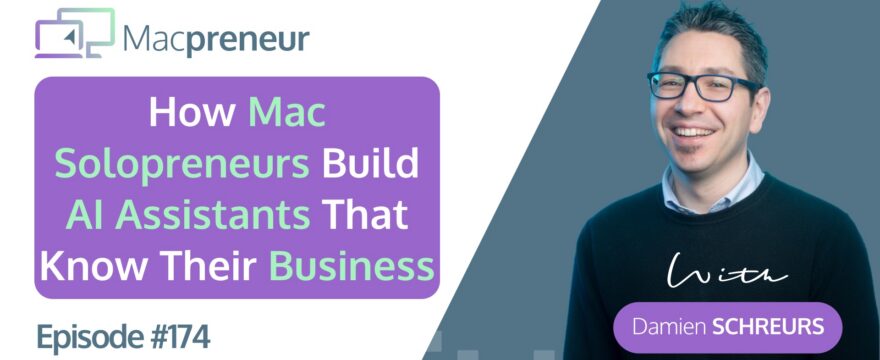
This episode reveals how solopreneurs can build custom AI assistants that already know their business, tone, and goals — without hiring anyone.
Start with the PTCF framework to craft your first assistant, deploy it across multiple platforms, and reclaim hours from recurring tasks.
Watch now
Listen Now
Affiliate disclosure
Hey there! Quick heads-up: Some of the links in this post might be special. Why? Because if you click on them and make a purchase, I earn a small commission at no extra cost to you. It’s like a virtual high-five for recommending stuff I love! So, thank you for supporting me and the Macpreneur podcast! Remember, I only promote products that I genuinely believe in. Now, let’s dive back into the fun stuff!
Resources & links
Past episodes
- Episode 154 – Referenced for information about Eve (co-CEO), Mark (co-CMO), and Finn (co-CFO) AI assistants
- Episode 166 – Additional reference for the AI C-suite assistants
- Episode 172 – Introduction to the AI capability matrix (chatbot vs. assistant vs. agent)
- Episode 173 – PTCF framework for crafting better prompts and custom instructions; includes downloadable PTCF Writing Coach (available as custom GPT, Gemini gem, and Claude skill)
Online services & tools
- ConvertKit (now Kit) – Landing page platform used by Damien
- GitHub – Repository platform for MCP servers
- Amazon Glacier – Cloud backup service
- Docker – Containerization platform
- n8n – Automation platform (self-hosted & paid options)
Summary
In this episode, I share how I stopped asking whether I could afford to hire help and started building AI assistants that already know my business inside and out.
I walk you through my own library of assistants — from Eve, Mark, and Finn (my AI C-suite) to the Curriculum Architect I use for my IT training business, EasyTECH.
The Curriculum Architect alone helped me prepare 21 hours of training content in just two and a half days — a task that used to take me two to three weeks.
I also cover assistants I’ve built for marketing, including my Macpreneur Content Architect, my YouTube Growth Assistant, and my Kit Landing Page Architect.
On the technical side, I introduce my DSM Deputy for managing my Synology NAS and my MCP Server Security Evaluator, which audits third-party MCP servers before I ever connect them to Claude.
I even have assistants for personal hobbies — my iRacing Chief Engineer and my DiRT Rally 2 Performance Consultant — which, honestly, are great low-stakes environments for learning how to write strong custom instructions.
The framework I use to build all of these is called PTCF: Persona, Task, Context, and Format.
The key difference between a regular prompt and an assistant prompt is that the Context layer includes attached documents and knowledge files, not just text.
I also recommend pairing your assistant with a written SOP (Standard Operating Procedure) — because if you can’t document a process step by step, you’re not ready to automate it.
One of my favourite strategies is deploying the same assistant across multiple platforms — ChatGPT, Claude, and Gemini — so I get diverse perspectives, especially during brainstorming.
Finally, I draw a clear line between AI assistants (low autonomy, guided step by step) and AI agents (autonomous action-takers) — a distinction I’ll explore fully in the next episode.
To help you get started, I’ve put together a free AI C-Suite Implementation Kit available at macpreneur.com/csuite.
Main Takeaways
- AI assistants replace repetitive tasks, not human thinking: Building a custom AI assistant doesn’t mean abdicating your expertise — it means offloading low-value tasks like formatting, templating, and first drafts so you can focus on the work only you can do.
- The PTCF framework is your blueprint for building assistants: Persona, Task, Context, and Format give you a structured way to write custom instructions that are specific, consistent, and reusable across any AI platform.
- SOPs are a prerequisite, not an afterthought: Before building an assistant, document every step of the process from trigger to final output. If you can’t write it down clearly, an AI can’t execute it reliably.
- Deploy across multiple platforms for richer output: Running the same assistant in ChatGPT, Claude, and Gemini gives you multiple perspectives simultaneously — especially valuable during brainstorming, where divergence leads to better ideas.
- Version your assistants like software: Using version numbers (v1, v1.5, v2.1) lets you track improvements, revert changes that reduce quality, and maintain a clear history of your assistant’s evolution in a single Google Doc.
- Start with a hobby to build your skills safely: If putting business data into an AI feels risky, begin with a personal project — a recipe coach, a fitness tracker, a sim racing engineer. You’ll learn to write great custom instructions with zero sensitive data at stake.
- Know the difference between an assistant and an agent: An AI assistant requires you to guide it step by step with no autonomy. An AI agent can take actions on your behalf independently — a critical distinction as you scale your AI stack.
- Security matters when connecting AI to external tools: Before integrating any third-party MCP server with Claude or Gemini, run a thorough security audit. An assistant like the MCP Server Security Evaluator can score repositories for privacy, dependencies, and vulnerabilities before you grant access.
Subscribe from your favorite podcast player






FULL TRANSCRIPT (Click here)
How Mac Solopreneurs Build AI Assistants That Already Know Their Business
Teaser (00:00)
Damien Schreurs
Less than two years after ChatGPT got released, I stopped thinking about whether I could afford to hire help, and I started asking whether I even needed to.
Not because I gave up on quality, but because I had started building something better: AI assistants that already know my business, my tone, my clients, and my goals.
Today on Macpreneur Friend, I want to show you exactly how I build them and how you can too.
Welcome to Macpreneur (00:33)
Nova AI
Welcome to Macpreneur, the show for seasoned solopreneurs looking to streamline their business on a Mac.
Unlock the secrets to saving time and money with your host and technology mentor, Damien Schreurs.
Damien Schreurs
Hello, hello, and welcome back to the Macpreneur podcast.
As a fellow solopreneur, I truly appreciate you tuning in today.
And if you are new here, welcome.
This show is all about helping Mac-loving solopreneurs like you save time and money by working smarter, not harder.
This is episode three of Your Mac, Your AI Stack series, which is part of season seven that I dubbed the AI-Enhanced Macpreneur.
Episode 172 introduced the AI capability matrix where I explained the difference between an AI chatbot, an assistant, and an agent.
And in episode 173, I explained how to craft better prompts using the PTCF framework, and I even teased how it can be useful for the custom instruction of AI assistants.
Well, today we are going to make that real, and if you missed those two episodes, I will put the link in the show notes.
The Curriculum Architect: A Real-World Example (01:59)
Damien Schreurs
Now, let me tell you about one of the assistants that I use multiple times per month for EasyTECH, my local IT training business.
I call the assistant the Curriculum Architect and his job is very simple: to help me create expert training content on Microsoft 365, Google Workspace, cybersecurity, and even AI tools, all tailored to the way that I teach.
Before this existed, creating a new instructor guide or presenter slides meant starting from a brand new template every time.
The first version of that assistant was functional, but was still quite generic.
He knew the tools, but it didn’t know exactly my teaching style.
Now, I am at version 2.1 after a bunch of refinements and iterations, and at this point when I use it, the first version of a training guide is already strong enough that the final tweak that I do happen directly in Microsoft Word and Keynote.
I don’t need to do any round trip back to Claude.
That, we’re talking about hours reclaimed from a recurring task without hiring anyone.
Now, it didn’t start with Claude or Gemini.
It started with, uh, as a ChatGPT custom GPT, but if you look at my assistants library today you can trace the whole evolution.
Some of my assistants are shared publicly, some are private and honestly, some assistant that I built, I have stopped using them because my process has evolved or because my strategy has changed, and actually, I don’t need to use them anymore.
But that’s part of the process, right?
You build assistants, you test them, you learn what actually gets used, and also what doesn’t.
A Library of AI Assistants for Solopreneurs (04:17)
Damien Schreurs
Now, let me cover a bunch of aspects of a solopreneur business where I have developed and I’m using AI assistants.
So on the business strategy side, I’ve already mentioned that in, uh, in past episodes, I have Eve, my co-CEO, I have Mark, my co-CMO, and I have Finn, my co-CFO.
Basically, it’s a AI C-suite that helped me already generate 1,500 euros in additional revenue in ten days after I started using them and yes, they started in ChatGPT, but now they also live as Cloud projects and as Gemini Gems.
And if you miss those episode, you can go back to episode 154 and 166.
I will put a link in the show notes.
On the marketing side, I have my Macpreneur content architect that has actually two big functions.
One, to help me brainstorm topics for the podcast, for instance, this topic and actually the Your Mac, Your AI Stack series was brainstormed with the Macpreneur content architect, and so brainstorming episode topics, but also outlining the different parts of an episode.
So it’s what I called an episode blueprint, so basically I iterate with my content architect on a few ideas for an episode outline and the architect actually pulls a lot of information context stories from a bank of…… personal stories, and also ideas, and discoveries, and really things that are part of me, can pull them to enrich the first version of, of the outline of an episode.
Uh, for the YouTube side, I have my YouTube growth assistant.
So, it’s an assistant that is really tailored to helping me grow on YouTube.
It has a lot of best practices when it comes to YouTube, and I’m using that assistant when I want ideas, concepts for thumbnails, but also when I create thumbnails with Gemini Nano Banana, for instance.
I then will copy the image, a generated image, and get feedback from my YouTube growth assistant.
I’m also doing a bunch of guest podcasting myself, so, u- being as a guest on other people’s show.
And so, I’ve created a guest podcasting pitching coach.
So, a, an assistant, not that necessarily crafts the pitch, but that helps me refine and look at the show profile, the show content, my own stories, and helps me with an angle to approach the podcast host.
And because I’m using ConvertKit, or, now Kit, but previously ConvertKit for my landing pages, and I have a special format now for my landing pages.
I have created a Kit landing page architect assistant that knows exactly the different parts, and help me then, based on a product, or a lead magnet, or a tool that I want to offer, it will actually help me, not only with the copy, but exactly which copy goes in which part of my landing page.
And so, they really help me speed up not only the brainstorming, but also the content creation and the podcast outreach.
And I have not calculated the time that it saves me, but it’s actually, I’m able to do a lot more in much less time.
Now, on the operations side, I’ve already talked about my curriculum architect’s actually, right?
My, it’s my bread and butter.
It’s really the, the core of what I do at EasyTECH, and for me, it is invaluable.
I was able to pitch a new course to one of my clients in less than two days.
And when the client accepted that new course, I was able to craft everything for a three-day training session in, actually, two and a half days.
Something that would have taken me at least a week, sometimes two weeks, just to prepare everything.
Now, we’re talking about 21 hours of training content.
Now, this was actually pulling parts of module, training modules that were existing separately.
So, I actually created for my client a kind of big package, right?
Uh, where I assembled a bunch of things.
But I also had to think differently about the exercises.
And, um, and this was also something special.
I, I wanted to do a capstone project at the end of this.
It was an advanced Excel training course in three days.
And yeah, with the help of Claude, I was able to pull that off in two and a half days versus, I would say, two, two weeks, sometimes three weeks without that assistant.
Specialized Technical Assistants (10:20)
Damien Schreurs
In addition to that, I have a Synology NAS, and that Synology run on an operating system called DSM.
And, uh, so I’ve created an AI system called my DSM Deputy, and it helps me with bunch of management tasks for my Synology NAS.
So, I had issues with the antivirus on the Synology.
It helped me troubleshoot that.
I also wanted to do some backup to Amazon Glacier, and I wanted to migrate some backup from one database or one pool of storage to another pool of storage.
It also helped me install Docker on my Synology NAS, even though it’s not technically supported by my NAS.
You, I would have needed normally an- a newer version of the NAS.
But we figured out that, because the processor was still okay and I had added some memory to my NAS, that it should probably work, and, uh, it helped me find a way to install Docker.
And in the end, that also allowed me to have my own n8n automation server now on my NAS.
The last assistant that I have created, uh, comes really from an, uh, a big need for, for me because I’m using more and more Claude, and with the C- you can have what’s, what are called MCPs, or modern context protocol connectors.
So, allowing Claude to use tools, applications, or web services.
And sure, Anthropic offers a bunch of connectors already through their own…… built-in, uh, fully approved, quote unquote, “MCP or connector store.”
But in some cases, I need to actually develop my own MCP servers, or there’s the purpose of my assistant, is the MCP server security evaluator.
I actually need to do a full security audit of somebody else’s MCP server available on GitHub.
And, uh, and now I’ve implemented that MCP server security evaluator both in Claude and Gemini as a gem.
And in both cases, I can point them to a GitHub repository, and it’s a very long custom instruction but it’s a very thorough security analysis that this assistant does for me, with various scores about security, privacy, dependencies, and, uh, it even pulls similar MCP servers, so alternative servers, if I wanted to explore other options.
And to me now, it’s really, uh, I don’t use anybody else’s MCP server unless this assistant gives me the, the green light or, in some cases, maybe it’s, it scores, uh, 60 out of 100 but it has flagged the main issues and it has already proposed potential solutions.
And so I could use, for instance, Claude to help me afterwards to plug the holes, the security holes myself.
Personal and Hobby-Based AI Assistants (14:07)
Damien Schreurs
And it is not business, not only business.
I also have assistants, eh, in my personal life.
So, some of you know that I like sim racing.
Um, actually, last year, I did the Formula 4 competition here in, uh, in Luxembourg, via iRacing.
So, I’ve created an iRacing chief engineer that helps me better learn tracks and also tweak, tweak the car.
And, uh, this year, I, I won’t do the Formula 4 championship but I will do the rally championship with, uh, it’s called… via a tool c- um, a game called Dirt Rally 2 and so I’ve created my Dirt Rally 2 performance consultant and then same thing, it’s, uh, helping me.
I, I, I tell you, okay, I’m gonna, we’re gonna do these stages, this is the car that I’ve chosen.
We can’t tweak the car, we need to use a fixed setup.
But it’s, uh, actually coaching me in, run, uh, driving faster through a stage.
I just give the assistant some feedback after going through a stage a couple of times.
And, uh, yeah, n- nothing to do with business but that’s also a way, I think a good way, to learn how to write good custom instructions.
How to Build Your Own AI Assistant with PTCF (15:43)
Damien Schreurs
And something else I wanted to mention, it’s also important that whenever you create an AI assistant, it’s good to actually implementing them on various platforms.
Right?
So, you can create a custom GPT in ChatGPT but you could also create a project in ChatGPT.
In Gemini, we have the gems and in Claude, we have the projects.
Be careful with the confusion of the name.
If you use Microsoft Copilot, they call that Agent, but it’s not a real agent.
I will talk about agents in the next episode.
But yeah, unfortunately, Microsoft called that Agent.
And it’s the same with Mistral.
If you are in Europe and you’re using Mistral AI, LeChat, they have what they call, again, Agents, but these are assistants like custom GPTs and ChatGPT.
So, the question is, how do you create those assistants?
First, you need a custom instruction and for that, you can already reuse the PTCF writing coach that I introduced in the last episode.
And so if you go back to that one, Episode 173, you will also find there, uh, a link to actually download your own copy of the PTCF writing coach.
I have three versions, a custom GPT, a Gemini gem, and a skill for Claude.
But basically, if you’re… just to recap, P means persona.
So, it’s the assistant’s identity.
So, who it is, what it specializes in.
Then the task, T is the task, so it’s basically what do you want your assistant to help you with.
And I would say the, the slight difference between a, a typical PTCF prompt and an assistant prompt would be that the task would typically be a step-by-step process or it would be a much more elaborate task or it could be that you want to do different kind of task but still with the same persona.
Then C is the context and there, yes, you will have a little bit of context written as text in the custom instruction- But the big difference is that with a GPT or a project or a gem, is you can also attach documents, or what is also referred to as the, the knowledge of your assistant.
So, basically, the context will be that knowledge, so which document do you need to attach to your assistant to help it?
I have much better context to help you.
And finally, the format, it’s, it’s, F is the format, is how it responds, or what you want out of it.
So, there, again, like a PTCF prompt, you will want your assistant to deliver you something, right?
In my case, in the context of the architect for the content for the podcast, right, it either, it helps me two type of task, either brainstorming or creating a, a blueprint, what I call a blueprint for an episode, so basically, a kind of outline with the different part of the episode.
And what I have done is rather than put that full verbatim inside the custom instruction of that assistant, I have created SOPs, or standard operating procedures, as notes, either in Note Plan or as, uh, you know, a Google Doc.
And so, basically, I tell the assistant, “If I ask you to help me brainstorm ideas, your first job is to read that, the brainstorming SOP.”
And the task, if I want help creating a blueprint, then I ask the assistant, “First thing you have to do is read that blueprint creation SOP.”
And afterwards, the format will be, you can say, a bulleted list or a full-fledged document.
So, for instance, my MCP security evaluator, the format of the output is a report.
It’s, uh, a, uh, in Gemini, I’m using the canvas capability, and it’s actually creating a document on the side.
And for Claude, I’m using the artifact capability, and it generates then a report in Markdown format that I can afterwards download and even save as a PDF if I want it to.
The Next Level: From AI Assistants to AI Agents (21:07)
Damien Schreurs
And then there is actually another assistant in my stack, and, uh, that I haven’t told you about yet.
I think I have hinted at it in past episodes.
I call, call it VAL for my virtual assistant liaison.
It’s basically my, my virtual assistant, but actually, what happens is that, yes, it started as a Claude project, but it now also lives in Cowork, and which means that it has graduated from assistant to agent because now, VAL can take actions on my behalf, so with some autonomy.
The difference between an, an AI assistant and an AI agent is the ability to autonomously work versus an assistant has no autonomy.
You have to guide, uh, the assistant step-by-step.
And that’s exactly what we are going to cover in the next episode.
So, make sure to subscribe, or for this podcast to get it automatically.
Three Key Questions Before You Build (22:13)
Damien Schreurs
Okay.
There is still a test to do before you decide whether you want to hire or outsource something, or create an assistant, and is the process that you’re trying to get help with well-documented enough?
And so, first thing to do is, can you write down every step of the task from trigger to final output?
And once you have this standard operating procedure, and you go through it yourself, is the output consistent enough that you would recognize a good result from a pro one?
And last question is, do you need to go through that SOP frequently enough to justify building and refining an assistant?
Once you have answered yes to all those three questions, then you can start configuring your assistant.
The Role of the Human and Best Practices (23:25)
Damien Schreurs
And if I go back to the curriculum architect, it did not and does not replace the role of a human curriculum designer.
I am the curriculum designer.
I am still thinking deeply, carefully about the best way to teach something to my students based on where they are coming from, and also true to my own teaching methods.
But the assistant helped me brainstorm and also take care of tasks that don’t add value in the process, like typing stuff inside a templated Google Doc or a Word document, or creating the first version of a PowerPoint file or a Keynote presentation.
I even used Claude in Excel to translate cells from English to French for some of the exercises.
But I could do that also in the other way around.
So, that it’s not abdication of my competencies.
It’s leveraging AI to assist me in my day-to-day task.
Something else that I recommend is, uh, using the versioning method.
So, use version numbers for your assistant and that way, you will be also able to see the evolution of your assistant and to go back if, at one point, you make changes that actually reduce the quality of the output or reduce the consistency o- of your assistant.
And finally, if the idea of putting your business data into an AI assistant feels uncomfortable, then start with a hobby.
Build a vacation planning assistant, a recipe coach, a fitness tracker, something personal with zero sensitive data.
You will learn how to write good custom instructions in a completely low stake environment, and that’s exactly how I built my DiRT Rally 2 and my iRacing assistants.
And creating them and using them and building them really helped me further hone my, y- my skills of creating these AI assistants.
And applying that knowledge for business-related AI assistants will come naturally after that.
The Multi-Assistant Strategy for Diverse Perspectives (26:08)
Damien Schreurs
I want to go back to the multi-assistant concept, so creating the same assistant in different tools, so a- as a ChatGPT, Custom GPT, as a Claude project, as a Gemini Gem.
Think of it like hiring consultants.
You would not rely exclusively on, let’s say, McKinsey for every strategic decision.
If you could also get perspectives from PwC and Accenture at the same time, each one bringing a different perspective or different lens, you would have even more material to work with.
And the same is true with AI assistants.
And when we brainstorm, there is this divergence then convergence, these phases.
And when you are in diverging mode, that’s when you want to use as many assistants as possible.
And a small tip or something that could be useful there is once you have your custom instruction, is to copy and save it into a Google Doc, for instance.
And in that Google Doc, because you can have different tabs, you could even have the historical evolution of your assistant.
So, you could have V1, V- V1.5, V- V2, V2.1, and so on as different tabs.
But you could also start tweaking the instructions based on the platform you are in.
So, you would start with the same custom instructions for every platform, but then slowly, because of some of the capabilities, you may want to tweak the one for Gemini slightly differently than the one from, from Claude and the one from ChatGPT.
And by having a single Google Doc with different tabs, you can then also keep track of the differences between the different, uh, assistants, or the versions of the assistants, or the, the custom instructions based on the platform.
Recap and Your First Step: The AI C-Suite Kit (28:22)
Damien Schreurs
So, to recap.
(laughs) An AI assistant is a preconfigured, specialized chatbot with low autonomy, narrow role, that you build once but you can reuse repeatedly.
No more copy-pasting of prompts.
You don’t even need to use a text expander or things like that.
It’s ready to assist you for a specific task.
You can use the PTCF Prompt Writing Coach to help you craft the first version of the custom instruction.
And remember, make sure that you have an SOP, a standard operating procedure.
It will also help your assistant perform the, the task properly.
But you could also then, when you have an SOP, decide, “Okay, this part of the process, I will create an assistant, and for the other part of the process, I will create another assistant.”
And finally, do not limit yourself to one platform.
Deploy your assistants across multiple platforms so that when you need to do some brainstorming or even when you want to generate some copy, for instance, for your website or for a blog post, you will get multiple perspectives and many more options.
For instance, when I want to find potential titles for a Macpreneur episode, I have a framework document with 10 potential titles, good frameworks for titles, and I will ask Gemini, ChatGPT, and Claude, and that means that I get 30 potential titles that I can pick from and maybe assemble part of a title from one of those and take another part of the title from another.
And to help you put today into practice immediately, my recommendation, because you are a solopreneur, is that you build your very own co-CEO.
Like, an AI co-CEO that can help you strategize with your business.
And for that, I have prepared a totally free AI C-suite implementation kit composed of two things, an implementation guide in the form of a Google Doc and a free AI assistant that you can use even if you have a free ChatGPT account.
And to get your hands on this, just visit macpreneur.com/csuite, in one word, C-S-U-I-T-E, and I will put the link in the show notes.
And until next time, I’m Damien Schreurs, wishing you a productive day.
Outro (31:35)
Nova AI
(upbeat music) Thank you for listening to the Macpreneur podcast.
If you’ve enjoyed the show, please leave a review and share it with a friend right now.
Latest episodes
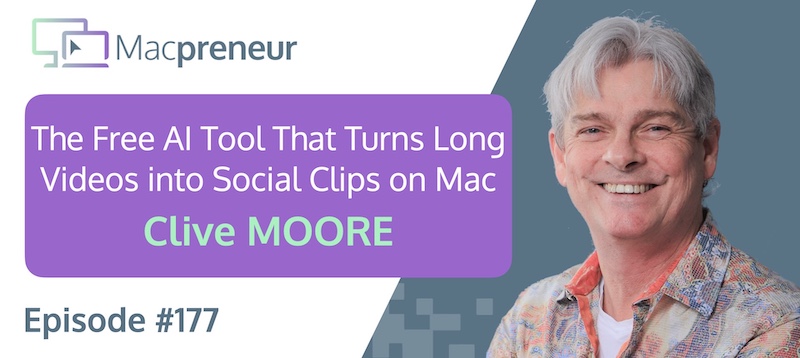
MP177: The Free AI Tool That Turns Long Videos Into Social Clips on Mac with Clive Moore
Clive Moore uses a Mac-centered AI workflow to turn long videos into ready-to-publish social clips, run language models locally, and automate agency work.
The real lesson: combine simple built-in tools with carefully managed AI workflows instead of paying for complexity by default.
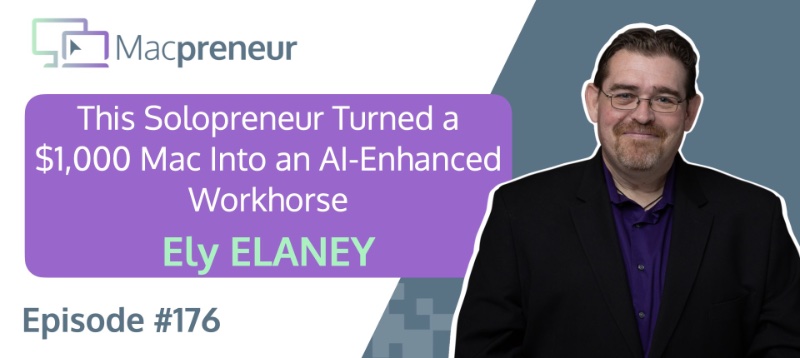
MP176: How This Solopreneur Turned a $1,000 Mac Into an AI-Enhanced Workhorse with Ely Delaney
TL;DR Ely Delaney turned an affordable Mac mini into a dependable, AI-enhanced workhorse for content, email marketing, and relationship-building. The real lesson: use AI to accelerate your expertise, not to replace the human judgment that makes your work effective. Connect with Ely Delaney Website: https://connectwithely.com/ LinkedIn: https://www.linkedin.com/in/elydelaney Watch now https://www.youtube.com/watch?v=FrIYMPUdths Listen now Affiliate disclosure Resources…