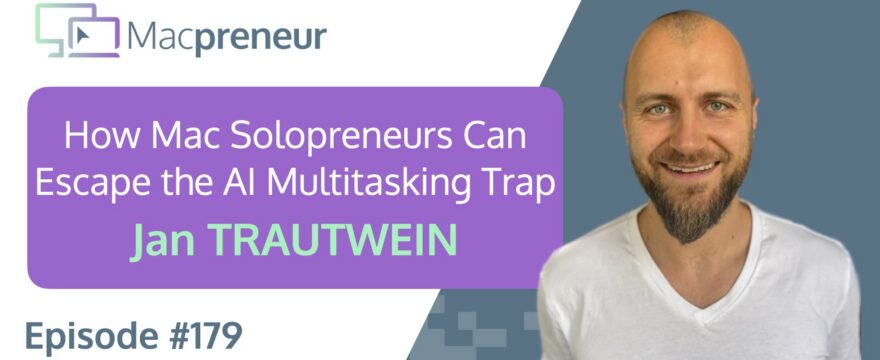
TL;DR
Jan Trautwein uses AI to expand what a solo business can build while coaching founders to stay focused, healthy, and willing to ship. The real lesson: multitasking is only useful when you have a reliable way back to the work that matters.
Connect with Jan Trautwein
- https://jantrautwein.com/
- https://www.linkedin.com/in/jantrautwein/
- https://www.instagram.com/jan_trautwein/
Watch now
Listen now
Main Takeaways
Ship before the project feels finished: Building privately can feel safe, but it does not validate demand or create momentum. Set a point at which the product or service must meet real people, even if the next version is already obvious.
Use waiting time without abandoning priorities: AI creates legitimate pauses, but every pause needs a clear re-entry point. Capture the next action before switching so the original task remains recoverable.
Keep your capture system lighter than your project system: A fast, always-available note can prevent fragmented work from becoming forgotten work. Use it to preserve context, not to recreate an elaborate project-management platform.
Turn repeated AI instructions into skills: Whenever the same workflow keeps resurfacing, package the procedure into a reusable skill. This shifts AI from a conversational helper toward a consistent operating system for the business.
Inspect downloaded automation before activating it: Convenient AI extensions can contain instructions and supporting files that deserve review. Treat publicly shared skills like code from an unfamiliar source: examine what they contain before granting them access.
Choose AI tools based on workflow fit: The most powerful tool is not always the one with the longest feature list. A fast voice interface, an integrated connector, or direct access to existing business data may matter more than adding another general-purpose model.
Protect physical boundaries around digital work: AI can make it easier to keep working indefinitely because every idea seems immediately actionable. Build deliberate cues for meals, sleep, exercise, and leaving the computer before enthusiasm turns into exhaustion.
Resources & links
Past episodes
- Episode 173 — Mac Solopreneurs Get Better AI Output Using the PTCF Framework
Tools & services
Software
- Aqua Voice
- Canva
- ChatGPT
- Claude
- Claude Code
- DaVinci Resolve
- DeepSeek
- Gemini
- GojiBerry
- Google Calendar
- Grain
- Hermes
- HyperFrames
- LinkedIn Sales Navigator
- Make
- Mercury
- Netlify
- Notion
- Notion Calendar
- OpenRouter
- Perplexity
- Remotion
- Screenflow
- SquadCast
- Superwhisper
- Tot
Hardware
Apple Support Resources
Summary
Meet Jan Trautwein
Jan Trautwein is a business and life coach for founders and creators building in AI, helping them pursue growth with clarity, purpose, and sustainable energy.
Mac Setup Tour
His setup centers on a 2021 M1 MacBook Pro, supported by an iPhone 15 Pro, second-generation AirPods Pro, Apple Watch Series 8, and a shared iPad mini.
Elgato Teleprompter Workflow
An Elgato Teleprompter connected as a second screen lets Jan look directly into the camera during coaching sessions and calls, creating a more intimate connection than looking down at a webcam.
Paired with an Elgato Ring Light and standing desk, it has become one of his favorite pieces of premium, well-integrated hardware.
Favorite Mac Apps
ScreenFlow is Jan’s go-to Mac app for recording himself, multiple screens, and multiple microphones, while Tot provides a lightweight place to capture the next step for each active project.
Tot’s global shortcut and always-on-top notes help him recover his focus when several Claude conversations start competing for attention. Its simplicity matters more to him than using it as a full project-management system.
ScreenFlow Recording Tips
Jan uses ScreenFlow for both recording and editing, but deliberately keeps his edits simple to avoid perfectionism turning a short video into an all-day project.
His monthly business, relationship, health, and reading updates are usually published as lightly edited video diaries, sometimes recorded and uploaded directly from his phone.
When he needs to demonstrate something, he adds a screen recording, camera overlay, occasional text, or even a second camera angle from his phone.
ScreenFlow templates can automate repetitive elements, and the app can also capture iPhone and iPad screens with visual touch and swipe animations.
I noted that ScreenFlow’s large project files and duplicated imported media can consume storage quickly, while external storage and the option to reference source files instead of copying them can reduce that footprint.
Editing Tools and AI Video
For editing alone, Jan prefers DaVinci Resolve, but he is watching AI-native tools such as HyperFrames and Remotion in the hope that they will make more engaging video practical without requiring hours of manual work.
Claude and AI Stack
Claude is Jan’s main AI workspace, while Perplexity gives him a fast research experience through a spoken search workflow in the Arc browser.
He creates Claude projects for coaching clients, bringing together their goals, patterns, obstacles, and call transcripts pulled from Grain.
Claude Code has become a place to build small tools, even when some experiments remain unfinished because the learning itself is valuable.
He also uses Claude for self-coaching, turning a brain dump into a structured conversation guided by frameworks from his coaching practice.
Projects Connectors Skills
Jan uses Claude connectors for services including Make, Mercury, Canva, Netlify, and occasionally Google Calendar, although he sometimes prefers placing calendar items manually so he can see the schedule directly.
Projects hold durable context about a person or situation, while skills package repeatable procedures such as reviewing and deploying code.
One of his automated tasks searches for three stories about AI creating positive impact in areas such as climate, agriculture, and mental health, then notifies him when new results appear.
He also relies on Claude’s ability to ask clarifying multiple-choice questions, which helps turn a rough idea into something more precise.
The overall opportunity is to notice recurring work and convert it into a reusable skill rather than repeating the same instructions.
Skill Safety and C Suite
Publicly shared Claude skills should be inspected before use, since a .skill file is essentially a ZIP archive containing instructions and potentially other assets.
I described how renaming the file to .zip and opening the included SKILL.md makes those instructions visible before they are given to Claude.
The same packaging approach can support a broader C-suite of AI assistants, with templates and reference documents for roles such as CFO, CMO, and CEO.
More AI Tools and Costs
Wispr Flow has become Jan’s everyday voice-to-text tool, replacing earlier experiments with Superwhisper and Aqua Voice.
He is also testing GojiBerry, which uses intent signals to identify potential LinkedIn prospects and add them to an outreach campaign.
Compared with more established options, GojiBerry currently offers fewer settings but integrates AI more deeply into the prospecting process.
Jan uses Notion daily but does not personally rely on its AI features, while his wife finds the paid AI layer valuable because it can work directly with the information already stored in Notion.
The pricing question becomes complicated when every software company adds AI but must pay for usage behind the scenes.
Jan prefers included AI features, such as Gemini within Google Workspace, over paying a separate add-on for every application.
He also sees a risk that the current AI boom may cool or experience a major correction rather than growing indefinitely.
The emergence of cheaper models and the prospect of running capable models locally could eventually make AI access far less expensive.
Mac Tips and Multitasking
Jan uses the Apple Watch’s Voice Memos app to capture ideas away from a screen, then brings the synced transcript into Claude later.
Tot gives him a similarly simple way to record where he left off when switching between AI-driven projects.
AI has changed his relationship with multitasking because waiting several minutes for an agent is different from waiting for a webpage to load, yet context switching can still make a task disappear for hours.
Notifications are therefore useful in this specific workflow: they tell him when Claude Code has finished while allowing him to work elsewhere.
I prefer using AI waiting periods for physical tasks such as shaving, showering, making a smoothie, or washing dishes, because those activities create a natural boundary around the interruption.
The challenge is to design a system that makes switching possible without allowing the computer to reclaim the entire day.
Sustainable Vibe Coding
Jan’s coaching perspective is that vibe coding needs to be treated as a marathon, with deliberate protection for sleep, meals, movement, and time away from the screen.
Where to Find Jan
Jan is easiest to reach through LinkedIn, and he is also available through jantrautwein.com, Instagram, Telegram, or the site’s contact form.
He helps founders and creators with accountability, focus, sales, marketing, and the difficult step of putting an imperfect product in front of real people.
Subscribe from your favorite podcast player






Full transcript
FULL TRANSCRIPT (Click here)
Teaser (00:00)
Jan Trautwein AI works for five to ten minutes, I’m not gonna sit there and do nothing.
So I feel like now is a renaissance of multitasking.
“Oh, I have five minutes to wait,” and then I get into something completely else, and two hours later it’s like, “Oh, I just had five minutes to wait, and I forgot to even continue with that.”
Damien Schreurs In the morning, I open my computer, I go to Claude Cowork.
I launch the thing, and then I go to the bathroom and shave, and then I take my shower, and then when I come back, it’s done.
And other times I make a smoothie or I wash the dishes.
These little things that we can do at home, you can’t wake up two hours later and re-realize that, “Oh, shoot.”
Nova AI Welcome to Macpreneur, the show for seasoned solopreneurs looking to streamline their business on a Mac.
Unlock the secrets to saving time and money with your host and technology mentor, Damien Schreurs.
Meet Jan Trautwein (00:58)
Damien Schreurs Hello, hello.
Today I have the pleasure to introduce Jan Trautwein.
Jan is a business and life coach for founders and creators building in the AI space.
He helps ambitious, heart-led people grow with more clarity, direction, and purpose without burning out or losing themselves along the way.
With over a decade across coaching, entrepreneurship, and emotional mastery, Jan blends strategic insight with inner depth and grounded execution.
He works deeply and one-on-one with a small number of clients shaping what’s next.
His core belief is happiness is fuel, not reward.
We can have growth without sacrificing your values, energy, or freedom.
Jan, welcome to the show.
Jan Trautwein Thank you for having me.
I’m happy to be here.
Damien Schreurs Thank you for being on the show.
Mac Setup Tour (01:59)
Damien Schreurs What’s your current Mac setup?
Jan Trautwein So I have a MacBook Pro from 2021 with an M1 chip.
It’s still doing pretty fine.
iPhone 15 Pro, AirPods Pro, I think it’s the second generation.
I have an Apple Watch.
This is Series 8, I believe.
And I’m using an iPad mini.
It’s shared with my wife, which is really only if I don’t wanna be on the laptop and not on my phone to not have any messages, then I use the iPad.
Elgato Teleprompter Workflow (02:32)
Damien Schreurs So on the pre-show, you mentioned that you have a monitor but also an Elgato Prompter.
Can you talk a little bit about that?
Jan Trautwein I’m using it right now.
When I’m looking at you, I’m looking straight into my camera.
I saw it on YouTube, because I also have this Elgato Ring Light, which is really cool because I can attach it directly to my desk, and I have a standing desk.
Right now I’m standing.
It just goes up and down with the desk.
And then I saw someone talk about this teleprompter, and the way they are using it for calls.
It’s just a second screen connected to my MacBook, so I can put whatever I want on there.
And I was like, “Oh, this is really cool for my coaching sessions.”
It can be more intimate because I’m directly looking at the person, especially because my other screen is a white screen.
I used to have the webcam on top, but then it would be a big difference in me looking down at the screen.
So yeah, it’s a really cool piece of tech.
Elgato in general, kind of like Apple for laptops and phones.
Very premium, everything works together nicely.
Yeah, I’m a big fan.
Damien Schreurs Yeah, I have an Elgato Stream Deck, and I could not live without it.
I’ve been eyeing the teleprompter.
I think I’m going to pull the plug.
Amazon Prime Days is coming soon, and I’m crossing my fingers that the teleprompter will be one of the minus 20, minus 30% kind of devices.
At the moment, I just put my iPhone 14 Pro Max on a stand, and the lens is maybe one centimeter below your chin.
So I have the phone, and behind the phone, the web browser session for our SquadCast recording.
So it’s a little bit the illusion.
Jan Trautwein Oh, so the phone covers—
Damien Schreurs Yeah, that’s why before recording the podcast, I need to do like that to see where is the button to start the recording, because a big portion of my screen is hidden by my phone in front of the screen.
Jan Trautwein Okay, I see here.
Damien Schreurs So very good.
Favorite Mac Apps (04:46)
Damien Schreurs So what are your favorite Mac apps?
Jan Trautwein One of my favorite ones that I’m using quite regularly, that I think only exists on Mac, is Screenflow for recording myself and multiple screens at the same time and multiple microphones at the same time in case one didn’t record the sound properly.
And when I first came across that software, I was like, “Wow, this is…”
I was just looking for this.
It makes it so easy.
I saw YouTube videos, like, how are people recording their screens and then themselves, and they move, when you put yourself into a little square or a little round thing, like on a Loom video, but they move it around and it changes shapes.
And then I found Screenflow.
I was like, “Oh, okay, cool, that’s how it works,” and it’s super easy to use.
Another one that I just discovered maybe three months ago is called Tot.
So, T-O-T.
I downloaded it from the Mac App Store on the MacBook, and basically what it does is in the—
What is this bar called right at the top?
Damien Schreurs The top bar.
Jan Trautwein Menu Bar?
Damien Schreurs Yeah.
Jan Trautwein So there’s this icon now, the round little circle, and I have a shortcut on my keyboard that I can click, and then it opens a little note, little notebook, you could say.
There’s seven different pages I can access.
They allow formatting, and it hovers above everything else.
So no matter where I am, it’s one button click and it brings up this notepad, and I’m using this now with AI and three different projects I’m working on at the same time.
So sometimes I’m getting overwhelmed that I forget, what was I doing?
And then I click this shortcut, and it pops up this note, and then I write like, “Okay, this is the project number one, next step there.
Number two, next step there.”
And it helps me to not get distracted and get me back on track.
Damien Schreurs It reminds me of Stickies.
It’s one of the hidden Mac native Mac apps.
Like Post-it Notes, you can put them on the desktop.
Does it synchronize with other Macs or mobile devices?
Do you know if there is a mobile component to that?
Jan Trautwein I don’t think so.
Well, actually, I’m just opening it here, and I clicked on settings, and it says, “Get Tot for iPhone, iPad, and Apple Watch even.”
So probably yes.
I only use it to keep me focused on what I’m working on right now, so I don’t have all of my projects in there.
I’m not using it for extensive project management or anything.
So I’ve been only using it on the Mac, but seems like they do have that.
And I like that you can format things pretty easily.
It’s very simple.
And the hotkey shortcut piece was very important for me, and that it hovers over anything.
Even if I have something in full screen, it can still pop up and it doesn’t get me out of the full-screen application.
So that’s been a quick solution that I found when I was like, “Okay, I’ve been working on three different things in my Claude’s app,” and then I was struggling to find the chat again.
I was like, “Wait, was this the chat?”
There was one in Claude Code, one in Claude Cowork, and another one in normal one.
And yeah, I just needed something like a sticky note that I can put literally in front of me, in the digital version.
Damien Schreurs Yeah, very good.
I will put a link in the show notes or in the blog post.
I will put a link to the tools that we mentioned today.
ScreenFlow Recording Tips (08:07)
Damien Schreurs So for Screenflow, do you use it for recording, for editing, for both?
What’s your use case with Screenflow?
Jan Trautwein Yeah, for both.
But I try at least not to edit too much because it can take hours and hours, and especially when we have perfectionism or tendencies, then we just try to tweak this transition or this little animation perfectly.
So what I do every month, the beginning of the month, the first day or two, is I record an update on what happened in the last month in my business, in my relationship, in my health, any book that I read.
It’s basically like a video vlog—
Damien Schreurs Mm-hmm.
Jan Trautwein —a diary to just keep track of what I’ve been doing.
I publish it publicly on YouTube.
But it’s not very interesting for people who are not interested in knowing what exactly I’m up to.
Sometimes I record it on my phone, and I just record it, upload it to YouTube, no editing whatsoever.
But sometimes there is something I wanna show, so then I use Screenflow.
I share my screen, and let’s say there’s something I wanna show for five minutes.
In those five minutes, I pull up the screen.
I have myself up as an overlay.
Sometimes I add a little text if it’s needed to explain something, but otherwise not a lot of editing.
I know that you can use templates in Screenflow.
So if you have a certain type of talking-head video style, then you can load up a template and it does a lot of the repetitive things automatically.
That’s how I use it.
I love that you can plug in as many different sources as you want, like multiple screens, multiple audios.
I’ve done a few videos where there’s webcam here, and then I use my phone as a separate source.
Put this over there so I have a second angle.
And then you can switch back and forth to make the video more interesting.
But usually I keep it pretty simple and straightforward.
Damien Schreurs When I was doing tutorial videos, I was using Screenflow a lot.
For the listeners, it’s possible to plug your iPad, your iPhone, and share the iPhone screen and the iPad screen.
You can have you and the iPhone screen, and it will record the scrolls, and they have touch animations.
When you click with the mouse, when you record your screen from the computer, it can record the click, and that’s visible on screen.
But for touches, you need to add animation.
There is a touch animation, a swipe animation, and when you pinch to zoom, you can also put that animation on top.
It’s a bit tedious.
I will be honest, when I was doing that, I spent quite a lot of time positioning the thing and timing the thing.
But it’s—I don’t know any other tool that offers this capability of showing the movement of your fingers, overlaying that on top of the video.
And you don’t need to buy any special audio interface.
It comes with its own audio interface, which means that it can record anything on your Mac, right?
There’s its own hook into the system.
And so it’s one way that sometimes I, when there is a webinar and they say there won’t be any replay, well, guess what?
I’m gonna fire up Screenflow and position, say, “Okay, I’m gonna record this area of my screen, take the audio of the browser, and here we go.”
I have a version of the recorded webinar as well.
Jan Trautwein Yeah, yeah, it can be used for that.
The files are really big ’cause all the media is in the Screenflow file, and sometimes you’re like, “Where did all my storage go?”
And it’s like, oh, I have like 40 gigabytes of old Screenflow projects.
Damien Schreurs Yeah, a small tip or two tips.
The first one is Screenflow in your home folder, in the Movies subfolder, there is a Screenflow subfolder, and that’s where, when you record your screen, there are .scc files that are created.
And again, it’s huge.
It’s gigabytes and gigabytes.
So what I’m doing is I’ve created a Screenflow folder on my Synology NAS, and from time to time, I move that stuff.
Another tip is, because you can import footage from outside and import that into Screenflow and then do the editing, by default, when you do that, it duplicates the footage.
So you have twice the amount of storage that is used.
There is a setting in Screenflow where you can say, “Do not import.
Use a logical link, a symlink.”
And so your file will be very small and only contains the information related to the edits that you have done, plus the links to the source file.
So if you move the source files, when you reopen the Screenflow file, it doesn’t work.
But that’s one way I found to save some space with Screenflow.
Jan Trautwein Mm-hmm.
Editing Tools and AI Video (13:10)
Jan Trautwein I use, if I only edit something, I usually use DaVinci Resolve because I’ve learned it and I have shortcuts, and it’s smoother than in Screenflow.
And I can’t speak about this yet, but the next few months I’m gonna explore more the new AI-native editing solutions.
I’m very excited about this because I would love to create more content and edit it a little bit more so it’s more engaging to watch.
But I’m most of the time not willing to invest the extra time to make that happen.
But if Claude, in combination with HyperFrames or Remotion, can do it for me, that’s gonna be very interesting.
And I think, yeah, we’re getting there.
There’s the first new tools being developed that are built for AI.
So it’s gonna be very interesting.
Claude and AI Stack (13:58)
Damien Schreurs So let’s get into the AI segment.
You mentioned Claude.
What do you use Claude for?
Jan Trautwein Claude is the main AI that I interact with.
If I just have a question or I want certain information, I usually use Perplexity.
I use the Arc browser.
I press Command+T, I type P-E-R and then Tab, and then I just search, which usually I don’t type, I speak.
So it’s super easy.
It’s already in the tab.
I don’t need to wait for this page to load to start searching.
Otherwise, I have Claude.
And in Claude, I have projects for specific clients of mine, coaching clients, and then the project has context of who they are and what they want to achieve, what their patterns are, their obstacles, how they are holding themselves back.
And then I have a connector to Grain.
So Grain is an AI call recorder that records the whole conversation, the transcript, and through the connector, that can be pulled into Claude.
Mm.
Yeah, I’m starting to use Claude Code more and more because I’m building little tools.
Some of those are actually, let’s say at least 50% of those tools, I start and I’m excited about it, and then I never really finish them because I realize it was a fun idea, but it’s not what I need for my business.
Which right now I’m still justifying it as like, “I’m just learning, you know?
I’m using the technology.”
That’s a good enough reason.
Mm.
Yeah, what I also really like is that nowadays, even in Claude Code, you can use your phone and kind of run it in the cloud.
So sometimes I’m on the go and I have a little idea.
I will start it on the phone, and then I can continue on the Mac app.
Mm.
I use it sometimes for self-coaching, meaning I just will basically brain dump what I’m struggling with, different ideas, I don’t know what to focus on, and I just put this all into Claude and then ask it to help me.
Or I ask it to help me using specific frameworks or approaches that I know from the coaching world.
That’s been super helpful.
Mm, what else?
Damien Schreurs I was wondering which other connectors did you turn on in Claude?
Jan Trautwein Now I turn them off if I don’t use them, because I’ve heard that can help you save context.
Not sure if it will still read them or not, but the Make connector is amazing.
Now, because of Claude Code, sometimes I’m like, “I don’t really need Make for that anymore.”
But having Claude help to set up Make scenarios, that’s been super useful.
Let me actually see.
I have it, I can open it right now.
I use—we—our bank account is with Mercury.
It’s an American bank, and they have a connector.
What else do I have in there?
Canva.
Yeah, so I recently gave a talk at an AI event here in Lisbon, and—
Well, first I used AI to help me condense my ideas to the content of the slides, and then I put it into Gamma and into Claude Design and into Claude Code, to see, okay, what style do I like the most?
I liked the one from Claude Code the most, and then I used the Canva connector to put it into Canva, so I can go in and edit, make some last tweaks.
Netlify.
If I build any little landing pages or little apps, then I host them on Netlify.
You can host your stuff there for free, and there’s a connector, so you don’t have to really touch it.
It can all happen from within Claude.
Yeah, I would say those are the main ones.
Sometimes my Google Calendar, but very often I’m using Notion Calendar, connected to my Google account.
Very often I just do it manually rather than talking with AI back and forth to put something in my calendar.
I found sometimes it’s quicker, and I have an extra moment of actually seeing the calendar in front of me.
So yeah, I’m not using that too often.
Projects Connectors Skills (18:35)
Damien Schreurs For the listeners, when Jan talks about Claude Cowork, Claude Code, that means using the desktop application, the Claude Desktop app, not Claude via a browser.
In a browser, you just have access to Claude Chat.
But if you want all those extra capabilities, there are other connectors that work with local files or local servers, and those only work in the desktop application.
In Claude you have projects, connectors, and you have skills.
Have you created skills or have you uploaded skills or downloaded skills from someplace?
Jan Trautwein Yeah.
Yes, all of that.
Mm.
And at the same time, I feel like I’m still underutilizing it.
I think I could get more value from the skills.
So when I’m building little apps, I have a deploy skill that gives instructions on how to review the code and then deploy and make it live immediately, ’cause I don’t want it to be like, “Hey, it’s all done now, just tell me,” and then I can make it live.
Just make it live immediately.
It’s a scheduled task that looks every day for three news stories on the intersection between AI and having a positive impact.
How is AI being used by startups and people to have a positive impact on the climate, on agriculture, on mental health, and so on?
So that’s always running, and then I get a notification when, yeah, three new stories are being found.
And I’ve downloaded a few skills, but I…
Yeah, I’m not remembering them, so I haven’t been using them a lot.
It’s something that I could, yeah, get better at realizing, okay, what are the repetitive things that I’m using AI for, and to use the skills for that.
One thing that I do a lot is I tell Claude to ask me questions.
When this feature came out that it can give you basically multiple-choice questions or answers to the questions, I was like, “Oh, this is perfect,” ’cause now I just need to have a rough idea, and then I just ask it to help me refine it further.
So that I use a lot.
Damien Schreurs Yeah, for the listeners who may not be fully familiar with Claude and all those terminologies, I released episode 173.
It’s called the PTCF framework, so persona, task, context, and format, which is like the gold standard when you want to prompt a chatbot.
But actually, that PTCF framework works also when you want to create assistants.
And the way I differentiate the projects versus the skills is that I see projects more as assistants, so it’s mostly a persona and some context, and the task and the format are a bit looser.
You don’t need so much there at the task and the format because, for instance, I have my co-CEO, Eve, my co-CEO, right?
It can do a lot of things for me, for brainstorming things and reviewing strategies, so it doesn’t have a fixed number of tasks.
It could do a lot of things for me, but I want that it has a certain personality and that it knows as much as possible about me, about EasyTECH, about Macpreneur, right?
So it’s mostly persona and context versus task and format.
Whereas skills is, for me, the complementary.
Skills is mostly, for me, a way to package a standard operating procedure, a way to do something.
So yeah, maybe there will be a line or two about a persona and context, but it’s mostly the task and the format.
What do I want to get out of that skill?
For those who don’t know Claude, there is a skill called Skill Creator.
You invoke them with a slash command.
When you do something repetitively with Claude, you can tell Claude, “Look, it looks like we’re doing the same thing often.
Can you package this set of instructions into a skill?”
And then afterwards, it’s super easy.
The analogy, if you’re familiar with the movie The Matrix, it’s like when Neo gets uploaded into his brain how to—he knows kung fu and he knows a bunch of things.
Like, you get uploaded a bunch of things, and Trinity also, at one point, learns how to fly a helicopter in a few seconds.
And it’s basically like that for Claude, those skills.
Yeah.
Skill Safety and C Suite (23:28)
Jan Trautwein Yeah, I know there are websites where people publish their skills and everyone can browse around.
This is useful.
You just download the skill and Claude knows how to—
Damien Schreurs Yeah, you have to still be careful with skills that you download from marketplaces or public places.
In the Claude ecosystem, a skill is a file with a .skill as a suffix.
But in reality, it’s just a ZIP file.
So if you download a .skill and you rename it in Finder, you remove the .skill, and you replace that by .zip.
Finder will complain, say, “Are you sure you want to call it .zip?”
“Yes, I want to call it .zip.”
And then you double-click to unzip it.
What you will get is a folder with the name of the skill, and inside that there will be a SKILL.md file.
And then you can review the skill before actually uploading it, ’cause sometimes, yeah, you don’t know what the skill instructs Claude to do on your behalf.
Jan Trautwein Mm-hmm.
Good point.
Do you know why they make it so complicated?
Why do you not download the MD file directly?
Damien Schreurs Don’t know.
They—they wanted, they wa—I think they wanted a file format that would be like, it’s obvious, right?
So when you have a .skill file, it’s obvious that it’s a skill and it follows the same format.
I created a skill that is my C-Suite Builder.
I have a skill that allows any solopreneur to create their own co-CEO, co-CFO, co-CMO, and 15 other C-suite positions.
And I realized that the .skill format is more than a text file, SKILL.md.
It can contain assets, which are templates, and it can also contain reference documents.
And so I have in that .skill file the SKILL.md, but also a subfolder that contains 15 templates, one for the CFO, one for the CMO, one for the CEO, and so on.
Jan Trautwein Mm-hmm.
Damien Schreurs Yeah, maybe I will put a link in the show notes as well.
You can download that skill.
I created a ChatGPT custom GPT and a Gemini Gem.
And for Claude I created the skill.
I think it’s macpreneur.com/csuite, lowercase one word.
Jan Trautwein Yeah, super.
Damien Schreurs Anyone, any solopreneur can create their own C-suite.
Jan Trautwein So they’re not so much solo.
Damien Schreurs Exactly.
Jan Trautwein They have a little bit of company.
Damien Schreurs Yeah.
We still need people like you.
We still need humans like you.
Jan Trautwein It’s not a replacement.
It can be lonely as a solopreneur, for sure.
Damien Schreurs Very good.
More AI Tools and Costs (26:18)
Damien Schreurs What else did you use in terms of AI capabilities?
Jan Trautwein Two.
One is Wispr Flow, voice-to-text tools.
I’ve tried Superwhisper before, Superwhisper.
I had Aqua Voice for a while, and then I just stuck with Wispr Flow.
That’s a game changer.
I use it every day.
Inside of Claude, there is an integrated voice-to-text, but if I have to write anywhere else, then I use Wispr Flow.
Recently I’ve started experimenting—I’m still on a trial—with a tool called GojiBerry.
This is a LinkedIn outreach tool that helps you, using AI, to create lists of your target customers.
Usually we’ve been doing this by hand, going into LinkedIn Sales Navigator, typing in, “I wanna work with a founder in the AI space,” and then tweaking until the list is accurate.
GojiBerry uses AI looking for intent signals.
If someone typed in business coaching into LinkedIn, that’s a signal they have the intention to maybe hire someone.
They have their AI agent working in the background, and then I get an email every second day, “Hey, our AI agent found some more potential clients for you, and they’re added to your campaign.”
So that’s a new tool that is also quite AI-focused, and they, yeah, basically I’ve used many of those tools, and now have a comparison.
GojiBerry is not as solid in terms of features and settings, but it does have the AI more integrated.
Mm.
Yeah, and then what else?
I use Notion every day, but I don’t use the AI of Notion.
But my wife is like a Notion wizard.
She’s setting up the best Notion workflows and processes and all of that, and she recently started paying for the AI.
I told her, “I think you should do this.
You’re doing so much in Notion, it’s probably worth it,” and she really likes it.
Yeah, ’cause it kind of makes sense.
All of your data, all your documents and notes and all of it is already there, and then it’s much easier for the AI to access it, rather than using the Notion connector.
There’s some limitations.
It can’t do all the things that the Notion AI can do.
Maybe on purpose they want people to pay for their own AI add-on, and not just use the ChatGPT or Claude connector.
Damien Schreurs Yeah, for them it’s also a cost.
If they charge for Notion AI, if they charge a fixed cost per month, but then they have users who use more tokens versus others, it’s difficult, I think, at the moment for these SaaS companies to correctly price that.
Jan Trautwein What Notion did at the beginning was Notion AI was an add-on that you could book, and now it’s just included in the business tier or, like, pro tier or whatever.
My wife had a legacy plan.
It was super cheap because it started many years ago.
But it didn’t include AI, and we’re like, “Oh my God, it’s kind of sad to let go of this legacy plan because it’s much more expensive now.”
But I had exactly the same feeling.
It’s like I’m already paying for ChatGPT Pro or for Claude Pro.
I don’t wanna pay for extra Notion AI.
So now it’s part of it.
If you are a pro user, you’re paying for Notion, you have AI, and I think that makes sense because if every app we use, they all try to add AI, but if you have to pay extra, it’s not a great feeling as a user.
So I get they’re trying to find ways to integrate it, which is why I’m using Gemini, not as frequently, but I use it because I’m already paying for Google Workspace anyways, so they included it, and I believe you can pay even more if you wanna, I don’t know, have better models or more credits.
It is an interesting question for those companies because they all have to pay every time a user uses AI, they have to pay for it, and how do you make sure that you’re still profitable and it’s fair, even though some users are gonna use a lot more than others?
Damien Schreurs I heard in a podcast that one person who was paying $200 for both the Claude Max and the biggest plan of ChatGPT, he really tried to max it out.
And afterwards, basically kind of estimated in terms of tokens what that would have been worth if he had to go through the API.
And it was like, for Claude, it was equivalent to $8,000.
So you pay 200, you get 8,000 worth.
ChatGPT was $14,000.
So ChatGPT, they are bleeding even more money than Anthropic.
Jan Trautwein I’ve seen videos and heard people speak about this bubble in AI, right?
That right now it’s just not profitable, and sooner or later it’s gonna crash down, and they’re building those gigantic data centers for billions of dollars, and supposedly they only last four to five years, and then they’re outdated already.
So I’m curious if we will see some kind of crash, that all the stocks will go down and so on, or if it just keeps going and going, and then we have a new model that’s 99% as good and super cheap to run, or the Chinese come out with something that’s much more affordable, which they’re already doing.
But it’s interesting to see.
I think just to be aware that it might not just keep growing and growing, there might be a time where it actually crashes and the bubble bursts a little bit, is good to be aware of that because I think there’s this whole story, and we just look back the last two years and we’re like, “Okay, this is just gonna go to the moon, faster and faster.”
Maybe it goes down for a while or crashes, or we are stagnant for a little while.
Yeah, hard to imagine for me because there’s so much competition, right?
It’s like this is the whole future, and that’s why companies are willing to burn money developing their user base.
Damien Schreurs Yeah, there are two things in AI.
There’s the training phase and then the inference.
So when we use the model versus when they train the model.
I think for the training runs, it won’t grow anymore.
DeepSeek has proven that it’s possible to have as good of an output quality with fewer data and also a better way to—
So much cheaper training runs and also afterwards much cheaper inference runs.
I have a second, my old 2014 iMac here on the side, and I’ve converted it into a Hermes agent.
So I’m tinkering with Hermes, and I’m using OpenRouter because that Mac can’t run any model locally even though it has 40 gigs of RAM.
So I’m using OpenRouter, and with OpenRouter you can pick and choose which model you want to use, which LLM.
And when I look at the pricing, I was like, “Wow.”
OpenAI, Anthropic, very expensive.
And then I look at the Chinese models, and among all of them, DeepSeek is one of the cheapest, like between ten and fifty times cheaper.
And when I look at the quality, when I interact with my agent through DeepSeek V4 Flash, which isn’t even the Pro model, it’s good.
It’s not the best, right?
It’s not Opus.
But it’s between Haiku and Sonnet for a fraction of the price.
And so that’s really interesting.
For me, the next frontier will be the local models.
Are you really running models locally?
My next Mac will most probably be a Mac Studio with 128 or 256 gig of memory, and the idea to actually run those models locally.
Jan Trautwein Mm-hmm.
Mac Tips and Multitasking (35:09)
Damien Schreurs So let’s go to the next segment of the show.
What tip or trick did you discover on your Mac recently?
Jan Trautwein One thing I realized that’s super helpful for me is—’cause I’m trying to have enough time away from screens.
I have my phone on flight mode very often.
I don’t take it in the bedroom.
But what I do have with me in the bedroom is my Apple Watch.
I use it to wake me up, with vibration.
I really like that.
And I realized that I can use the voice memo app on my Apple Watch, and then it syncs, and I have the transcript that I can then copy-paste into AI.
So let’s say I have an idea for, “Oh, I wanna work on this,” I speak it in my Apple Watch, and then the next day, when I’m on my computer, I take the transcript, put it into Claude, and then I continue working from there.
So that’s been super helpful.
And yeah, the other one is the Tot app, T-O-T app, that I already shared.
That was exactly what I needed to have a quick way to stay organized while I’m multitasking.
I’ve been working on not multitasking for quite some time, right?
If the website takes five seconds to load, take a deep breath and wait, and then continue rather than switching context.
But now with AI, AI works for five to ten minutes, I’m not gonna sit there and do nothing.
So I feel like now is a renaissance of multitasking and being able to switch context.
Maybe it depends on the person on how much time, like, when does it make sense to get into something else, and when does it make sense to just wait and keep the focus on what we are doing?
Even if it’s 30 seconds, for I think a normal average person nowadays to just sit still for 30 seconds, that’s a big ask.
Because they could have watched 15 TikToks at the same time.
But within all of that, this little app made it easier for me, when I do switch, that I also end up switching back, rather than, “Oh, I have five minutes to wait,” and then I get into something completely else, and two hours later it’s like, “Oh, I just had five minutes to wait, and I forgot to even continue with that.”
Damien Schreurs Yeah, I believe as solopreneurs, and especially those of us who have the luxury to work from home, the way I combat that—because to rewind a little bit, when I was still working my nine-to-five, I was doing computer simulations, so tire simulations, and it was exactly the same thing, right?
I would prepare a simulation, launch a simulation, and it would take sometimes from a few minutes to a few hours to a few days or weeks.
But I had to monitor those runs, so from time to time, I had to log in into the high-performance computer, check my runs and stuff like that.
But I was stuck at work, right?
Now I’m at home, and my strategy is let’s do something that has nothing to do with the computer.
So for instance, that’s a bit, uh, I would say behind baseball, but in the morning, before I shave and shower, I open my computer, I go to Claude Cowork.
I have a task that is not scheduled.
I still want to run it manually because there are a few manual steps I want to take care of before.
But then I launch the thing, and then I go to the bathroom and shave, and then I take my shower, and then when I come back, it’s done.
And other times I do that, and then I make a smoothie or I wash the dishes.
These little jobs or these little things that we can do at home, not at a computer, but still, right, it’s not—you can’t wake up two hours later and re-realize that, “Oh, shoot.”
Jan Trautwein Mm-hmm.
Damien Schreurs So that’s my two cents on this.
Jan Trautwein But how do you do it later in the day?
I have projects where I’m working with Claude Code, where Claude Code is working for a few minutes, I answer for a few seconds, it works for a few minutes.
So I don’t have so much stuff to do at home that is not in front of the computer.
So I do end up checking the emails or working on a separate project within Claude Code.
You can open a new session or switch to another session.
Yeah, and then the notification helps okay, it’s done.
So I turned on notifications for that again.
Usually I’m not a fan of notifications.
I wanna decide myself.
But with this multitasking approach in AI, and I think, like, at least the clients that I’m working with that are vibe coding and building stuff, usually work on multiple things at the same time.
Because we can.
And the more we use AI to implement some ideas that we have, the more we realize, “Oh, this is totally possible.”
So now our brain is encouraged to come up with more ideas because we can actually do something with it.
Interesting time to be alive.
Damien Schreurs When you are curious, when you have ideas, it’s a tough time.
I have a mental trick now.
I visualize myself in the US in a car and a cop with a gun saying, “Step away from—”
And I replace car by computer.
“Step away from the computer.”
And so, visually, I visualize this, and then I say, “Okay, no, I’m gonna go to the kitchen.
I’m gonna go in front of the TV.”
I said, “No, I don’t… It will tomorrow.”
It’s very difficult.
It’s very difficult, ’cause you can always, “Okay, oh, I could try that.”
And you could go back to Claude Code and, “Can you improve that?
Can you do that?”
Jan Trautwein Oh, you mean in the evening, when you’re like, it’s time to kind of—
Damien Schreurs Again, sometimes I’m ready to go to sleep, brushing my teeth, and I have this idea that, “Oh, I could ask this last thing to Claude Code.”
“Step away from the computer.”
Jan Trautwein That is, yeah, so fascinating.
Sustainable Vibe Coding (41:34)
Jan Trautwein I had a coaching session earlier with a client, and he’s building things.
He loves it.
It’s addicting, and it’s amazing.
But now he runs into different problems.
So he’s like, “How do I make sure I get enough sleep?
How do I make sure, in his case, to get out of the house to the grocery store to buy all the things, to take some time to prepare the food, because when he’s just vibe coding, he’s like, “Oh my God, this is so cool.”
And then he’s like, “Oh, I didn’t eat for six hours.
Oops.”
And then he just eats some unhealthy snack because it takes time to go into the kitchen to prepare something, to wash the vegetable, to cut them.
So it’s a good problem to have in a way, that we’re so excited to create things and build our projects.
But also it’s a marathon and not a sprint.
So how can we interact with those new technologies in a sustainable way, where we’re not losing too much sleep or starting to eat unhealthy, or to not do sports anymore because we are in a vibe-coding session?
But yeah, in a way that we can still do this in a few years from now as technology is getting more and more crazy.
Damien Schreurs Very good.
Let’s end on that.
Where to Find Jan (42:46)
Damien Schreurs Where can people find you, Jan?
Jan Trautwein The best way is probably LinkedIn.
Instagram, I’m checking on average the messages, I would say maybe once or twice a week.
I don’t normally use it on my phone anymore, so I sometimes check on the computer.
And my website, jantrautwein.com.
There’s a contact button, and people can reach out to me on Telegram or send a message to the contact form, which I will reply via email.
Yeah, so if anyone is building something interesting and they want some accountability, some help with focusing, some help with sales and marketing, building is a lot of fun.
It can be quite addicting.
It’s also very safe in terms of we’re in the comfort zone.
We’re just behind our computer.
We’re tinkering around.
But then if we want to bring that to other people and monetize whatever we are working on, then we need to put ourselves out there, put our product, our services out there, create some attention, and this is usually when the self-sabotage comes in.
And then we’re like, “Oh, it’s not quite ready.
Let me make it a little bit better.”
And then weeks and weeks go by, and we are not actually really moving the needle forward.
So yeah, or if someone just wants to have someone to brainstorm with on what it is that they really want for themselves, for their life, for their business.
Maybe they’re at a crossroads or they’re not 100% clear what to focus on, then yeah, I’m very happy to help, to help with.
Damien Schreurs Very good.
I will put links in the show notes.
Thank you, Jan, for sharing how you are using your Mac to run your business.
Jan Trautwein Yeah, you’re welcome.
Applying to be a guest too (44:30)
Damien Schreurs If, like Jan, you would like to share how you are using your Mac to run your solopreneur business, visit macpreneur.com/apply.
If you’re already on Podmatch, click on the button and you will land on the show profile.
Otherwise, fill the application form and I will get back to you within a few days.
Once again, it’s macpreneur.com/apply.
Outro (44:53)
Damien Schreurs And until next time, I’m Damien Schreurs, wishing you a productive day.
Nova AI Thank you for listening to the Macpreneur Podcast.
If you’ve enjoyed the show, please leave a review and share it with a friend right now.
Previous / next
Latest episodes
MP180: How Mac Solopreneurs Can Own Their AI Knowledge Base with Chad Owen
TL;DR Chad Owen builds agentic operating systems that help small business owners scale their expertise without adding a team. The real lesson: keep your AI knowledge and data under your control so you can change tools without losing what your business has learned. Connect with Chad Owen Website: https://stimulus.io/ LinkedIn: https://www.linkedin.com/in/heychad Watch now https://www.youtube.com/watch?v=4JQ-gFhwV8E Listen…
Continue Reading MP180: How Mac Solopreneurs Can Own Their AI Knowledge Base with Chad Owen
MP178: Mac Solopreneurs, Why AI May Not Be Saving You Time with Gary Pageau
Gary Pageau emphasizes that providing upfront guidance significantly enhances the quality of AI-generated podcast clips, saving time in the editing process. Effective AI use requires context, human quality checks, and automation to improve workflow. He encourages careful selection of tools and regular subscription evaluations to ensure productivity and efficiency.
Continue Reading MP178: Mac Solopreneurs, Why AI May Not Be Saving You Time with Gary Pageau