TL;DR
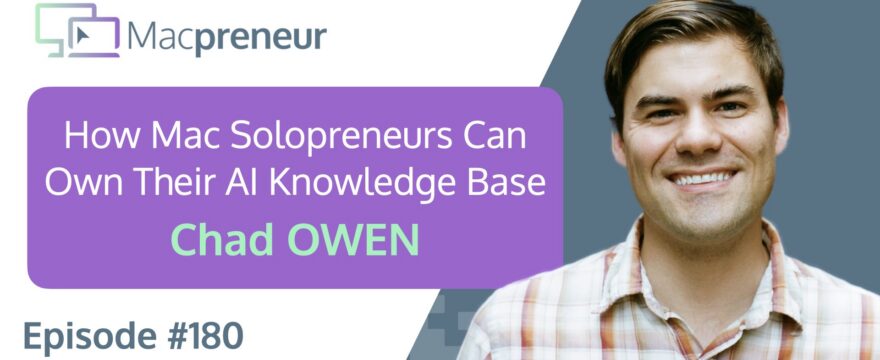
Chad Owen builds agentic operating systems that help small business owners scale their expertise without adding a team.
The real lesson: keep your AI knowledge and data under your control so you can change tools without losing what your business has learned.
Connect with Chad Owen
- Website: https://stimulus.io/
- LinkedIn: https://www.linkedin.com/in/heychad
Watch now
Listen now
Main Takeaways
- Start with one small source of friction: A narrowly defined task, such as tracking deliveries or monitoring listings, is easier to evaluate than a grand plan to automate everything. Small wins reveal where an agent genuinely saves attention.
- Give each AI tool a clear domain: Separating work and personal contexts reduces accidental overlap and makes it easier to judge whether a tool is helping. Different platforms can serve different roles without requiring a single universal winner.
- Treat knowledge as infrastructure: An agent is only as reliable as the information it can access and update. Build a maintained knowledge base with explicit context, procedures, tools, and memory instead of scattering business knowledge across chat histories.
- Keep your AI layer replaceable: Store important instructions, decisions, and operating knowledge outside any provider’s proprietary memory. Portability protects the business when prices, limits, availability, or model quality change.
- Let recurring reviews improve the system: A scheduled review can surface missing documentation, repeated work, and instructions that failed in practice. Use those findings to refine procedures rather than simply accepting the same errors again.
- Use existing code before building from scratch: Many personal workflow problems are variations of something someone has already built. Starting from a relevant repository gives an AI coding tool a concrete foundation and makes experimentation accessible to non-developers.
- Prune experiments that do not earn their place: AI workflows multiply quickly, so novelty is not enough to justify keeping one. Review active threads and automations regularly, double down on the useful ones, and close the rest before they become maintenance overhead.
- Choose plans based on actual usage: Lower-cost subscriptions provide enough room for most people to learn and experiment. Upgrade when the tool becomes part of daily revenue-producing work or when usage limits create a measurable business constraint.
Resources & links
Past episodes
- Episode 175 — Mac Solopreneurs, Finally Understand What AI Agents Can and Shouldn’t Do
Tools & services
Software
- Amazon S3
- Backblaze B2
- ChatGPT
- Claude
- Claude Code
- Claude Cowork
- Claude Desktop
- Codex
- Cyberduck
- Dropbox
- Gemini
- GitHub
- Google Chrome
- Google Drive
- Moom
- Moonshot AI
- Mountain Duck
- NotePlan
- Open Brain (OB1)
- Safari
- TextExpander
- Warp
Hardware
Apple Support Resources
Summary
Guest Intro
Chad Owen brings a background in cinematography, documentary filmmaking, design thinking, and rapid prototyping to his current work building agentic operating systems for small businesses.
Mac Setup and Longevity
An M1 Max MacBook Pro with 64 GB of RAM remains Chad’s main machine several years after purchase, while older Macs continue to prove that well-chosen Apple hardware can stay useful for a remarkably long time.
Must Have Mac Apps
Moom is Chad’s window-management essential, letting him move windows between a stacked laptop-and-monitor setup and arrange them into halves or thirds with hotkeys.
TextExpander quietly handles recurring text tasks, from correcting his double-capitalized sentence beginnings to inserting email addresses from short snippets.
Warp gives his terminal workspaces a more organized, comfortable home for agentic coding.
Its customizable interface suits him better than the standard Mac Terminal for reading and managing long coding sessions.
I add that Moom and TextExpander extend capabilities that macOS now offers only in more limited form.
Cloud Storage with Mountain Duck
Mountain Duck mounts services such as Amazon S3, Google Cloud storage, and Backblaze B2 in Finder, giving cloud buckets the feel of a local network drive instead of forcing users into terminal commands.
Its companion, Cyberduck, adds a capable SFTP and cloud-storage browser, while Mountain Duck’s Finder integration is especially useful for browsing a backup of a backup.
Backup Strategy and 321 Rule
A childhood digital-photo loss after a hard drive hit the floor made Chad treat three digital copies as the minimum for anything important.
I frame that instinct as the 3-2-1 rule: three copies, two physical locations, and at least one offsite copy, since a locally attached Time Machine drive will not survive a disaster at home.
Entering the Agentic AI Era
Chad’s current working stack combines Safari or Google Chrome, Warp, and Mountain Duck, while the surrounding infrastructure expands with every project.
He sees Claude Desktop and the unified ChatGPT and Codex experience as signs that increasingly powerful coding capabilities are moving beyond specialist developers.
I distinguish agents from ordinary assistants by their autonomy to plan and execute, and point out that the real system is an LLM plus the harness around it.
Claude vs ChatGPT Workflows
Rather than forcing one platform to handle everything, Chad assigns Claude and Warp to his professional work and uses ChatGPT for personal projects.
He recommends the Claude ecosystem as a gradual path from chat to Cowork and Claude Code, while acknowledging that ChatGPT is closing the gap and that platform choice ultimately depends on the models, company, pricing, and interface that fit the user.
Personal Agents and Automations
A simple ChatGPT thread now checks Chad’s email for deliveries and sends him a daily status update, replacing the need for a dedicated tracking subscription.
Another thread searches for nearby kayaks or paddleboards within a chosen budget and distance, reporting promising listings without contacting sellers.
Separating these personal tasks from his work tools keeps unrelated context from bleeding together.
The experiments illustrate a useful starting point: automate small pieces of friction before attempting an elaborate autonomous system.
Plans Pricing and Rate Limits
Chad pays for high-tier Gemini, Claude, and ChatGPT plans, along with smaller subscriptions such as Moonshot AI for Kimi K3, and even built an application to track which account serves each client or project.
He stresses that most people should begin with roughly the $20 tier, moving higher only when usage limits or advanced daily workflows justify the expense or a client or employer can cover it.
AI Coding for Hobby Projects
I used Codex to adapt a Dirt Rally recorder found on GitHub so it could capture the stage details I actually wanted, rather than only reporting a final time.
Chad recommends finding an existing repository that is close to the desired result and asking an AI coding tool to change it from X to Y.
He has used the same approach on a project intended to sync a Kindle with a non-Audible audiobook, although that experiment is still unfinished.
The larger challenge is no longer finding ideas but managing the growing pile of small “wouldn’t it be nice if” projects.
Building AI Native Systems
Chad argues that AI-native work requires shared knowledge that agents can read and write, a shift toward managing agents rather than performing every task manually, and systems that improve instead of requiring the same instructions repeatedly.
NotePlan Agent Knowledge Base
I use NotePlan as the external knowledge base for an agent called VAL, organized into archive, context, memory, SOP, and tools folders.
Its memory is divided into six time horizons, from today’s details through previous years, while a shared skill teaches connected AI tools how to work with that structure.
A scheduled end-of-day task reviews the day’s notes, promotes useful information to the appropriate level, identifies missing documentation, and flags discrepancies for review.
Chad calls this kind of recurring digestion “dreaming” and recommends giving every agent a defined knowledge home.
He uses a GitHub repository for a similar system and has it summarize his day and suggest repetitive work that could be automated.
Owning Your Data and OB1
I keep Claude’s built-in memory disabled so that important knowledge stays in NotePlan, and I point to Open Brain, or OB1, as another approach built around a database rather than text notes.
The central principle is to own the information agents use, keeping it portable if a provider changes direction, goes offline, or becomes too expensive.
Local Models and AI Hardware Future
Both of us see local models as a likely next step as Apple silicon and other hardware become better suited to AI workloads.
Chad imagines Claude Opus-level capability eventually running in watches, headphones, bikes, cars, and racing equipment, opening applications that do not need a constant cloud connection.
He is watching the tension between closed frontier models and open-weight models that can run on owned hardware.
Apple silicon, NVIDIA DGX Spark, and AMD Ryzen AI Halo illustrate different directions in purpose-built AI hardware.
Chad expects Apple could eventually release a dedicated AI box, potentially giving businesses a practical way to run powerful local models without buying data-center equipment.
Gardening Metaphor for AI
Chad uses gardening to make AI feel approachable: start with a low-stakes desk plant, then design a workspace and choose tools as the system grows.
AI behaves more organically than mechanically, so useful results require experimentation rather than certainty about what every prompt will produce.
Regular tending means pruning dead threads, investing in productive workflows, and refining the instructions that work.
He is also exploring an orchestra metaphor for coordinating multiple agents, with the user acting as conductor.
Subscribe from your favorite podcast player






Full transcript
FULL TRANSCRIPT (Click here)
Teaser (00:00)
Chad Owen Be sure that you’re collecting and owning and controlling that information that the agents are working with so that you’re platform agnostic, so that if one goes rogue or goes offline or becomes too expensive, you still own all of that data and information.
Guest Intro (00:14)
Nova AI Welcome to Macpreneur, the show for seasoned solopreneurs looking to streamline their business on a Mac.
Unlock the secrets to saving time and money with your host and technology mentor, Damien Schreurs.
Damien Schreurs Hello, hello.
Today I have the pleasure to introduce Chad Owen.
Chad began his professional life working in the film and TV industry as cinematographer and documentary filmmaker.
10 years ago, he decided to step out from behind the camera to exercise his storytelling and design thinking skills, working with large consumer brands to rapid prototype new services and products.
Once AI exploded onto the scene with the launch of ChatGPT, he’s been building agentic operating systems to help small business owners scale their expertise without growing a team.
Chad, welcome to the show.
Chad Owen Thank you so much, Damien.
Glad to be here.
Mac Setup and Longevity (01:13)
Damien Schreurs So what’s your current Mac setup?
Chad Owen So there’ve been many over the years, but currently I’m on an M1 Max MacBook Pro.
So when I heard that Apple was developing their own silicon, I got very excited.
I was there for the whole pre-Intel Macs and then the Intel Macs, and now that they have their own chips, I just had to buy one and I went a little overboard.
I got the M1 Max with 64 gigs of RAM.
But that was, like, five years ago, and the machine’s still serving me very well.
Damien Schreurs Yeah, I think the– it’s a little bit like the iPad and, yeah, more the iPad than the iPhone actually.
The– they usually outlast the operating system updates and the security updates.
Chad Owen Exactly.
Damien Schreurs And, yeah, having said that, I still have my 2007 aluminum iMac, the Intel one, and it’s still booting up.
It’s still working, so.
Chad Owen Yeah, mine’s, my old one, my…
So I have a 2012 Retina machine.
It’s right here next to me on my desk as well.
Yeah, I still have it going.
Damien Schreurs Yeah.
Must Have Mac Apps (02:24)
Damien Schreurs So when it comes to Mac applications, which are the three or five Mac application, desktop applications that you cannot imagine running your business without?
Chad Owen Yeah, it seems like it changes probably every three months for me.
I have shiny object syndrome.
I love getting distracted by new applications.
A few that I use all day every day, maybe some of you’ve heard of them, or not, but one is called Moom, M-O-O-M, and it’s a window manager.
So you set some hotkeys, and you’re able to push your windows into different areas.
So I like to work with my laptop underneath an external monitor.
Some people like to work with their screens side by side.
I like to work on mine stacked.
That’s just, I don’t know, how I like to work.
And so I can hit a hotkey and hit up, and it’ll move a window from my laptop up to the big monitor, and I can do the same.
I can hit a hotkey, hit the down arrow, and it’ll move a window from my external monitor to my Mac.
And then the other thing I like to do is split it into halves or split one third, two thirds of the screen.
It’s a fairly cheap app.
It’s probably the cost of a coffee or two, and I probably use it or invoke it, I don’t know, 50 or 60 times a day.
So that’s one of my favorite productivity apps.
If I’m using a computer that doesn’t have that, I feel totally lost, ’cause it’s just second nature to me.
One of the longest-running apps, I think, that I’ve continuously used, I don’t wanna say ever since it came out, but at least for the last 10 years, has been TextExpander.
And that’s another one that just falls into the background, and you don’t realize that you’re using it.
But for those that aren’t familiar, it’s just a text snippet app where it’ll do two primary things.
One is I love that it’ll automatically correct misspellings.
So I don’t know if it’s, like, how I learned to type or what, but I always double capitalize words at the beginnings of sentences.
So I’ll type capital T, capital H for “the,” and it can come behind you and just automatically, as you’re typing, it’ll just go back and correct that word.
And then the other thing it will do is you can type a couple of keys.
If I type e.me, it’ll just paste in my email address.
So e for email, and .me for my email, and then, or if I need to do my wife’s, I’ll do her initials, so e and her initials, and it’ll type that out.
So that’s another app that I was thinking this morning.
It’s like, “What’s an app that I couldn’t live without?”
And that’s one of them.
One of the newer applications that I’m using, and this is maybe a preview of where we’re gonna take the show today, is a terminal app called Warp, and that is, it’s just been recently open sourced, and it allows me to organize my terminal workspaces for agentic coding applications.
And it’s just been really nice.
It just has some quality-of-life features that I really enjoy even over just the basic Mac Terminal app.
So yeah, those are my top three right now.
Damien Schreurs Yeah, I can’t recommend enough to the listeners to explore both TextExpander and also Moom because they offer much more capabilities than the built-in capabilities now in macOS.
I think it’s since macOS Tahoe that Apple has finally made it easier with keyboard shortcuts to put windows half left, half right, quarters, corners, and also to easily switch windows.
But still, with Moom, you can pre-configure like four or five windows and say, “I want that window in that space,” and you can really configure your workspace whenever you do something.
And that you can’t do, or it’s not easy to do, built-in with macOS.
It involves a series of shortcuts and even then you’re still limited to what you can do.
And, again, so the way I see it, Apple is always offering something for 80% of the population, right?
Chad Owen Us power users, we need a little something.
Damien Schreurs Exactly.
Luckily, we have a good ecosystem of indie developers and we can find solutions like that.
Since our pre-show, I had a look at Warp and, yeah, in the end it was a bit too much for me.
Chad Owen Mm-hmm.
Damien Schreurs Going back to the pre-show, you talked about something that might be interesting for other, maybe not developers, but people who started to do some development work.
It’s Mountain Duck.
Can you explain what it does?
Chad Owen Yeah.
Like I said, there’s so many apps, I even forgot some of the ones that I’d mentioned to you before.
Mountain Duck, it has a companion app called Cyberduck, and they have the cutest logos if you haven’t seen them yet.
But essentially what they do is give you a really nice kind of Mac native browser experience for cloud-based storage.
I know things like Google Drive and Dropbox have native Mac applications, but cloud storage buckets like in Google Cloud’s infrastructure or Amazon S3 storage or Backblaze B2, other cloud storage providers, typically you had to go into the Terminal and type in commands to be able to upload and download files and be able to view them.
And what Mountain Duck does is it just creates, like, a network mount in your Finder window, and it just shows up on the left-hand side.
So, like, for me, I do a lot of my personal backups on Amazon S3, like as a backup of a backup.
Yes, I have Dropbox, yes, I have my external drive, but I also put it on S3.
And so what it allows me to do is I just give it my credentials and my login, and then I can view and browse my Amazon S3 files as if they’re just like a local network-attached storage drive on my machine.
And the companion app Cyberduck is a really good SFTP application and can also connect to those cloud services as well.
But the thing I like most about Mountain Duck is it just mounts it like it’s any other shared or connected hard drive to your machine.
Damien Schreurs Yeah, I saw in the news that Maelstrom, which was a client, a third-party client for Dropbox, actually stopped.
The application will not be available anymore.
And I think there is still a need for third-party applications for cloud services rather than just relying on the built-in ones.
Chad Owen Yeah.
Backup Strategy and 321 Rule (09:18)
Damien Schreurs I try to have all my stuff in three, if not four, places.
It’s just the…
I’ve had such a long digital life and have lost so many things along the way that I just get really paranoid.
There was a digital camera, like the first digital camera that my family had, and it would transfer to a miniature hard drive.
It didn’t even have CompactFlash, like, yeah, CompactFlash or.
Chad Owen Yeah, CompactFlash.
That was one of the first ones.
Yeah, it just downloaded to a little hard drive, and we probably had that thing for three, four years, and it was something where the dog ran into the cable and it crashed onto the floor, and the casing busted open, and I was just like, “No!”
I still to this day…
And this was, like, 20 years ago or 25 years ago.
I still think about that and the importance of backups, ’cause it’s like, that was, like, three years of photos of my family that will be lost to the ether.
So yeah, that’s…
If it doesn’t exist in three places digitally, I don’t think it exists, because that’s just my paranoia.
Damien Schreurs Yeah.
Just a quick reminder for the audience that that’s the three-two-one rule, right?
At least minimum three copies of each file, two different physical locations, and at least one in the cloud.
Or at least one offsite, not necessarily in the cloud, but one offsite because it’s nice to have a Time Machine backup attached to a computer, but if the house burns down, unfortunately you’ve lost everything again, huh?
Yeah.
Chad Owen Very good.
Entering the Agentic AI Era (10:51)
Damien Schreurs So yeah, you were talking about doing some agentic stuff, so maybe we could already enter the AI segment.
I think also, if I remember during the pre-call, the S3 buckets or what you do with Amazon is also useful with your agentic work, right?
Chad Owen Yeah, I think when you start working with AI and doing your own coding, all of a sudden you have to learn about all of this infrastructure behind the scenes that runs all of our day-to-day applications and all the websites we use, which has been a fun learning journey for me, but it can be confusing and overwhelming, which is why I love to gravitate towards tools like Mountain Duck that just make it really easy for me to see the files that are stored in the cloud.
But for me right now, I think with just a browser, Safari or Chrome, my Warp Terminal, and then my Mountain Duck setup that connects to the cloud storage, between all of those things I can do all the coding, look at it in a browser, see if it’s working right, and then I can manage all my media and my files.
But then there’s probably another dozen tools behind those, depending on the project that I’m working on.
But I’m trying out new tools every day, so the new Claude Desktop application is really good.
They just combined, OpenAI just combined the ChatGPT app and the Codex app.
The ChatGPT app was the consumer app, and the Codex app was more for developers, and they combined them into one app, and the developers were screaming and saying, “You’re dumbing down the application.”
But I think it’s actually a really good move for them, because they’re giving more powerful coding tools to the masses.
And so yeah, I’m sharing some of my favorites here, but I’m working across so many different applications now when I’m doing my AI work.
Damien Schreurs Yeah, just to timestamp a little bit this episode, we’re recording that mid-July 2026.
If you listen to that in the future, maybe half of what we are talking about is obsolete, but that’s the life of AI.
But recently, so recently compared to the recording of this episode now, I released episode 175, where I basically demystified agents, AI agents compared to assistants versus normal chatbots.
And so the basic premise is that an agent has autonomy versus the typical AI assistants or the projects, the Gemini Gems and the GPTs and so on.
Any kind of AI today can use tools, so using tools is not really something that determines whether we’re doing agentic or not.
It’s more the autonomy, the ability to plan and to execute the steps by itself.
And in the episode, I also laid out the fact that what makes an agent powerful or work properly is the harness around the LLM.
So it’s more than an LLM.
It’s an LLM plus a harness.
Claude vs ChatGPT Workflows (13:59)
Damien Schreurs And so what– I’m curious because nowadays we have consumer or even semi-professional-grade agentic platforms with Claude Cowork, Claude Code, Codex.
Why do you, or what’s the split between using those platforms for your agentic work versus developing your own using the Warp Terminal?
Chad Owen Yeah, it’s a really interesting question.
I’m trying to assign specific harnesses or tools to specific areas of my life, and that has been one helpful frame.
I don’t really necessarily wanna choose one tool and commit to it.
I need to be testing multiple different things.
But, for example, I recommend the Claude ecosystem to all of my clients and customers, ’cause I think it, up to this point, although ChatGPT is really getting close, it’s my recommended kind of starting point for people to choose one place to work and try to do all of their work in that ecosystem.
The way they’ve set it up with chat and Cowork and Code, I think you can start at level one just using chat, and then you can jump to level eight, nine, 10 with Claude Code, all just from that single application.
You are locked into using the Anthropic models, but I think they’re very good, and if you’re okay with them as a company and paying their prices, then I can really highly recommend them.
I use the Claude Code Terminal app inside of the Warp Terminal, so that’s just more of a user interface preference on my part.
I just kind of like the simplicity of the Terminal, and I find it’s an easier reading experience, ’cause I can customize the fonts and the colors and the theming of it, whereas with the Claude Desktop app, you’re stuck with their design and their designers.
But one thing that I’ve been doing is experimenting with Codex, now ChatGPT app, for all things just in my personal life.
So I’ve, okay, Claude and the Warp Terminal’s for my work life.
I’m gonna try and use ChatGPT for my personal life.
Personal Agents and Automations (16:05)
Chad Owen And some of the experiments that I’ve run that have been helpful, and they’re little things that I would encourage anyone to start with, is…
One was, I don’t know if you remember, at the launch of the App Store, there was an application called Deliveries, and the only– and I think it was promoted by Apple as a part, like, when the App Store launched way back when, whenever.
What was that, 2012?
Oh, I can’t remember.
It might have even been before that.
Damien Schreurs App Store was 2008.
Chad Owen Was 2008.
Damien Schreurs So yeah, the iPhone 2007.
Chad Owen Seven and eight, you’re right.
Damien Schreurs Yeah, 2008.
Chad Owen There was an application called Deliveries and I stumbled across it ’cause I wanted to track some deliveries, but I was like, “Oh, now they’re on subscription.
I don’t wanna pay for that.
Let me just see if ChatGPT could do that for me.”
So I just said– I created a new thread and I said, “Go into my email, find any deliveries or orders that I have, and just every morning at 9:00 AM just ping me and say, ‘Hey, you have this delivery.
It’s been shipped,’ or, ‘It’s not been shipped,’ or, ‘It’s gonna be delivered tomorrow.’”
I just set that up three days ago, and the latest Amazon order, I forgot about it, and then I got a message from it this morning and it said, “Hey, your Amazon order is out for delivery today.”
I was like, “Oh, okay, cool.
It worked.”
One other thing that I’ve had it do is, I’m not on social media, and I wanna try and find a kayak or a stand-up paddleboard.
There’s a really nice lake close to us, and I don’t wanna get on Facebook Marketplace and have to search and do all of this.
And so I created another thread and said, “Hey, these are the things that I’m looking for.
This is kinda what I wanna pay.
I’d be willing to drive half an hour or 45 minutes.
Just let me know what listings you find.”
And then I’m not having it communicate with people, but I’m just having it tell me, “Hey, I found a kayak.
It’s $250.
It’s over here.”
And again, this morning at the same time I got the delivery notification, it was like, “Hey, there’s one and it’s not that far from you.”
And that’s been fun for me because if I’m working in a Terminal, I’m working in Claude Code trying to do something personal, all of the work stuff bleeds into it.
So I like having different applications for different areas or domains of my life, and that’s really been helpful for me personally.
So that’s maybe one thing I might recommend for folks is, maybe if you’ve been using ChatGPT, use Claude for a different aspect or vice versa.
Or Gemini, whichever your tool of choice is.
Plans Pricing and Rate Limits (18:34)
Damien Schreurs And at which level are you?
Which plan do you have for both, for Claude and ChatGPT?
Chad Owen Damien, I’m not at the “which plan,” it’s “how many plans do I have?”
Damien Schreurs Okay.
Chad Owen So, like, I mean, I can justify this because it’s my work, it’s what I do.
So I have the Gemini Ultra plan, the Max Claude plan, and the highest Pro ChatGPT plan.
I also have a couple of smaller subscriptions, like for Moonshot AI to get access to the Kimi K3 model, which just dropped yesterday actually.
And then typically I will also ask clients to pay for plans on my behalf, so because I’m doing a lot of development work for them, I want them to pay for the tokens.
So I’ve had to create my own application to manage all of those profiles so that I know which work is being done on which plan.
And it’s nice now too, because I’m hitting those rate limits very often, so now I can rotate between different Claude plans or between different ChatGPT plans, and then also have separate plans for different clients and projects.
But that’s– I, I…
In the developer space, I’m probably not that unique, but I think for kind of the laypeople, if that sounds hard and confusing, it is.
It’s why I built my own application to manage all of it.
Damien Schreurs Yeah.
Chad Owen For most people, I think $20, or whatever close to the $20 plan for all these platforms, is going to give you so much capability and ability to experiment.
You don’t need to jump up to the higher plans unless I think it’s becoming a part of your day-to-day work, which you should ask your employer to pay for on your behalf, or if you’re doing really advanced workflows.
But most of the capabilities are accessible at the lower plans, it’s just they limit your usage.
AI Coding for Hobby Projects (20:26)
Damien Schreurs Yeah, I’m still at the $20 per month for Claude and the $20 for ChatGPT.
I must say that I don’t use ChatGPT, the– even the GPTs.
It’s mostly Codex now.
When I’m using those $20, it’s for, and a bit like you, it’s more for kind of personal development projects.
So one of my hobbies is sim racing.
I’ve done the Dirt Rally 2 E-Rally Championship here in Luxembourg this year.
And I found on GitHub a Dirt Rally recorder, a tool that works in the Windows Terminal app.
It’s actually a Python script, a very elaborate Python script.
But basically, it’s a Python script that listens to a specific port that is related to Dirt Rally, which actually broadcasts, when I’m driving and doing a stage, every, I don’t know, milliseconds, the speed, position, and stuff like that, right?
Chad Owen Oh, wow.
Damien Schreurs And the script on GitHub would only give me the final stage time.
For some stages, there are four sections, sometimes there are eight sections or six sections.
And so I actually use Codex to reverse engineer the thing, and then Codex helped me create a new version of that rally recorder, now specific to my needs.
And even that, it’s still light development work.
The $20 per month was plenty enough.
Really plenty enough.
Chad Owen The example is, it’s exactly how I have people start.
What’s some area of friction in your life or even just a small wish that you have?
There’s so much software out there in the world that’s on GitHub, you’re probably going to be able to find someone out there that has maybe not done the full thing or exactly how you wanted it to be, but it’s out there.
There’s some code, and you can…
It’s a really simple instruction to any of your coding tools.
You just say, “Hey, Claude.
Hey, GPT.
Go to this GitHub repo, take a look at it.
I want it to do X instead of Y.
Help me do that.”
And then it’s off to the races, like you said.
And it’ll– I have found ChatGPT to work for six, seven, or even eight hours overnight, even with just a simple prompt like that.
And then I wake up in the morning, and it’s done.
Exactly like what you said.
I was trying to figure out how to sync my Kindle to a non-Audible audiobook and did the same thing.
Found a GitHub repo, it was halfway there, and that project’s still in progress.
I’ll have to report back on if I can get it to work or not, but my problem now is I have 50 of those little, “Oh, wouldn’t it be nice ifs,” and I just don’t have enough time.
Damien Schreurs Yes.
Yes.
I’m managing my task and projects and goals in NotePlan.
And yeah, I have a folder with a bunch of ready-plan things that are already planned or pre-planned, and it’s just that I did a bunch– I did a lot of work either in Claude Chat or Claude Cowork, but it was mostly Claude Chat.
And I said, “Okay, let’s summarize what we did together,” basically the architecture of the solution.
I said, “Now write a prompt for Claude Code.”
And then, yeah, now I need to keep track of what is there and decide the priority and stuff.
Building AI Native Systems (24:29)
Chad Owen Yeah, more and more I’m finding, like I believe that more and more people and companies are gonna become AI native in their work, especially.
If you want to keep it out of your personal life, I don’t blame you, because there’s enough AI in our day-to-day work.
But I think if we’re gonna become AI native, there are three things that need to happen.
These agents need to be able to read and write to a shared knowledge base and understanding.
So I think one of the problems now is, like you said, we have just a bunch of information in different places.
Is it in my Claude chats, or is it in my GPTs, or is it in my NotePlan, or is it in my Notion, or yada, yada?
That’s one problem that we need to solve.
The other is, I think eventually we’re just gonna be managing agents as a part of doing our work, and we’ll be doing less and less of the work tasks, and it’s more managing of those agents.
And then I think the most important thing is that the system and working with the agents needs to improve over time.
I don’t know about you, but I get really frustrated having to tell the AI the same way to do something over and over again.
You’re like, “Why can’t you remember this?”
Or, “Why aren’t you following my instructions?”
So I think those components are really important, and I don’t necessarily have a silver-bullet answer for each of those.
But I think, as long as when we’re working with AI tools, we’re thinking about those three things, then we’ll just be building better systems to help enable our work.
NotePlan Agent Knowledge Base (25:53)
Damien Schreurs Yeah, we are really at the very beginning of the agentic era, and we’re all of us at the forefront of it figuring out how to best use the technology, what systems to put in place.
I’m experimenting, again, as I said, with NotePlan and my quote-unquote agent.
I call it Val, Virtual Assistant Liaison, and I basically created a folder for it, so the Val folder in NotePlan.
And in that folder, my system at the moment is I have an archive subfolder, I have a context subfolder, a memory subfolder, an SOP subfolder, and a tools subfolder.
So I have five subfolders.
In each of those subfolders, there are notes specific to that.
And, for instance, the context has a– there is a note for me, for EasyTECH, for Macpreneur, and for Val itself.
So the agent itself has a context for itself.
And then I created and refine all the time a bunch of SOPs.
And at the end of every day, I have a scheduled task in Claude that actually looks at– so, for the memory, I have six notes, and it’s going from less and less granular.
So M1 today, M2 this week, M3 this month, M4 this quarter, M5 this year, M6 previous years.
And whatever we do togeth–
Chad Owen Ooh, I love that breakdown.
I’ve actually never heard anyone organize it that way, and I think that’s a really fascinating way to do so.
So thank you for sharing that, yeah.
Damien Schreurs I have what I call a cascading system.
So whatever I do with Val or even Claude Code, because they all have the same connectors to NotePlan, and I’ve created a skill, a Val knowledge-base skill.
So whenever I invoke that skill, whatever conversation I am in, now the LLM knows that structure.
What I just explained to you, the system, how everything is organized and so on, it knows about that.
So now I tell it, “Please log everything we did in M1 today.”
And I can even say, “Please log everything we did together in M1.”
It knows it, it will go to M1 today.
And at the end of the day, at 10 00 PM or 10:30 PM, no, 10:00 PM every day, there is a scheduled task.
It is instructed to go to the end-of-day SOP, and basically it goes through M1.
It goes through M1, looks what we did together, decides what needs to be summarized and needs to go to M2 this week or not.
Sometimes it can be discarded.
But then it looks at everything.
So based on what we did together, it will scan the whole repository and say, one day it says, “Look, today we worked with a Google Drive connector.
I do not see a Google Drive note in the tool subfolder.
Let me create one.”
And so basically it is a self-improving, self-cleaning system.
And whenever it has been instructed, whenever you find a discrepancy, something that doesn’t make any sense, flag it to me, right?
Flag it to me.
Chad Owen Right.
Damien Schreurs And so every morning now, that’s– every morning I will go to the scheduled task at 10:00 PM of the day before.
I will look at how everything went and I say, “There’s a gap there.
There’s a gap there.”
And the first thing in the morning is, okay, what do we need to do?
Which SOP, what do I need to– do we need to change to prevent this mistake or this inaccuracy to happen again?
And, yeah, it’s–
Chad Owen That’s great.
I, yeah, that sounds like a really amazing system.
I think I would just recommend that to everyone.
So choose a place where you’re gonna have your agent’s knowledge, and then you’ve taken it to the next level where you have it do a recurring task that can do that.
I think the Claude team actually calls that kind of task dreaming.
It’s like where the agent takes everything that has happened and digests it and figures out, “Okay, what are some connections or what are some missing areas?”
A fascinating thought to imagine, AI dreaming, but I think the metaphor is apt.
And yeah, I can’t recommend that workflow highly enough.
I think for me personally, I’m using a GitHub repository as kind of the store, ’cause it does a nice thing where it can work on your local files on your computer, and then you have it mirrored into the cloud.
And I have the exact same tasks.
Other things that I like to have it do is just give me a breakdown of the day.
What did I spend most of my time on?
And I’m even having it now suggest opportunities or areas of improvement.
If it says, “Oh, you do this task a lot every day.
Is there a way that we can automate it?”
And it’ll start suggesting either skills or other things.
‘Cause one of the directives I’ve given it is, help me be more efficient and effective in my work, and so it’s doing those suggestions for me.
Owning Your Data and OB1 (31:22)
Damien Schreurs And I think regardless of the system that you put in place, what I believe strongly is we need something that is outside of a specific tool.
So I instruct Claude to not use the built-in memory of Claude.
I said, “Do not use, do not store anything into your own memory.
The memory goes in NotePlan, in one of the memory subfolders.”
And I discovered something on, I don’t remember where, but it’s on GitHub.
It’s called Open Brain, OB1.
So if you search GitHub for Open Brain, OB1, that’s another system.
I haven’t tried it yet, but it’s basically similar things, but rather than being in text format, text notes with different levels, it’s actually a database system.
It’s a Supabase system.
Chad Owen Yeah, or I think it’s like a SQLite or even Postgres database.
I love Nate Jones.
I subscribe to his Substack.
He’s a really great educator in the AI space.
He’s the progenitor of that project.
I think his community took the project and ran with it, but he started it.
So I can’t recommend that highly enough.
And OB1 is like one of these projects.
There’s probably hundreds across GitHub, but if Damien and I are saying anything, it’s be sure that you’re collecting and owning and controlling that information that the agents are working with so that you’re platform agnostic, so that if one goes rogue or goes offline or becomes too expensive, you still own all of that data and information.
So yeah, I think that’s a core principle, I think, to be intelligently working with agents and AI in the future.
Damien Schreurs Yeah, yeah.
Local Models and AI Hardware Future (33:09)
Damien Schreurs And luckily, hopefully in the future, we will have local models that will be powerful enough to run on machines with 16 gigs, 32 gigs of RAM, and maybe the next generation, the M7 or M8 chip, so that we could even decide that we would run everything locally rather than relying on a cloud provider.
Chad Owen I just got, like, a smartwatch for outdoor activities and training.
And as soon as I got it, the thought that I had was like, it’s got 64 gigabytes of storage.
It has two gigabytes of RAM.
There’s probably a model out there in the next three to five years that’s going to…
So we’ll probably get Claude Opus performance inside of a watch.
And what kinds of applications does that open up?
You were talking about racing.
What if those models make their way into racing machines or onto our bikes or motorcycles?
It’s just, it’s wild thinking about…
Or what if they’re in our headphones?
We have a local LLM in our headphones, and it can do, like, the Star Trek translator.
Those are the sorts of applications that I don’t think they’re that far away.
But, staying out of the politics of it, I think the tension between the kind of closed models from people like Google, OpenAI, and Anthropic and the Chinese providers that are making their models open weight, meaning you can put them and run them on your own machines if you have the firepower, if you have powerful enough machines, it’s a really interesting open question and tension that I think it’s healthy just from, like, a marketplace economics standpoint to have that.
But there’s really complicated geopolitics that surround that.
But I’m really excited to see Apple continue to develop their silicon and their chips to be able to run more local models.
And I didn’t jump into buying the Mac Mini and Mac Studio, all the craze, at the beginning of 2026.
I’m holding out for maybe the next generation, ’cause I think due to the development cycle and just how fast we’ve learned about the hardware needs to run AI, I think the next generation of hardware from Apple is just gonna be that much better at running the local models, and I think maybe I’ll probably take the plunge in 2027 on my own machines and running my own local models.
Damien Schreurs Yeah.
Yeah, I don’t remember if it’s the M5 or the M6 where the…
So you still have the shared-memory architecture, but within each core, there is also some memory for AI or machine-learning workloads and stuff like that.
So they realize that the lower the latency or the faster the communication between the processor and the memory and the applications, the better it’s gonna be for AI.
Chad Owen Yeah, I’ll be a Mac diehard until the end, but there are interesting machines out there, like NVIDIA has their DGX Spark.
AMD just announced their AMD Ryzen AI Halo.
Purpose-built machines that are architected from the ground up to run local models.
And I would be really surprised…
I think, pardon me for being a pundit for a moment.
I think Apple would be making a huge mistake to not have a dedicated AI machine.
Think about the first Mac Studio that came out, and they’re like, “This is for editing Hollywood movies,” and everyone needs this machine so they can run Final Cut.
And I think they’ve done similar things in the past, those kind of really purpose-built machines, and I would be surprised if they don’t do an AI box.
It’s probably a mashup of their current Studio and Mini into just a, “Here’s your AI box for running local models.”
Damien Schreurs Yeah.
Chad Owen Maybe 2027.
It might not be till 2028, but that’s my hope, is that they do come out with that piece of hardware.
Damien Schreurs Yeah, yeah, they’re–
I think it would be foolish for them to try to compete with the likes of OpenAI and Anthropic on the frontier-model side, but on the hardware side, that’s their bread and butter.
And also, that’s where they have the most expertise.
Yeah, they could really knock something out of the park as hardware that would even, already even today, shame NVIDIA a little bit in terms of consumer hardware, right?
Not data-center-grade hardware, but professional, yeah, semi-professional.
Chad Owen So we’re not gonna spend $50,000 on the Blackwell NVIDIA server-rack box.
But I think there are people that are already paying six, seven, $10,000 for the maxed-out Mac Studio.
If they came out with a five- or a $10,000 box that ran AI, I’m sure businesses would be buying those boxes to run local models, for sure.
Gardening Metaphor for AI (38:22)
Damien Schreurs Yeah.
So to close the AI segment, during the pre-show, you talked about the gardening metaphor for AI.
Can you share that with the audience?
Chad Owen There’s so many different metaphors.
I’ve… One that’s, that I’ve moved on to, but I’ll come back to gardening.
I’m also testing an orchestra metaphor.
But I think because it’s such a new tool, and technology can be so opaque, reaching for a more understandable metaphor is often helpful.
And so I like to introduce working with AI as gardening.
You can start with your desk plant.
You know, like, you could try and just keep this little thing alive and water it every five or six days, and you can start low stakes.
And it’s like, if you keep that little plant alive, you just water it once a day or once a week.
So that’s opening up the AI tool, asking it a few questions in chat, seeing if it can help you do your work.
That’s the beginning of the gardening metaphor, all the way through to planning out your garden space.
Like, how do you wanna set up your workspace?
What tool or harness do you want to begin to use?
What sorts of projects do you want to accomplish?
Are you gonna be growing flowers?
Are you gonna be growing food?
And the other thing with AI is, I do think it works much more organically than mechanically.
You’ll ask AI to do something, and you don’t really know what the result will be, in the same way that you’ll plant a seed or you’ll plant a seedling, and you have the best of intentions and want it to grow a bunch of fruit, but it might decide to just grow, you know, a 500-pound pumpkin instead of 10 pumpkins.
You don’t really know.
So I think it’s important to get into a habit of using the tools.
Fortunately, AI won’t die if we don’t use it, so that’s where the metaphor meets its limits.
But I do think that you get the most out of it if you do tend it regularly, you prune parts that you don’t need or use anymore, and you invest more and fertilize the parts that are working for you.
Your different time-horizon levels seem like something that you discovered, “Ooh, this is really working for me,” and so you’re compounding the use and the learning there.
In the same way that I have found, with our garden, with our tomatoes, if I prune each plant to just three runners, it will do better.
Tomatoes are non-deterministic tomatoes.
Here, now you’re getting all the gardening knowledge.
They have these little things called suckers that will grow into a whole new line and a whole new plant.
So if you just let it grow, it’ll grow into 50 branches, and then you’ll end up with a lot of small fruit.
If you pull off those suckers, you can prune it into having just three main leads, and then you’ll get nice big fruit on those tomato trees.
I find myself having to do all of those activities when working with AI.
Is this working for me?
Yes or no?
Okay, maybe I’ll close down that thread.
Or, yes, this thread is working for me, now I’m gonna double down and see how I can get even more use out of it.
So that’s the gardening metaphor that I use with AI.
Now, because I’m into multi-agent orchestration, working with many and multiple agents at a time, that’s where I’m reaching for…
I was a musician as a kid and in high school, so I’m reaching for the orchestra metaphor.
You’re the conductor and you’re conducting different sections of the orchestra and different instruments.
That’s maybe the next metaphor I’m working on, trying to talk about multi-agent orchestration.
Damien Schreurs Yeah, I like that.
It’s very…
It’s very good.
Chad Owen There’s too many metaphors that you can, yeah.
Where to Find Chad (42:03)
Damien Schreurs So thank you very much, Chad.
Where can people find you online?
Chad Owen I don’t have social media, but I do have a website.
You can find me at stimulus.io.
Stimulus is the name of my company.
If you’re curious to get started with an agent that’s ready to work out of the box, you can go to stimulusagents.com, and you’ll be able to chat with a chief-of-staff agent, which is like the first agent that I like to set up.
It sounds like your Val, Damien, but it’ll really ask you a few questions, understand you and your work and your personal life, and then come up with some suggestions on how it can begin to help augment and automate some parts of your life.
And it’ll give you a prompt that you can copy and paste into any AI tool of your choice.
But that’s where you can find me.
Damien Schreurs Perfect.
Thank you very much.
All right, it was a pleasure having you on the show.
Chad Owen My pleasure as well, Damien.
Thank you so much.
Applying to be a guest too (43:02)
Damien Schreurs So for the listener, if you would like to share how you are using your Mac to run your solopreneur business, it’s simple.
Just visit macpreneur.com/apply.
If you are already on Podmatch, click on the button and you will land on the show profile.
Otherwise, fill the application form and I will get back to you within a few days.
Once again, it’s macpreneur.com/apply.
Outro (43:26)
Damien Schreurs And until next time, I’m Damien Schreurs wishing you a productive day.
Nova AI Thank you for listening to the Macpreneur Podcast.
If you’ve enjoyed the show, please leave a review and share it with a friend right now.
Previous / next
Latest episodes
MP179: How Mac Solopreneurs Can Escape the AI Multitasking Trap with Jan Trautwein
TL;DR Jan Trautwein uses AI to expand what a solo business can build while coaching founders to stay focused, healthy, and willing to ship. The real lesson: multitasking is only useful when you have a reliable way back to the work that matters. Connect with Jan Trautwein https://jantrautwein.com/ https://www.linkedin.com/in/jantrautwein/ https://www.instagram.com/jan_trautwein/ Watch now https://www.youtube.com/watch?v=sDkNNTlLWbE Listen now…
Continue Reading MP179: How Mac Solopreneurs Can Escape the AI Multitasking Trap with Jan Trautwein
MP178: Mac Solopreneurs, Why AI May Not Be Saving You Time with Gary Pageau
Gary Pageau emphasizes that providing upfront guidance significantly enhances the quality of AI-generated podcast clips, saving time in the editing process. Effective AI use requires context, human quality checks, and automation to improve workflow. He encourages careful selection of tools and regular subscription evaluations to ensure productivity and efficiency.
Continue Reading MP178: Mac Solopreneurs, Why AI May Not Be Saving You Time with Gary Pageau