
TL;DR
In this special episode, I’m sharing a rebroadcast of my guest appearance on the Financial Freedom Podcast with Christopher Loo, recorded on May 1st, 2025.
In this conversation, you’ll discover:
- My step-by-step Zapier automation that takes a new lead from my website to my CRM and invoicing software without me lifting a finger
- The simple, FREE automation you can set up today to follow up with new contacts instantly.
- My take on the AI race and the “hidden” hardware advantage Apple has had with the Neural Engine since 2020.
- Why the Mac is still the most stable and secure platform for your business.
- The future of AI (and why it will be just like electricity).
Check out the Financial Freedom Podcast on these platforms:
- Apple Podcasts: https://podcasts.apple.com/podcast/financial-freedom-podcast-with-dr-christopher-h-loo-md-phd/id1568423486
- Spotify: https://open.spotify.com/show/3NkM6US7cjsiAYTBjWGdx6
- YouTube: https://www.youtube.com/@UCGlxnxxDqT9607yFzSzPtKw
Watch
Summary
My journey and current business
Back in May 2025, I had the pleasure of being interviewed on the Financial Freedom Podcast with Christopher Loo.
As a technology mentor with over 35 years of experience, I’ve been fortunate to witness several technological revolutions since getting my first computer in 1988.
Born in 1973, I have lived through the personal computer revolution, internet revolution, smartphone revolution, social media revolution, and now the AI revolution.
My business has two main client segments:
- Larger enterprises and government agencies where I provide Microsoft Office training
- Solopreneurs whom I mentor on maximizing their Apple devices and streamlining their workflows
I’m particularly passionate about helping Mac users synchronize their workflows across iPhone, iPad, and Mac.
Main Apps and Services
The cornerstone of my automation strategy is Zapier, which I’ve used for many years to connect various web services.
For example, when someone fills out my website contact form:
- Their details automatically go to Google Contacts
- The information is added to my CRM
- When they become a client, I can push their data to my invoicing software with one click
I’m also exploring Make.com as an alternative to Zapier for certain integrations:
- Make has better hooks into LinkedIn and Squarespace
- Each platform has unique strengths with different web services
For my business operations, I prefer Google Workspace over Microsoft 365:
- Gmail‘s built-in rules are powerful for email management
- The cloud-based approach is more efficient for my workflow
I’ve also implemented custom AI solutions on my Mac:
- I can call the OpenAI API directly from my computer
- This allows me to transform, proofread, or correct text with a simple right-click
Tips and Tricks
Getting Started with Automation:
- Start with Zapier’s free plan to create single-step automations
- Connect your website contact form to your task manager
- This ensures you never miss an inquiry and creates immediate accountability
Why Mac is Best for Entrepreneurs:
- More stable than Windows
- Easier to secure and configure
- Simpler backup management
- Lower target for malware due to smaller market share
Apple’s AI Advantage:
- Apple’s Neural Engine (built into all Apple Silicon chips) is specifically designed for AI tasks
- Every Mac sold since 2020 has at least a 16-core Neural Engine
- Mac Studio and Mac Pro feature 32-core Neural Engines
- This makes Mac the ideal platform for running AI locally without expensive graphics cards
Future of AI:
- AI will eventually be integrated into every software stack
- Like electricity today, AI will become an expected component rather than a special feature
- The next frontier will be “embodied AI” – the fusion of artificial intelligence and robotics
Key Takeaways
- Automation tools like Zapier and Make serve as essential “glue” between different web services, allowing solopreneurs to create seamless workflows between their CRM, email marketing, and invoicing platforms.
- Even a simple, free single-step Zapier automation (like connecting a website contact form to a task manager) can immediately improve business reliability and save time for solopreneurs.
- The Mac platform offers entrepreneurs advantages in stability, security, and backup management compared to Windows, while also providing superior hardware for running AI applications locally through its Neural Engine.
- Apple’s Silicon chips with dedicated Neural Engines (16-32 cores) give Mac users a significant advantage for running local AI models without requiring expensive additional hardware like high-end Nvidia graphics cards.
- AI will eventually become an expected component of all software and services, similar to how we now assume appliances will run on electricity without specifically advertising that feature.
- The integration of AI with robotics (“embodied AI“) represents the next frontier of technological development, which will require vast amounts of specialized computer chips.
- Computer chips are becoming the world’s most valuable resource, surpassing oil, creating significant geopolitical tensions and manufacturing challenges in the global AI arms race.
Listen now
Subscribe from your favorite podcast player






FULL TRANSCRIPT (Click here)
[00:00:00] Introduction
Damien Schreurs: Hello, hello. As a solopreneur, do you ever wish you could just clone yourself to get all that repetitive work done so you can focus on the stuff that matters? Well, for me, the answer has been a combination of smart automation and AI. Today’s episode is a little different—it’s a rebroadcast of an interview I did on the Financial Freedom Podcast with Christopher Loo. We talked about how I use tools like Zapier to save hours every week, my take on the AI race, and also why the Mac is the ultimate tool to manage it all. It was a fantastic chat, and I’m excited to share it with you today. So let’s get into it right now.
Christopher Loo: Good morning, everyone, and welcome to the podcast wherever you are in the world today. I have a fantastic guest from Luxembourg, Damien, an entrepreneur and the host of the Macpreneur podcast.
So Damien, welcome.
Damien Schreurs: Thank you for having me, Christopher.
Christopher Loo: Yeah, briefly introduce yourself, chronicle your journey, and I’m excited to dive into your work.
[00:01:14] Damien’s Journey into Technology
Damien Schreurs: Yeah, so I am a technology mentor, and I really enjoy sharing my knowledge about technology. I’ve been passionate about technology since my teenage years. I’m 51, soon to be 52, and I got my first computer in ’88 when I was 15 years old. Since then, I was hooked. I feel really privileged to have gone through all those revolutions—the personal computer revolution, the internet revolution, then the smartphone revolution, the social media revolution—and now we are in what might be the fourth revolution, which is the artificial intelligence revolution.
Christopher Loo: Wow. And one thing I love is talking to veterans like you who have seen this whole change. When you help clients or solopreneurs, what do clients come to you for to solve their problems or help them get ahead? What do they come to you for?
[00:02:20] Clientele and Services
Damien Schreurs: I have two main clienteles. I work with larger enterprises or governmental agencies that need typical help and training. I teach these corporate people to better use Microsoft Office, which is still the number one tool used today: Word, Excel, PowerPoint, and Outlook.
That’s the biggest part of my business, and it’s mostly local at the moment. For solopreneurs, I’m more a mentor and a coach on how to better use their Apple devices. I specialize in helping solopreneurs master their computers and synchronize things with the iPhone, the iPad, and more. Increasingly, I focus on streamlining their processes because nowadays it doesn’t really matter if you have a Mac or a PC—most of the things we do are online. But the issue is when we have different online systems that are separate from each other. For example, a CRM in one place, email marketing on the other side, and then a bookkeeping or invoicing platform that doesn’t necessarily communicate with each other.
[00:03:42] Automation with Zapier
Damien Schreurs: I’m a very big proponent of automation, and I use a tool called Zapier to glue all those web services together. For instance, when someone fills out the contact form on my website, the contact details are automatically copied into Google Contacts so that I have the phone number, address, and name on my phone immediately. It also goes directly into my CRM, and whenever a lead becomes a client, I just push a button and all the information goes into my invoicing software. All I need to do is log in, create a new invoice, select, and I don’t have to type anything.
Christopher Loo: Wow. And this is all using Zapier, correct?
Damien Schreurs: Yes. I’ve been using Zapier for many years now, and I’m starting to work with another tool—Make (make.com). Its interface is a little different, so it’s a bit challenging for me, and the philosophy is somewhat different, but the power is there as well. I just realized, from using it in a few webinars I organized lately, that even though both platforms can integrate with many of the same web services, Make has better integration with certain services. For example, LinkedIn and Squarespace—Make has better hooks into Squarespace than Zapier.
Christopher Loo: Interesting. So one thing I love about this is that you use the whole gamut—you use Apple and Microsoft, and then you also use AI, which I’m going to ask you about later. But along this line of Zapier, automation is the secret weapon for solopreneurs. For those listening who want to get started with Zapier, what’s the number one automation that would set them forward or save them an hour or two a day in their business?
Damien Schreurs: You can start with Zapier totally for free, which allows you to create what we call a single-step zap—an automation with one trigger that generates one action. For example, if you have a contact form on your website, it can automatically create a reminder or a task in the tool of your choice. That is already powerful because when I fill out a contact form on a website, I’m never sure if the message will be caught. Simply linking the contact form to create a task in your task manager is a great starting point.
Christopher Loo: Interesting. And then, because you mentioned organizing webinars—and we have a webinar series—you might talk about how to use Zapier in that context later. It’s fascinating how it acts as the glue between all these different applications.
[00:07:39] Exploring AI and Automation
Christopher Loo: A follow-up question: Since you mentioned artificial intelligence, how can someone integrate Zapier with ChatGPT? What is one simple automation they can use with AI?
Damien Schreurs: With artificial intelligence, you can use Zapier by setting a trigger that initiates the automation and then having a series of action steps. The AI action is just a ChatGPT action where you specify a prompt. You give it a prompt, and in Zapier, you can refer to information coming from previous steps. What I like about Zapier’s interface is its vertical layout: at the top, you have the trigger, then action one, followed by action two, three, and so on. At action four, for instance, you can use within your prompt any information passed from previous steps. Essentially, if you already have a prompt you often use with ChatGPT, you can set up a ChatGPT action where you write the prompt once and refer to the text you want processed.
Christopher Loo: Interesting.
[00:09:14] Microsoft vs. Google Workspace
Christopher Loo: The next question I have for you is about Microsoft Office. I remember the days during the PC revolution when Bill Gates made his fortune and Microsoft Office was on a CD. Now it’s all in the cloud, and it’s subscription-based. Why do businesses still use Microsoft Office when Google Docs is free?
Damien Schreurs: I have the impression that, here in Europe where I am, Microsoft has a larger market share than Google in the US or North America. Personally, for my company EasyTECH, I am using Google Workspace—I really love it. I could not imagine using anything other than Gmail for processing my emails with the built-in rules, etc. I believe a lot of it comes down to inertia. Many companies started with Microsoft, and especially now with Microsoft 365, it’s actually easier for medium-sized companies to manage compared to the old system with on-premise servers. Ultimately, it’s inertia.
Christopher Loo: Interesting. The next question I have for you is about why the Mac is the best platform for entrepreneurs. Why is that?
[00:10:43] Why Mac is Best for Entrepreneurs
Damien Schreurs: I believe it is more stable than Microsoft Windows—that’s number one. Also, while I can’t say that macOS is immune to viruses or that it’s inherently more secure (because no system is 100% secure), I do believe macOS is easier to secure and configure. It’s also simpler to manage backups and set up multiple backup systems on the Mac. And then, let’s face it: because it has only about a 10% market share globally—although it’s higher in the US— it’s a lower target, so bad actors tend to attack Windows systems first.
Christopher Loo: Interesting. Here, having a Mac is almost a status symbol. It’s popular among creatives, YouTubers, and others, plus the aesthetics are a lot better. I remember when there were Mac-PC compatibility issues, but now with everything online, most issues are streamlined.
[00:12:03] Apple in the AI Race
Christopher Loo: The next question I have for you is this: How do you think Apple is doing in the AI race? People think that AI or Apple is really behind compared to Meta, Google, and these other companies. Where do you see Apple in this AI race?
Damien Schreurs: There are two types of AI. There is generative AI, which came to the forefront with ChatGPT, and then there is good old machine learning. In terms of machine learning, Apple has already incorporated a lot of AI into its products. For example, in the Photos app, when you search for an animal or a plant, it has already been categorized using AI—not generative AI.
Secondly, I think Apple has an advantage because, especially since the transition from Intel processors to their own Apple Silicon chips, those chips—also used in the iPhone and iPad—feature what is called a Neural Engine. This is a part of the chip solely dedicated to machine learning and AI tasks, which PCs typically lack. Today, if you want to run a generative AI model locally, the Mac is the best platform because on a PC you would need a high-end Nvidia graphics card, which is expensive. Every Mac sold since 2020 comes with a Neural Engine with at least 16 cores, and the bigger Mac Studio and Mac Pro even have a 32-core Neural Engine dedicated to machine learning. For me, it’s the best platform to run AI locally. So, while Apple may not produce a direct ChatGPT competitor on the software side, I don’t expect them to, as long as I can run ChatGPT, Gemini, Copilot, or Perplexity on my Mac. On a side note, I have implemented a way on my iMac (which is still an Intel Mac) to call the OpenAI API. I can chat with ChatGPT directly from my Mac by right-clicking selected text to transform, proofread, or correct grammar—simply by communicating with the OpenAI servers.
Christopher Loo: Interesting. And how do you—since you mentioned a lot of hardware like Nvidia and TSMC—feel about other silicon innovations? You also mentioned that although Apple may not win the software race (people often talk about Apple glasses and such), that could be an area of excellence. So, talk about this artificial intelligence. It seems that AI is not a fad; it’s where everything is headed. How do you see the area of artificial intelligence playing out? I’m curious to hear your thoughts as a Macpreneur and podcast host.
[00:16:19] Future of AI and Robotics
Damien Schreurs: For me, I use the analogy of cars. When the car was invented, many people were tinkering and learning how the engine worked. Almost every early car manufacturer had to learn the mechanics of the car. We are at a similar stage with AI today—the only difference is the time span. It will progress very fast. Just as we buy a car and take it to the garage when something goes wrong, I think with AI, we will eventually see it integrated into every software stack. In the future, when you buy new software, it will have AI inside, and we won’t even question it. Another analogy is electricity. Today, when we buy appliances, they don’t advertise that they run on electricity—we expect that. In the future, we will expect a service or system to be powered by AI because without it, the system will be less useful.
Christopher Loo: Interesting. You mentioned cars, Uber, Waymo, and Tesla’s robotaxis. It’s going to be fascinating to see how cars and public transportation evolve with these dynamic impacts, especially in places like Austin and San Francisco. The rise of robotics and AI will undoubtedly have significant industry implications.
[00:18:43] Global AI Arms Race and Conclusion
Christopher Loo: So, final thoughts—considering Trump, China, tariffs, Nvidia, TSMC, and the AI race—how do you see Apple playing out? I’m curious to hear your thoughts.
Damien Schreurs: Apple is in a very strange situation. I have never seen the company in such a precarious position. I understand Trump’s motive in wanting to bring manufacturing back to the US, but it takes years to develop a factory to produce chips. At the same time, TSMC wants to protect its intellectual property and is very cautious about transferring its latest technology to any other country, whether the US, Germany, or France. They want to safeguard their secrets. We’re already at 1.7 nanometers in manufacturing—at the scale of atoms—and they don’t want anyone to be able to replicate that. When I was growing up, oil was considered the most valuable resource; I think computer chips will be the most valuable resource in the future. Especially with the advent of robotaxis and, in my view, the next frontier—what I call embodied AI, the fusion of artificial intelligence and robotics. This will require a lot of chips and a vast amount of expertise.
Christopher Loo: Yeah, we are in an AI arms race. I think China is far ahead of the United States in manufacturing, and while they are offshoring to the Philippines, Vietnam, and elsewhere, there’s an effort in the US to bring manufacturing back. However, many American workers aren’t skilled enough for high-tech advanced manufacturing, and many don’t want to manufacture shoes and clothes. We’re truly in an AI arms race, and with the risk of geopolitical tensions like in Taiwan, we might be seeing the onset of something as serious as World War III. It’s a fascinating, albeit uncertain, time.
[00:21:24] Check out the Financial Freedom Podcast
Damien Schreurs: And that’s a wrap. I really hope you enjoyed that conversation. A huge thank you to Christopher Loo for having me on his show. He’s a fantastic host, and I really enjoyed this wide-ranging chat. If you’re a solopreneur focused on the financial freedom part of the journey, I highly recommend you check out his show—it’s called the Financial Freedom Podcast, and it’s packed with great insights. I will put a direct link to it in the show notes so you can easily subscribe.
[00:22:00] Applying to be a Guest on Macpreneur
Damien Schreurs: Now, if you’d like to be a guest on Macpreneur, just visit macpreneur.com/apply. Fill out the application form, and I will get back to you within a few days. I would love to chat with you about how you run your solopreneur business on your Mac and how you are currently using artificial intelligence. Once again, visit macpreneur.com/apply. I can’t wait to feature you in an upcoming episode of the Macpreneur podcast.
And until next time, I’m Damien Schreurs, wishing you a great day.
Nova AI: Thank you for listening to the Macpreneur Podcast. If you’ve enjoyed the show, please leave a review and share it with a friend right now.
Latest episodes
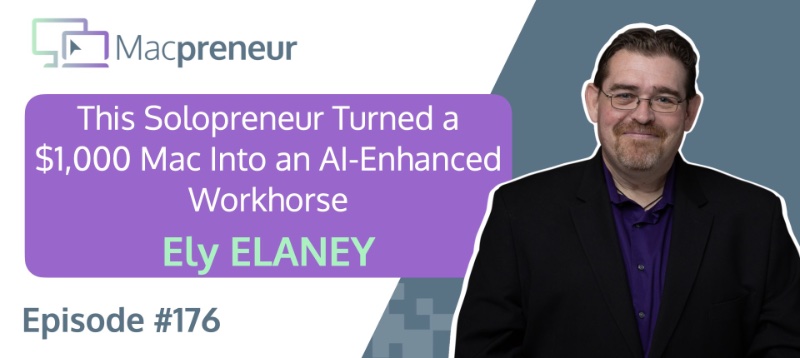
MP176: How This Solopreneur Turned a $1,000 Mac Into an AI-Enhanced Workhorse with Ely Delaney
TL;DR Ely Delaney turned an affordable Mac mini into a dependable, AI-enhanced workhorse for content, email marketing, and relationship-building. The real lesson: use AI to accelerate your expertise, not to replace the human judgment that makes your work effective. Connect with Ely Delaney Website: https://connectwithely.com/ LinkedIn: https://www.linkedin.com/in/elydelaney Watch now https://www.youtube.com/watch?v=FrIYMPUdths Listen now Affiliate disclosure Resources…
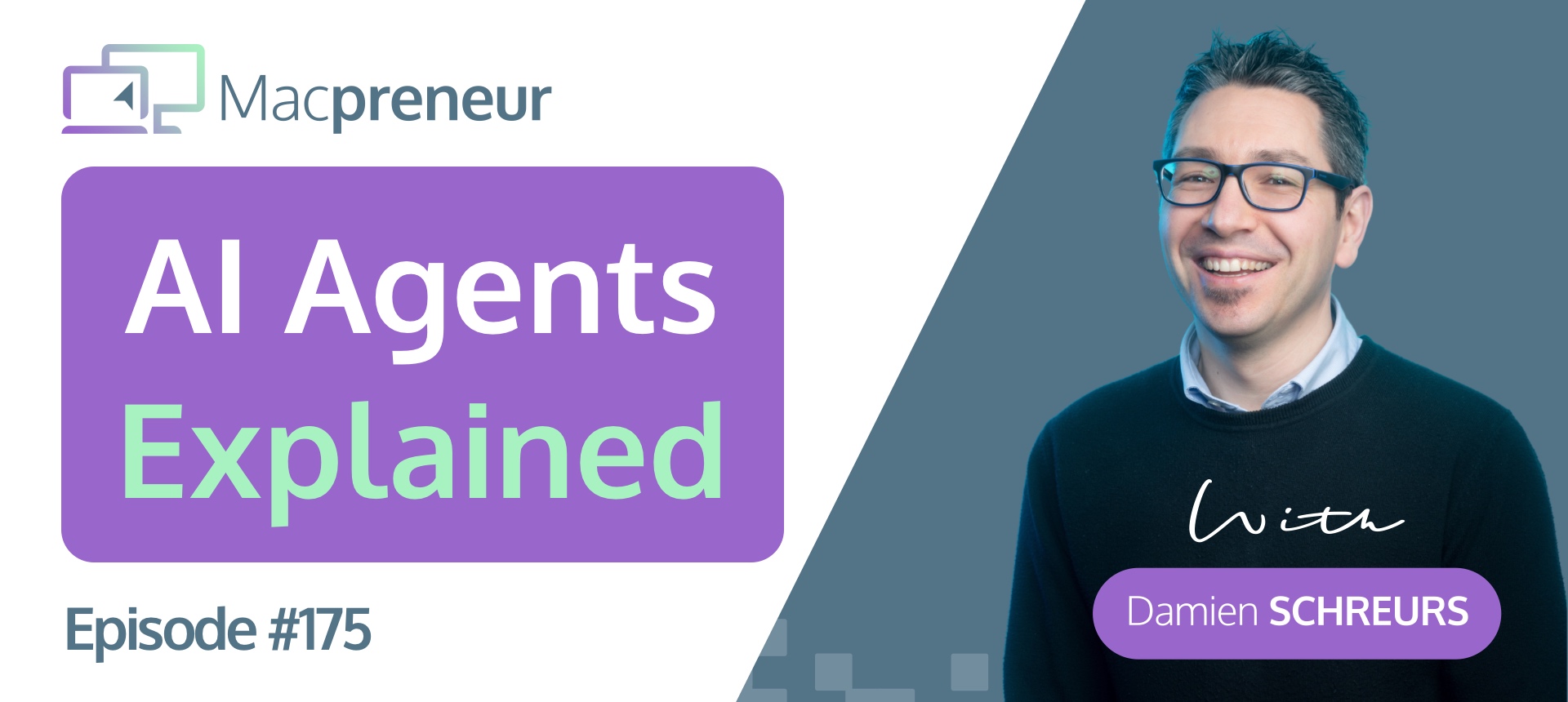
MP175: Mac Solopreneurs, Finally Understand What AI Agents Can and Shouldn’t Do
This episode breaks down exactly what separates an AI agent from an AI-powered automation, and why that distinction matters for Mac solopreneurs.
Continue Reading MP175: Mac Solopreneurs, Finally Understand What AI Agents Can and Shouldn’t Do