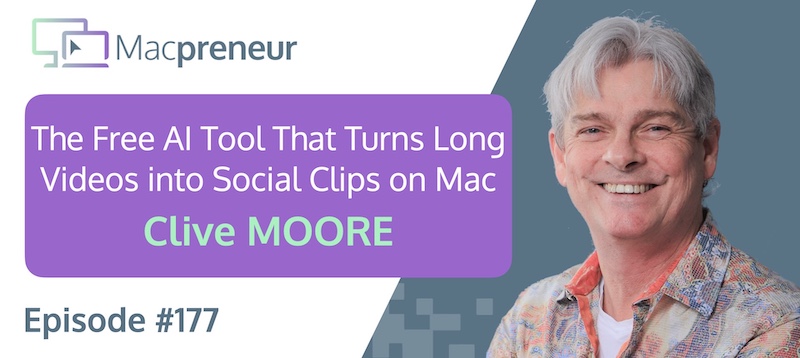
TL;DR
Clive Moore uses a Mac-centered AI workflow to turn long videos into ready-to-publish social clips, run language models locally, and automate agency work.
The real lesson: combine simple built-in tools with carefully managed AI workflows instead of paying for complexity by default.
Connect with Clive Moore
- https://www.linkedin.com/in/clivemoore/
- https://agencyinabox.ca/
- https://workilo.io
- https://gptstudio.workilo.io
Watch now
Listen now
Resources & links
Apps & Tools
- BBEdit
- Brave
- CapCut
- Claude
- Claude Code
- Claude Cowork
- Claude Desktop
- Clipify (by Louise de Sadeleer)
- Cursor
- DuckDuckGo
- Fathom
- GitHub
- Google Chrome
- Google Meet
- Granola
- Hermes
- Notion
- Ollama
- Visual Studio
- Zoom
Apple Support Resources
- iCloud
- iCloud Drive
- iCloud Photos
- Launchpad
- macOS Tahoe
- Preview
- Quick Look
- QuickTime Pro
- Safari
- Spotlight
- Terminal
Hardware
Summary
Clive’s Mac Setup
Clive Moore runs his business on an M2 MacBook Pro with 16 GB of RAM and 500 GB of storage, extended across two Samsung monitors arranged side by side.
Favorite Mac Apps
Preview handles image creation, cropping, combining images, and even built-in OCR, while Terminal supports the programming and AI infrastructure behind Clive’s work.
QuickTime Pro provides quick video trims, and Quick Look offers a fast way to inspect files without opening them.
Browsers, Notion & AI Note-Taking
Brave is Clive’s preferred browser because it combines Chromium compatibility with stronger privacy than Google Chrome.
His experience as a web developer made him wary of Chrome’s behavior when unfinished websites appeared in search results.
Brave also includes AI-powered search, while DuckDuckGo offers a similarly privacy-focused alternative with short summaries and prompts for refining a search.
Notion has become Clive’s CRM and project knowledge base.
Its integrated Granola-powered note-taking can record a meeting, produce a transcript, generate a summary, and surface action items without adding a separate meeting participant.
Clive uses the resulting notes with Claude to draft emails and proposals.
The free version of Notion currently provides everything he needs for this workflow, although he has not investigated its precise transcription limits.
I also described using Granola and Fathom to capture calls, create linked recaps, manage privacy, and turn meeting notes into follow-up tasks.
Clipify & AI Video Tools
Clipify is an open-source Claude Code command that watches a video, suggests short excerpts, creates captions with Whisper, and formats the results for landscape, portrait, or square publication.
A 20-minute recording can become multiple 30-second clips without paying for a dedicated video-editing subscription.
Running LLMs Locally
Clive runs Qwen locally through Ollama for tasks such as code audits, while relying on Claude for heavier work.
He has connected the local model to a Hermes agent, which is gradually adapting to his preferences.
The trade-off is that local models can consume enough memory to slow down the rest of the Mac, especially when too many browser tabs are open.
Claude Code & Token Management
Claude Code’s terminal interface is Clive’s preferred environment because ordinary language is enough to request operations such as creating branches or merging code.
He finds the command-line workflow much more economical with tokens than Claude Cowork.
Cowork is useful for controlling a browser, handling files, and preparing commands, but Clive then moves the actual work into the CLI.
I noted that Cowork can consume substantially more tokens because it creates a virtual Linux environment and loads additional context.
Claude Code and Cowork can also delegate to sub-agents, multiplying context usage as each agent works.
Clive prefers BBEdit to more crowded development environments such as Visual Studio, and he found Cursor’s early token consumption particularly difficult to control.
His broader rule is to stop and reassess as soon as an AI agent begins burning through tokens faster than expected. Unlimited usage may look convenient, but without spending limits it can turn an efficiency tool into a major production expense.
Mac Tips & Tricks
Clive still uses Spotlight to launch applications, but Launchpad became more useful as Spotlight’s increasingly broad search results began surfacing documents and other files.
On newer versions of macOS Tahoe, application search is accessed through Spotlight’s dedicated filters rather than a separate Launchpad interface.
The Mac’s iPhone mirroring feature also lets Claude interact with mobile-only apps such as Threads from the desktop.
That integration can expose phone-based information to workflows that would otherwise be difficult to automate.
Clive sees the close connection between the Mac and iPhone as one of Apple’s strongest usability advantages.
iCloud Storage & Backups
Clive’s main software complaint is the glassmorphism interface, which he feels sacrifices readable space and clarity for translucent visual effects.
He also acknowledged that his preference for larger local drives reflects how much data he tends to keep.
I explained that iCloud storage supports several distinct needs, including iCloud Drive, iCloud Photos, device backups, messages, health data, contacts, calendars, and mail.
An iPhone’s automatic iCloud backup runs when the device is plugged in, connected to Wi-Fi, and locked, making it more dependable than a manually initiated local backup.
Large app data, such as video projects stored inside CapCut, can make those backups consume substantial space.
Reviewing the iCloud backup settings and excluding data that is already synchronized on an app’s own server can reduce storage use, but only after confirming that the excluded data can genuinely be recovered.
Connecting with Clive
Clive is most active on LinkedIn and can also be found through Facebook, Threads, and the Agency In a Box website.
Main Takeaways
- Use built-in Mac tools before buying replacements: Preview, Quick Look, Spotlight, and QuickTime Pro can cover surprisingly practical image, file, search, and video tasks. Start with the tools already included in macOS before adding another subscription.
- Turn every meeting into structured follow-up: A useful note-taking workflow should do more than preserve a transcript. Capture decisions and action items in a form that can immediately feed proposals, emails, and task systems.
- Repurpose long-form content systematically: A single recording becomes more valuable when a repeatable process identifies excerpts, adds captions, and exports the formats required by different platforms. Automating those steps lowers the effort needed to publish consistently.
- Match AI workloads to the right environment: Local models can be useful for contained or privacy-sensitive tasks, while cloud models remain better suited to demanding work. Choosing based on the job prevents unnecessary strain on the Mac and avoids forcing one tool to handle everything.
- Watch token usage like a production budget: Agentic tools can quietly consume far more context than a straightforward chat, particularly when sandboxes and sub-agents are involved. Set limits, compare workflows, and stop a runaway process before convenience becomes an unexpected bill.
- Keep the interface aligned with the task: A visually sophisticated interface is not automatically a more usable one. When search becomes noisy or an editor adds unnecessary panels, choose the simpler path that keeps attention on the work.
- Audit what your backups actually protect: Storage savings are worthwhile only when they do not create false confidence. Check whether an app’s data is recoverable elsewhere before excluding it from a device backup, and make automatic backups part of the normal routine.
Subscribe from your favorite podcast player






Full transcript
FULL TRANSCRIPT (Click here)
Teaser (00:00)
Clive Moore Clipify. It’s an open-source library that you can get on GitHub.
You run it in Claude Code, it’s a slash command, so you go /clipify, and then you point it at the video.
And it will literally watch the video, and it’ll ask you if you want it in 16 by 9, 9 by 16, 1 to 1.
And next thing you’ve got a finished product to post onto the web.
Out of a 20-minute video, you’ve got 30-second clips in a variety of different formats.
Yeah, it’s pretty slick.
Nova AI Welcome to Macpreneur, the show for seasoned solopreneurs looking to streamline their business on a Mac.
Unlock the secrets to saving time and money with your host and technology mentor, Damien Schreurs.
Introduction (00:49)
Damien Schreurs Hello.
Today I have the pleasure to introduce Clive Moore.
Clive is the founder of GPT Studio, a Canadian-hosted, model-agnostic AI platform supporting ChatGPT, Claude, DeepSeek, and Cohere, but he’s also the founder of Agency In a Box, a software platform for development agencies.
With twenty-five years across graphic design, branding, and digital agencies, he has helped companies scale from six million to twenty-four million dollars and watched leadership bottlenecks kill more growth than any technology gap ever did.
He’s a member of Dan Martell’s elite coaching program and runs weekly AI jam sessions for practitioners navigating real-world AI implementation.
Clive, welcome to the show.
Clive Moore Thank you for having me, Damien.
It’s a pleasure to be here.
Clive’s Mac Setup (01:50)
Damien Schreurs So let’s get into the– your Mac setup.
What are you using to run your business?
Clive Moore I’m on a MacBook Pro, the Apple M2, with 16 gigs of RAM and a 500-gigabyte hard drive.
Damien Schreurs And, i-in the,
Clive Moore I have run two external Samsung monitors to extend my workspace.
Damien Schreurs Exactly.
That’s what I wanted to ask.
Those two monitors, are they side by side, right?
Your—
Clive Moore Yeah.
So I got, like, command central.
So it’s just one big screen all the way across.
It makes it really easy to drag full-screen things into the next window.
It’s really easy to share that way, right?
‘Cause I’m getting older, so I like to have the big window.
I can’t look at these little tiny boxes anymore.
And then the whole interface is pretty much set up for that, so it’s much easier to use.
Damien Schreurs I’ve seen people have three monitors.
So they have the central one, and then on the side they tilt the monitor to be in a portrait mode rather than landscape mode for documents or websites.
Yeah.
Clive Moore Yeah, I’ve seen that as well.
I haven’t adopted that process yet myself.
Maybe the next generation, you never know.
Favorite Mac Apps (03:08)
Damien Schreurs Very good.
What are your favorite Mac applications?
Clive Moore I’m pretty basic on the Mac application.
One of my favorites is Preview.
I find it useful for creating images, combining images, cropping them.
It beats paying for a big Photoshop license.
Terminal, I live in Terminal.
That’s part of the programming and AI infrastructure that I’m building.
So I’ve got six or seven Terminal windows open.
I also like to use the QuickTime Pro app.
It’s good for quick trims on videos and stuff like that, and then I can drop that into other applications.
I have a skill loaded in Claude called Clipify.
It allows me to create captions with any video that I drop in.
Damien Schreurs Yeah, there are many built-in capabilities.
One that I like also a lot is Quick Look.
You’re in your Finder, you don’t want to double-click to open, you just press—
Clive Moore Hit the space bar.
Damien Schreurs —see the thing.
Even with the arrow keys, if you have multiple files on top of each other, you jump from one to the other.
Super quick to find stuff.
Clive Moore Yeah, one of the built-in functionalities in Preview that is overlooked is the ability to select text from an image.
It can OCR content for you, baked right in.
It’s brilliant.
You don’t have to open it up in Acrobat or anything.
And, like Photoshop, even if you open it up in Photoshop, it can’t parse the text as OCR.
It’s brilliant like that.
Browsers, Notion & AI Note-Taking (04:48)
Damien Schreurs And, in terms of third-party applications, in the pre-show you mentioned Notion and Brave.
Clive Moore Brave is my browser of choice.
It’s a Chromium-based browser.
It runs on the same engine as Google Chrome, but it doesn’t have the surveillance capitalism baked right into it.
As a web developer, I found using Chrome, websites that we were working on before they were sent live, even though we had no index, no follow, the pages were still getting indexed.
So customers were finding their websites while they were still really ugly and being mad at us.
We had to figure out how to do that.
Safari didn’t have some of the developer tools in it at the time.
It’s progressed pretty significantly as far as developer tools.
So Brave has its own AI search built into it as well.
Long gone are the Google pages.
They’re slowly gonna die because everybody searches using AI now.
DuckDuckGo has AI-based search, also privacy-centered.
So yeah, I found Brave is my browser of choice these days for sure.
Damien Schreurs Personally, I’ve switched to DuckDuckGo as my default search tool, and I was surprised a few months ago to start noticing the AI.
But it’s actually good because with DuckDuckGo, it’s a very small AI summary, and you have those little, clickable…
So you have additional questions to your own first question, and you just click on it, and whilst it opens up, it’s actually generating the answer.
It’s pretty clever.
Clive Moore It is pretty clever, ’cause it’s like more resources or more information.
It’s good like that.
‘Cause sometimes the summary isn’t what you’re looking for exactly.
And it also, I find in Brave, I think in DuckDuckGo, gives you that other…
There’s another search box at the bottom that says, “Continue searching.”
Refine this search, and then gives you the option to input.
Damien Schreurs And,
Clive Moore Yeah.
Damien Schreurs Just for the listener, we will be circling back to Clipify because that interests me as well.
But let’s stay on the traditional Mac app section for a little while.
So what about Notion then?
How do you use it?
What do you like about Notion?
Clive Moore Notion, it’s kinda turned into my CRM, my basic knowledge base for my projects.
It has Granola for note-taking baked right in, so if I’m on a Zoom call, I just hit record.
There’s no agent going into the Zoom call, so there’s no extra seat that you need for it.
It would work with this app, so if I open Notion, I could be recording our conversation.
It would then give a transcription and a summary on my meeting notes.
It connects directly to Claude, so I can have Claude grab my meeting notes and then prepare an email or use that to help me prepare a proposal, and it helps to automate my workflow.
It has its own built-in agents, but I haven’t done anything with those myself.
But I’m sure they probably add a lot of capabilities as well.
The free version gives you pretty much anything you’d need to get started.
It’s a pretty solid platform.
Damien Schreurs The free version of Notion or Granola?
Clive Moore Of Notion.
So it has transcription.
I don’t actually know what the limits are, to be honest, ’cause it’s doing everything that I need it to do.
It takes the notes, it does the transcription, it creates a database of the people I’ve contacted, and my agents can talk to it.
So I haven’t used their own agents.
Damien Schreurs So you said that Granola is baked in, so you don’t need a Granola license.
It’s in Notion, completely in Notion then?
Clive Moore Yeah, it’s completely in Notion.
So when you start transcribing, you see the Granola icon animate.
So that’s what it uses for note-taking.
Damien Schreurs Yeah, I’ve been using Granola for a few months now, and my free trial actually was about to expire, and I love it so much.
I discovered there is also an MCP connector for Claude.
I realized, I’m gonna pay the subscription.
I don’t remember how much it is now, in euros.
It’s not cheap, but I find that it’s one of the best notetakers.
Being able to connect it through MCP to Claude and information from Granola into another tool, make summaries, prepare proposals, or prepare replies to emails and stuff like that, or in my case, actually pull action items.
It’s pulling action items and putting them in my system with my weekly notes and weekly tasks.
I find that invaluable now.
Clive Moore I don’t know if this is truly the Notion component of it, but when I stop taking the notes and recording, Notion creates a summary for it, pulls the action items up at the top, and summarizes those as a high-level thing.
Damien Schreurs It must be Notion because when I look at my Granola, it’s just a bulleted list with different sections.
Clive Moore Okay.
Damien Schreurs Yeah, I don’t recall having, like, checkboxes.
So I’m using Fathom for recording now client work.
So when I do remote consulting or remote coaching of clients, that’s something that I offer for free on top of the thing, so they don’t have to pay extra for that.
But I offer them through Fathom the recording of the session and everything that we talked about, every trick that I taught them or every changes that we made on their system in System Settings or in any app.
Everything is as a bulleted list and with clickable links.
And they click on the link, they go directly in that part of the video.
Clive Moore Oh, that’s—
Damien Schreurs And on top of that,
Clive Moore I’m gonna check that one out.
Damien Schreurs —it creates the action items, right?
The action item for my client and the action items for myself if I promised to do something after the call, for example, for them, additional research or stuff like that, or creating an email.
And also, so for the call itself with Fathom, when the call has ended, it’s one click for me to send them an email with the link to the video and also a summary and a recap of the action items.
Clive Moore That’s brilliant.
Damien Schreurs Unlike Granola, Fathom joins the Zoom meeting or the Google Meet as an additional participant.
It’s an additional participant in the meeting.
Clive Moore Which isn’t really a big deal, especially if you’re doing client work.
You’re just saying, “This is my note-taker.
It’s gonna make sure that we keep everything on track, and you’ll get a copy of the recording at the end.”
And that alone is enough to mitigate any issues that they might have with the idea that you’re recording.
Damien Schreurs I ask them, I tell them, “Look, do you want the session to be recorded, yes or no?”
If they say no, Fathom gets out of the meeting.
If they say, “Yes, I’d like to have that,” when I work remotely with clients, sometimes they have to enter passwords, and some clients still have their passwords in a Word document.
I can pause the recording in Fathom.
I can say pause, and so we continue, we do the thing, and then I continue the recording afterwards.
From a privacy point of view, I really like that solution.
And so far, touch wood, I still don’t need to pay.
I’m still on the free plan because it’s so seldom that I have those recordings that I don’t think I’ve hit any limit.
Clive Moore Yeah, it makes sense.
It’s… as they make their money off big businesses anyways.
Yeah.
Damien Schreurs I’m curious now.
Clipify & AI Video Tools (14:05)
Damien Schreurs Can you talk more about your… Clipify?
You call it Clipify or something like that?
Clive Moore Yeah, Clipify.
It’s an open-source library that you can get on GitHub.
And it was created by a female engineer.
I can’t remember her background exactly.
But you load it into the terminal in Claude, run it in Claude Code.
So once you’ve got Claude running in the command line, it’s a slash command, so you go /clipify, and then you point it at the video.
So you could just drag and drop the video into Terminal, and then it’ll get the file path.
And then you basically hit Enter.
It will literally watch the video, and it’ll suggest clips for you to cut out, and it’ll ask you if you want it in 16 by 9, 9 by 16, 1 to 1.
It uses Whisper.
The open-source Whisper runs on Python, so it uses Whisper to get the audio.
It does… the captions, I can’t remember the name of it, but it literally puts the captions down, so as you’re talking, it puts the words across the bottom.
And so you can get your portraits, your fours, just let it go.
It asks you a few questions, and next thing you’ve got a finished product to post onto the web.
Out of a 20-minute video, you’ve got 30-second clips in a variety of different formats.
Yeah, it’s pretty slick.
Damien Schreurs
Clive Moore And it’s open source, so there’s— that’s a never pay.
Damien Schreurs Yeah, I need to have a look at that.
Once I find it, I will put a link in the show notes as well.
Running LLMs Locally (15:54)
Damien Schreurs Ah, yes.
In the pre-show you talked about running LLMs locally.
Can you speak more about that?
Clive Moore Yeah.
So I’ve got Qwen running locally, doing some basic work right now.
I still use Claude for most of my heavy lifting.
But I’m using it to run some code audits.
I open-sourced a code audit on GitHub as well.
So if you track me down, I’d be happy to share that link with you as well.
I find it pretty solid.
It likes to take over my machine while I’m working, so it slows down my other things.
But it’s pretty functional.
I’ve got it hooked up to a Hermes agent, which is one that I just installed this week.
So—
How many names has it had?
I’ve installed the Hermes version, which is similar to it, and I’ve got it running on Qwen, and it’s pretty solid.
It’s starting to learn more about me.
These models are becoming more lightweight, and I’ve installed Ollama to control them.
That’s how I run them locally.
Ollama, and then you install Qwen 3.5 or something.
I—
Damien Schreurs For the listeners who haven’t yet gone into installing large language models locally, Ollama is the easiest to do that.
They even have now a GUI.
Before it was just a terminal, and now they have a GUI as well.
But you need an Apple Silicon Mac.
If you’re still on Intel like I am on the iMac here, not good.
But I have a MacBook Pro like you.
I have an M2 Pro MacBook Pro, 16 gigs, like exactly like you.
And yeah, you could even run Gemma 4, but you need to install the one with the fewest parameters possible because otherwise it’s two to five tokens per second and it’s painfully slow.
Clive Moore Yeah, that would drag everything else down for sure.
Damien Schreurs Qwen, you’re right.
I don’t think it’s as fast as ChatGPT or Claude or Gemini in the cloud, but for a local model, it’s acceptable.
Clive Moore Yeah, it runs pretty well.
My Mac has only run out of memory once.
Probably had too many tabs open.
Left it for the weekend and came back, and it was completely unresponsive.
Claude Code & Token Management (18:36)
Damien Schreurs So you, you mentioned Claude, Cowork and Claude Code.
Claude Code, do you prefer using it in the terminal or the desktop app?
Clive Moore I use the terminal, always in the terminal.
It’s very conversational.
The interface isn’t what most people are used to, but as far as interacting with it, it’s quite conversational.
You can ask it to merge this GitHub, create a new branch, like just in plain language.
You don’t have to know any of the commands.
I find that it uses far fewer tokens through the CLI than if I’m trying to do something in Cowork.
In Cowork, I’ll max out my tokens in, like, the first hour, and then I’m just finding something else to do for the next four hours while it clears.
It’s insane.
Yeah, so what I tend to do is I’ll tend to use Cowork to control my browser and do stuff directly on the desktop, like grab files and stuff like that.
I will get it to create the command that I need to paste into the CLI.
It says, okay, we’ll create a master command for this plan, and then I’ll paste it into the command line and let it chew up my tokens over there.
And it’s much slower.
It’s much slower at eating the tokens.
Damien Schreurs Yeah, I never did a direct comparison of Claude Code via the desktop app versus the CLI.
So I have no idea.
But I’ve been working a lot in the Claude desktop app recently.
What I realized, the same kind of task requiring an MCP connector, so tool use—
Exact same multi-step process in Cowork versus Claude Chat.
We’re talking about the simple chat, but for these kinds of processes, I don’t need local file access.
I just need the thing to use tools.
Two, three times more tokens used with Cowork versus Claude Chat.
And then I realized, wait, because…
And it looks very similar.
I was fooled, I thought, “Wow, Claude Chat now is an agent, and it has agentic capabilities.”
And then I did some research and so on.
I realized, no, it’s actually still multi-turn reasoning, steps.
Whereas for Claude Cowork, what’s happening is that a virtual machine is created at the beginning of the session, and a lot of things get loaded as context in addition to the project or the prompt that you give.
That’s why a Cowork session consumes many more tokens than a single chat session.
For a normal chat session, there is a limit of 20 tool calls that I hit from time to time, and it says, “Do you want to continue?”
And I say, “Continue,” and then it continues.
Whereas with Cowork or Claude Code, you say, “Do this bunch of things,” and off it goes, and it can also create sub-agents, which also each sub-agent will then load the context again and consume the token.
If you have five sub-agents, you multiply by five the number of tokens that are consumed by the thing.
Clive Moore Exactly.
It creates a virtual sandbox in Linux every time.
So it actually creates a container, and it doesn’t have the same Git capabilities as the command line because it’s literally sandboxed.
Damien Schreurs Yeah.
But the iterations on the Claude desktop app are unbelievable.
Sometimes multiple times a day, they ship an update to the desktop.
It’s ridiculous sometimes.
I was like, “No, I’m gonna wait until tomorrow to restart the thing.”
Clive Moore No, I’m in the middle of a task.
I don’t need to relaunch to get the new version.
Thank you.
Damien Schreurs But if you haven’t looked at Claude Code within the desktop app recently, they’ve really improved the UI.
I think they took some note from Codex because now you can have your chat session in Claude Code, but then you can open on the right side of the interface additional things.
So you can open a terminal, and so you have both the chat session and the terminal.
And you can paste commands directly in the terminal, and you can see it also use the terminal.
And you have also folder access, so you can see the repository that you are working on in Claude Code at the moment.
Anytime it updates a file with the diffs, you can see on the right side again, the diffs, the changes that have been made by Claude Code on the file that it was working—
Clive Moore Yeah, interesting.
I’ll have to have another look at that.
I don’t know if it’ll change the way I do things, but, all right.
‘Cause I’m old school.
I still use BBEdit as my preferred text editor.
I get Visual Studio in there, and it’s got too many panes and too many windows, and it’s like, I don’t need a file searcher in here.
I know my desktop.
I know where my files are.
There are some advantages, like the multi-line change, being able to change all your abbreviations and whatever.
But in the AI world, I just tell Claude to do it.
So some of those advantages are gone.
A lot of AI people are using Cursor as their editor as well.
I tried it when it first came out, and it just burned through tokens like no tomorrow.
It was crazy how fast it would just…
All right, now all my session’s done.
No, I just got started.
I can’t do anymore.
I found that frustrating.
Gary Marcus wrote an article this week.
It came out there was a company that spent half a billion dollars on tokens last month because they didn’t limit their Claude people.
My God, how is that even possible?
I still don’t understand, right?
Who’s not paying attention?
Everybody’s not paying attention.
Talk about AI psychosis.
Wow.
CFOs are just turning over and they’re just losing their minds.
Oh, it’s, yeah, it’s a great production saver.
Not a cost saver at overruns like that.
Holy.
Imagine how many people you could hire for half a billion dollars.
It’s just insane to me.
But yeah, so I guess if you’ve got your Cursor and your Cowork open and your unlimited spending on, then it’s not a problem.
But I like to stop the bleeding whenever I see it happen.
And so when my agents start running out of tokens, I reevaluate why I’m using that product, for sure.
Damien Schreurs Yeah, isn’t it Zuckerberg who fired a bunch of people to save some money for tokens and for—
Clive Moore For tokens, right?
Eh.
Wow, right?
Damien Schreurs Different priorities.
Clive Moore I guess you don’t have to deal with the tokens’ emotions.
Damien Schreurs Yes, you’re right.
Clive Moore That’s right.
That’s the only thing I can see there.
Holy.
Damien Schreurs Yeah, very good.
So yeah, let’s switch gear.
Mac Tips & Tricks (26:40)
Damien Schreurs What tip or trick did you discover on your Mac recently that you wished you knew before?
Clive Moore I still use Spotlight to launch a lot of my apps most of the time, but I did find the Launchpad.
I find that I’m using it more recently because as the context for search grows on my Mac, it likes to pull up files and everything that’s related to that thing.
And I find that Launchpad actually is really the thing that gets…
It opens just the apps, and so I can easily get to the apps alone.
Because I don’t know how many things I have called Skill now, but it’s—
Damien Schreurs They’re all skilled at MD inside.
Clive Moore Sorting by document kind doesn’t help anymore.
Oh, unless it’s a Word document, ’cause I don’t do those much.
So Spotlight and Launchpad, they’re super handy utilities.
Damien Schreurs Are you already on Tahoe?
Or—
Clive Moore I’m on Tahoe.
There’s a new one that came out this weekend, end of May 2026.
I haven’t installed it yet because it was ready the day that my Mac ran out of memory, and it told me I needed more memory to install it, so I had to clear some dead files off my—
It’s amazing how you accumulate 200 gigabytes of files that you haven’t touched in five years.
So I cleaned my Mac up, but I haven’t done the install yet.
I’m on Tahoe 26.2 at the moment.
Damien Schreurs Didn’t they replace it?
Now you need to use Spotlight.
You need to initiate Spotlight, then switch to the application search, and that’s when you see the icons for the applications.
Clive Moore So now they have different tabs as you open up Spotlight.
Whereas before I think it just went off of contextual memory, or what you most searched for last, I think, ’cause it seemed to always be exactly the application that I was looking for.
But now, yeah, it does have different tags underneath the search bar that you can toggle between documents and apps and—
Damien Schreurs Yeah, until Sequoia, Launchpad was separate from Spotlight.
So either you would do Command + Space or you would do Launchpad, and Launchpad would only show the applications, and Spotlight would return anything that contained the letters that you typed.
And now with macOS 26, there is no independent Launchpad anymore.
But when you invoke Spotlight, you can have these shortcuts, and one of the shortcuts is only show me the applications or search for applications.
Clive Moore Yeah.
It’s a little series of tags and it’s scrollable.
I typed in LI, and it pulled up LinkedIn, ’cause I’ve got the mirroring to my phone.
It says LinkedIn from iPhone, so I can connect to my iPhone.
Which is a handy utility too.
Being able to use the virtual phone on my desktop, ’cause then my Claude can use my phone and control it and go through Threads and applications like that because you can only get insights from the mobile app, which is useless if you’re trying to build a spreadsheet or a dashboard.
Being able to access that from the laptop to the phone is handy.
It has News, Microsoft Word, Console, System Settings, Windows, menu items, documents, built in.
You can scroll across that and hit the tag, and then it’ll narrow the search down.
Damien Schreurs Yeah, it’s a nice tip that I didn’t think about, that actually having Claude with computer use actually—
Clive Moore Yeah.
Damien Schreurs —phone mirroring—
That’s a great tip.
Clive Moore Yeah.
I’m glad I brought that—
Damien Schreurs Yes.
No, it’s perfect.
It’s really good, and it shows the power of the integration of the whole Apple ecosystem between Mac, iPhone, iPad.
It’s—
Clive Moore Oh, it’s intense how everything just works.
It’s brilliant.
They’ve done a really good job at integrating the phone.
Yeah.
iCloud Storage & Backups (31:16)
Damien Schreurs Very good.
Next segment, if you were in charge of the Mac division at Apple, what would be your first priority if you could improve either on the hardware side or the software side?
Clive Moore I would roll back the UI update for the glassmorphism.
I find that I’ve lost a lot of real estate with the new extra frames and the new panels on everything.
Now instead of having this much space, the UI takes up that much space, which makes the readability harder.
I’ve always liked how they were very clean and simple and easy to use.
And now we’ve just started to throw aesthetics on top of it.
Some of the icons are harder to read because of the glassmorphism.
The translucency is a party trick more than it is an actual usability function to me.
That would be the primary thing.
I’d say bigger hard drives, but what the hell?
Storage is cheap and I like to hoard things apparently, so—
Damien Schreurs Forgot to tease you about the cloud services because five gigabytes of free storage for iCloud in 2026, it’s a bit—
Clive Moore Yeah.
I don’t use the iCloud storage a lot, and I’m not sure why.
I’m not sure if it’s because I keep that much locally as well, ’cause it mirrors, right?
Or do you just offload it and then you just use the iCloud—
Damien Schreurs You can use iCloud for backing up your phone, and unfortunately, it’s the only option that we have for a true backup of our phone settings.
It’s iCloud backup.
So for people who have 512 gigabytes or a terabyte of an iPhone with that much storage and so many applications, it’s not only the settings, but it’s also the content within the applications.
So a good example, you talked about CapCut earlier.
So if you install CapCut on your iPhone, and you edit a lot of videos, actually the raw footage and the edited footage is inside the CapCut app.
And if you don’t back up your phone via iCloud backup and you lose it, it gets stolen or crushed by a bus, that’s lost.
There’s no other way than restoring from i—
Sorry, you could back it up via iCloud, or you could connect it to a Mac or a Windows device and say Local Backup.
But the local backup is a manual process, and the iCloud backup is an automatic process that happens every 24 hours when the iPhone is plugged in, connected to Wi-Fi, and the screen is locked.
So we have these three conditions for this iCloud backup to take place.
But obviously, you need iCloud storage, especially if you have multiple devices, if you want to back up an iPhone and an iPad.
It’s only for mobile devices, not for the computers.
Clive Moore Yeah, so it’s not like the iCloud, ’cause you have your cloud—
Damien Schreurs The same storage bucket is used for iCloud Drive, iCloud Photos, every photo and video you take on your iPhone gets pushed to iCloud through iCloud Photos.
You have iCloud backups, and synchronization of messages, health data, contacts, calendars, emails through the iCloud.com email address.
If you want to save on the storage that you are using from your iPhone backup, go to Settings, iCloud, Storage.
Look at the iCloud Backup Storage settings.
You will see how much space is used by the iCloud backup of your phone.
On top of that, you can go app by app and say, “Do not back up.”
So I don’t remember which game.
There was a game that was taking 20 gigabytes of space in iCloud just for a backup.
And for no reason, because everything about the game is synchronized on the server.
Where I am in the game, everything that I’ve purchased, the fake digital goods and stuff like that, everything is on the server.
And when I need to redownload the app, I sign in with my account and it redownloads everything anyway.
So I figured, why use 20 gigabytes of iCloud backup when anyway it’s gonna get back to me when I download the app afterwards?
Clive Moore Yeah, let them store it, right?
It’s their data.
Damien Schreurs And so yeah, if you want to save a little bit of iCloud storage, go to that iPhone iCloud backup thing and deselect the apps that you really don’t need a backup of.
So if you lose your phone, it doesn’t matter that this is lost because it’s anyway in the cloud somewhere.
But be careful.
Please know that your iPhone will tell you you’re not protected, you’re not backing up everything.
Be careful.
You should back up everything.
Clive Moore Yeah.
Yeah, they’re good like that.
Damien Schreurs We want more money.
Give us—
Clive Moore Yeah, upgrade your storage.
Connecting with Clive (37:15)
Damien Schreurs Very good.
Where can people find you, Clive?
Clive Moore I am most active on LinkedIn.
I’m pretty easy to find, Clive Moore.
I’m probably not the only one under there, but I don’t have a Clive Moore three or anything, so it’s nice and easy.
I’m also on Facebook.
I’m more active on Threads and I’m not hard to find online.
My company website is https //agencyinabox.ca/ and that has a link to all my products.
Damien Schreurs I will put a link in the show notes to all the places where you can connect with Clive.
Thank you for sharing how you are using your Mac to run your business.
Clive Moore Thank you for having me.
It was a pleasure.
I learned a bunch here myself today.
Damien Schreurs Very good.
We definitely learned a bunch of things from you as well, so thank you for that.
Applying to be a guest (38:11)
Damien Schreurs And so if, like Clive, you would like to share how you are using your Mac to run your solopreneur business, visit macpreneur.com/apply.
If you are already on Podmatch, click on the button and you will land on the show profile.
Otherwise, fill the application form and I will get back to you within a few days.
Once again, it’s macpreneur.com/apply.
Outro (38:37)
Damien Schreurs And until next time, I’m Damien Schreurs wishing you a productive day.
Nova AI Thank you for listening to the Macpreneur Podcast.
If you’ve enjoyed the show, please leave a review and share it with a friend right now.
Previous / next
Latest episodes
MP180: How Mac Solopreneurs Can Own Their AI Knowledge Base with Chad Owen
TL;DR Chad Owen builds agentic operating systems that help small business owners scale their expertise without adding a team. The real lesson: keep your AI knowledge and data under your control so you can change tools without losing what your business has learned. Connect with Chad Owen Website: https://stimulus.io/ LinkedIn: https://www.linkedin.com/in/heychad Watch now https://www.youtube.com/watch?v=4JQ-gFhwV8E Listen…
Continue Reading MP180: How Mac Solopreneurs Can Own Their AI Knowledge Base with Chad Owen
MP179: How Mac Solopreneurs Can Escape the AI Multitasking Trap with Jan Trautwein
TL;DR Jan Trautwein uses AI to expand what a solo business can build while coaching founders to stay focused, healthy, and willing to ship. The real lesson: multitasking is only useful when you have a reliable way back to the work that matters. Connect with Jan Trautwein https://jantrautwein.com/ https://www.linkedin.com/in/jantrautwein/ https://www.instagram.com/jan_trautwein/ Watch now https://www.youtube.com/watch?v=sDkNNTlLWbE Listen now…
Continue Reading MP179: How Mac Solopreneurs Can Escape the AI Multitasking Trap with Jan Trautwein